API basics
Last updated: Jul 21, 2026
Fluid Attacks' platform allows users to make requests to its GraphQL API. Before you do that, you should have some basic knowledge of this query language.
Once familiarized, you can follow this guide, which walks you through the authentication process and shows you how to start exploring the API.
Authenticate to use the API
You can authenticate to the Fluid Attacks API from the GraphiQL playground or by HTTP requests in code. This guide explains two possible ways of authentication through the GraphiQL playground.
Authentication with Fluid Attacks' platform login
You can choose to authenticate through Fluid Attacks' platform login:
You can go ahead and write the queries you need, and then click the play icon to execute them.

This method uses the same session as the platform, which lasts for 8 hours. After that, you need to log in to app.fluidattacks.com again and refresh the API page. If you want your session to last longer, you can use an API token as shown below.
Authentication with Fluid Attacks' platform API token
You can authenticate to Fluid Attacks' API with a token, which you have to generate on the platform. The steps are explained below.
This personal API token authenticates you to the GraphQL API. To
authenticate a scan or CI run to a group, use your group's Group token
instead (see CLI authentication) — do not
use this personal API token as INTEGRATES_API_TOKEN.
-
Log in to Fluid Attacks' platform at app.fluidattacks.com.
-
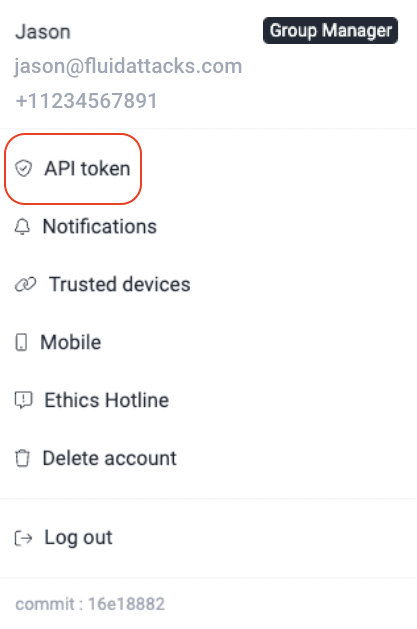
Click on the user menu and select the API token option.
-
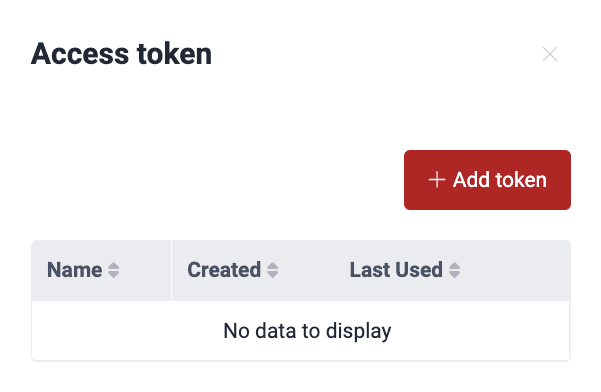
In the pop-up window, click on Add token.
-
Enter a name and choose an expiration date for your token (up to six months from the current date).
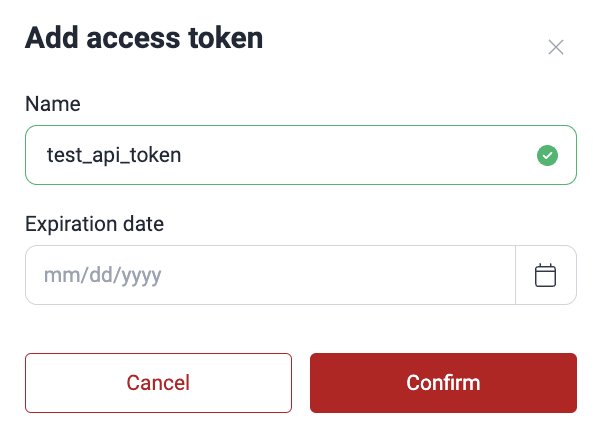
Keep in mind that you can have up to two active API tokens.
-
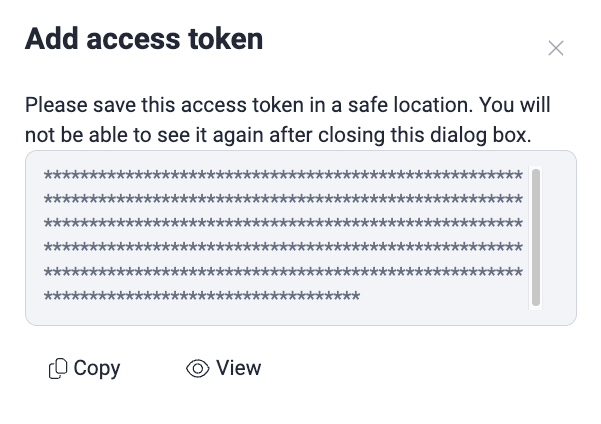
Click on Confirm. The window then shows your token masked with asterisks. If you wish, you can click on View to reveal it.
-
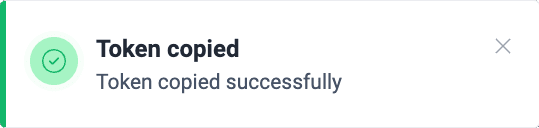
Click on Copy and store this token safely, as the platform will not show it to you ever again after you close the pop-up window. The platform displays a message briefly when the token is copied successfully.
-
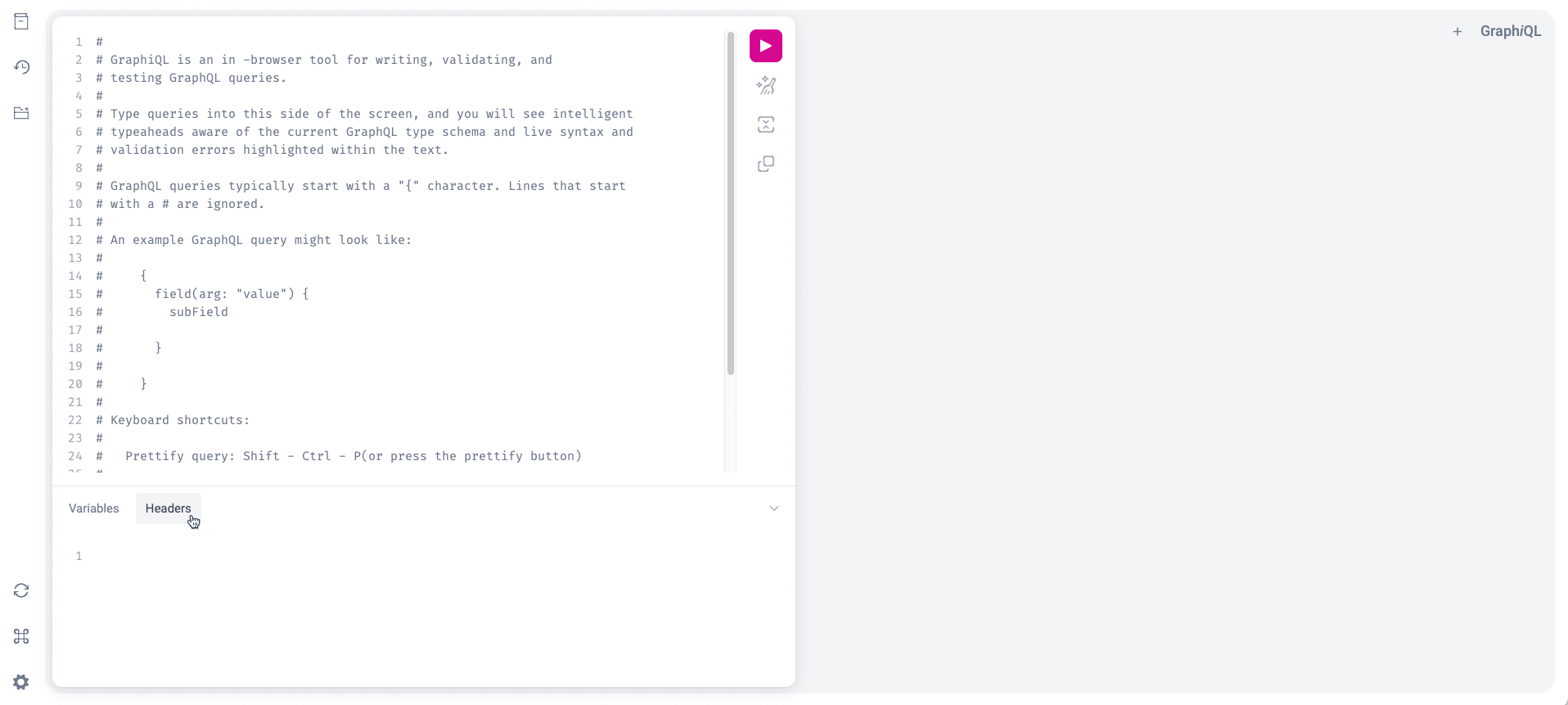
Enter the GraphiQL playground.
-
Select the Headers tab at the bottom.
-
Under Headers, type
{"authorization":"Bearer YOUR_TOKEN_GOES_HERE"}. (ReplaceYOUR_TOKEN_GOES_HEREwith your actual token.) -
Write your GraphQL queries in the upper area and click on the play icon to execute them.
Examples of a simple query
Here are examples of how to make a simple query to the Fluid Attacks API using Python, JavaScript, and Bash. This query retrieves the current user's username and email.
All examples use the POST method
to send the GraphQL query to the API endpoint.
You can learn about this method
by reading the official GraphQL documentation.
(a) Replace YOUR_TOKEN_GOES_HERE with your actual token.
(b) Keep your API token confidential. Do not share it publicly or commit
it to version control.
(c) When you run the script, you get what you requested from the query in
the terminal.
Python
import requests
query = """
{
  me {
    userName
    userEmail
  }
}
"""
token = "YOUR_TOKEN_GOES_HERE"

response = requests.post(
  "https://app.fluidattacks.com/api",
  json={"query": query},
  headers={"authorization": f"Bearer {token}"},
)
print(response.json())
JavaScript
const response = await fetch("https://app.fluidattacks.com/api", {
  headers: {
    "content-type": "application/json",
    authorization: "Bearer YOUR_TOKEN_GOES_HERE",
  },
  body: JSON.stringify({ query: "{ me { userName userEmail }}" }),
  method: "POST",
});
console.log(await response.json());
Bash
curl \
  --request POST \
  --url https://app.fluidattacks.com/api \
  --header "content-type: application/json" \
  --header "authorization: Bearer YOUR_TOKEN_GOES_HERE" \
  --data '{"query": "{ me { userName userEmail }}"}'
Revoke API token
You might need to revoke an API token if it has expired or you have lost it. Follow these steps to revoke the token:
-
Log in to the Fluid Attacks platform at app.fluidattacks.com.
-
Click on the user menu and select API token.
-
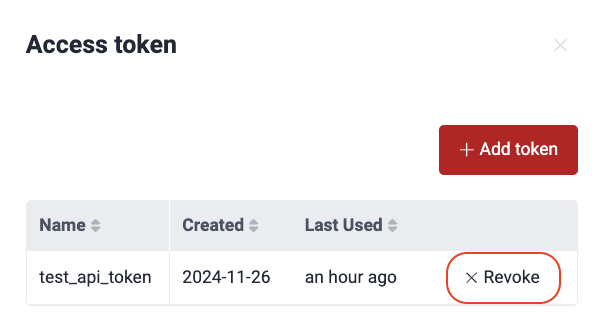
Click on Revoke.
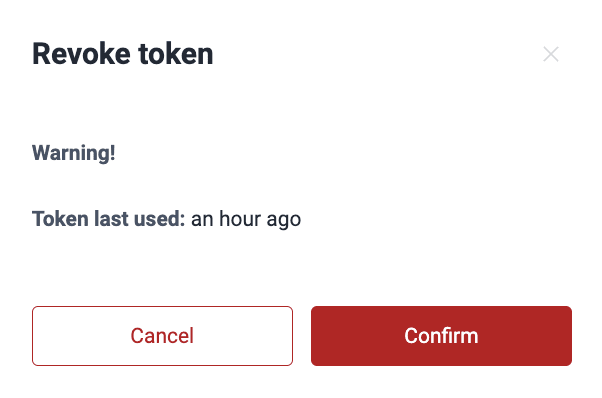
If you are revoking a valid token that you have used within the past seven days, you receive a warning message showing the last time it was used.
Once you revoke a token, even if it has not expired, it becomes invalid and cannot be used for authentication. Any integrations using the revoked token will require a new one to resume their functioning.
-
Click on Confirm.
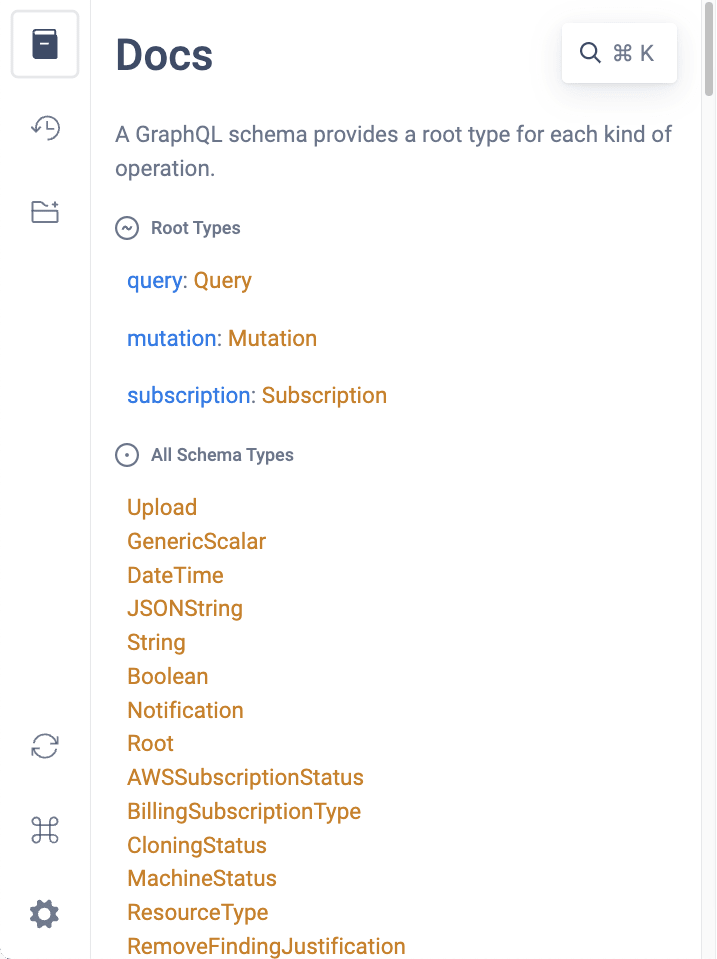
Access playground docs
The GraphiQL playground provides built-in documentation to help you explore the API:
-
Go to the API page.
-
Click the book icon on the left side of the playground.

-
Browse through the available queries, mutations, and schema types.
Paginated fields
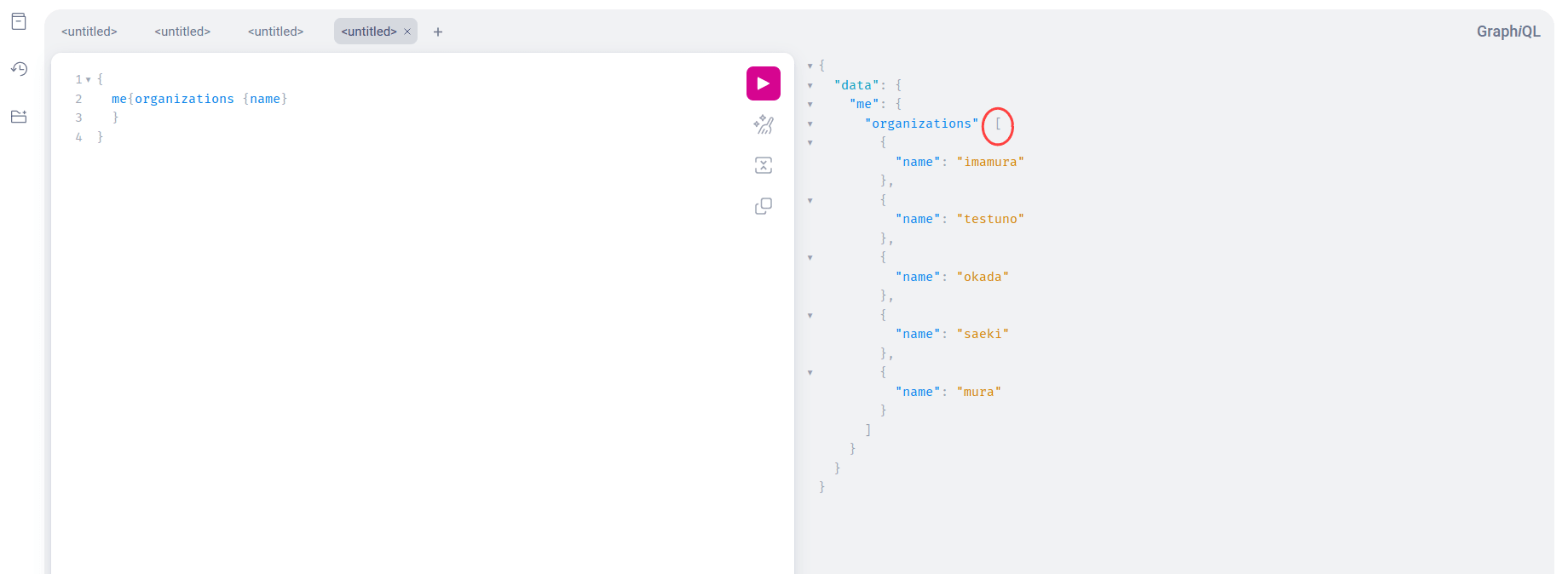
The Fluid Attacks API uses both paginated and non-paginated lists. Non-paginated lists return all available results directly, as a normal list, and between square brackets. An example is shown in the screenshot below.
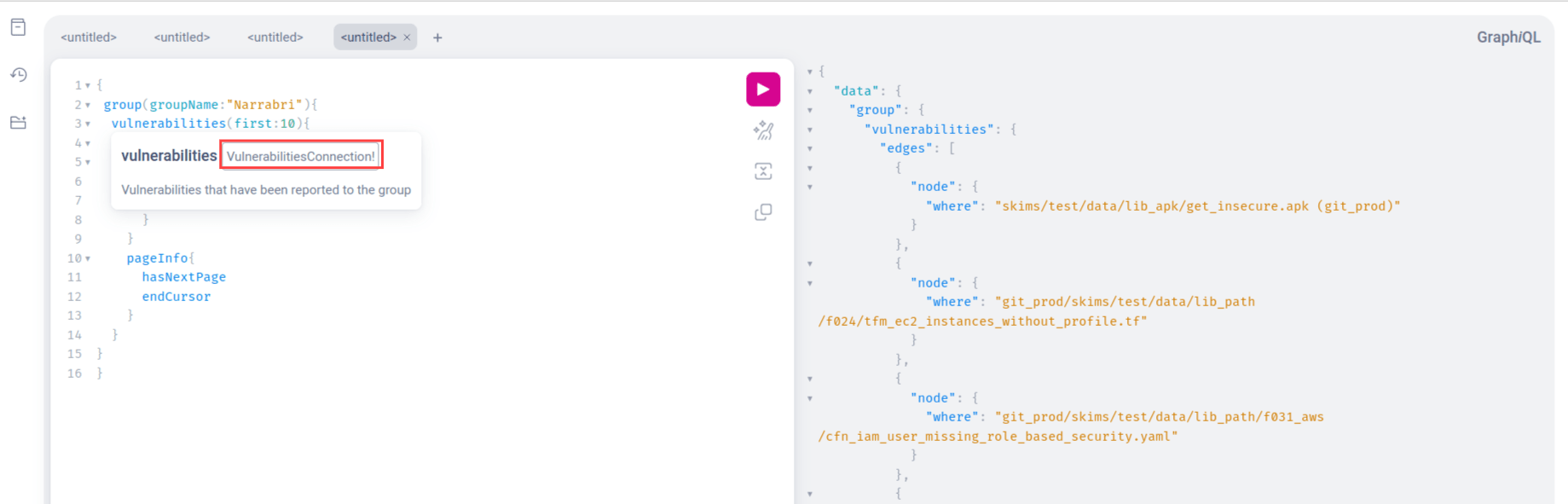
Paginated lists,
often identified by the suffix Connection,
return only a certain number of results and a "cursor"
that can be included in subsequent requests to advance through the pages.
It is important to keep these differences in mind when building integrations that need to retrieve all the information in a paginated field. Read GraphQL's official pagination documentation for more information.
Consider this example to better understand pagination: Retrieving the first ten vulnerabilities of a group named Narrabri. The query is shown in the screenshot below.
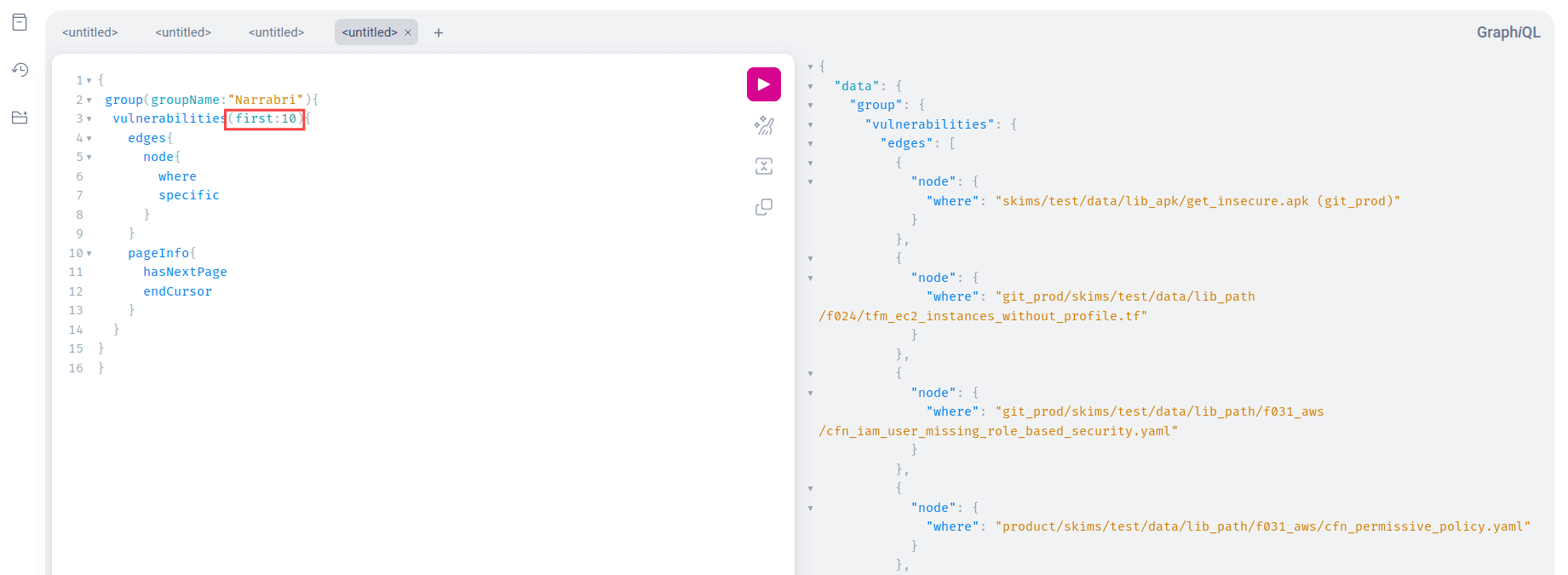
Explore the terminal.
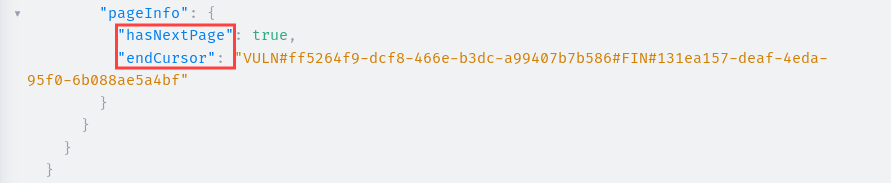
If there is a next page in the last item of the query,
you can see hasNextPage and endCursor,
where the former informs that there is a next page
and the latter provides its cursor token.
To see the next page,
you can pass the cursor token as the argument after in your next query.
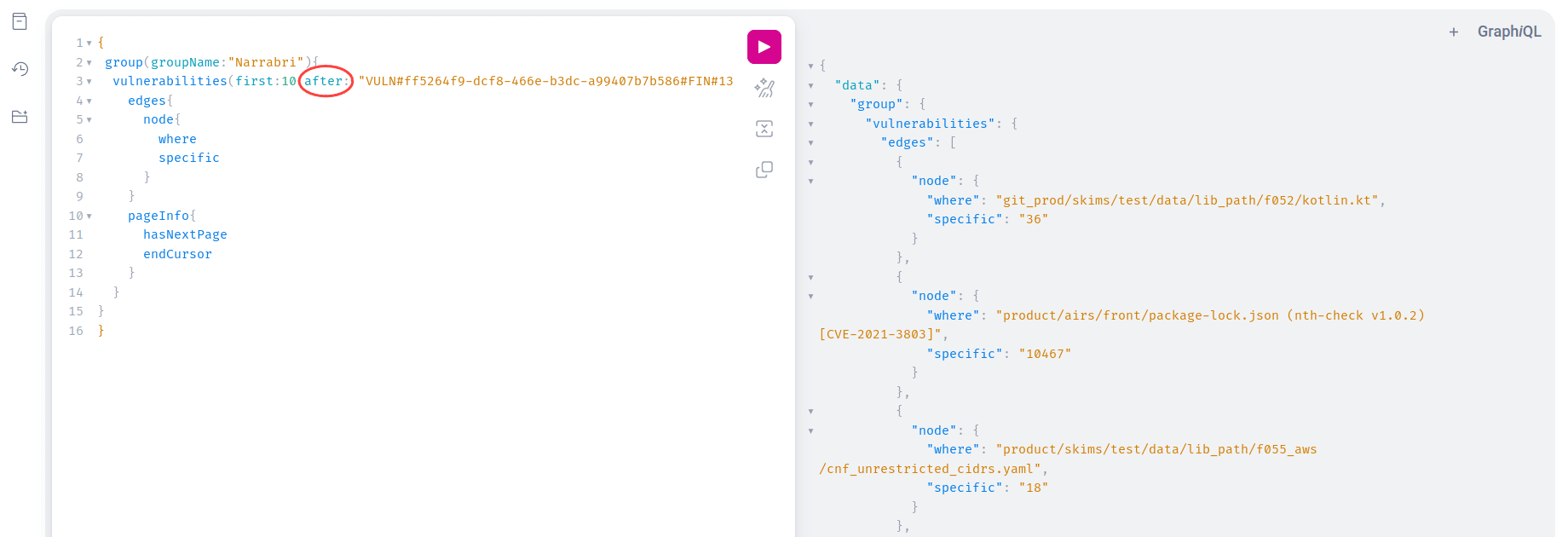
Continue making requests with the updated after argument
until hasNextPage is false,
indicating that you have retrieved all pages.
See other examples
in the GraphQL documentation.
Rate limits
The Fluid Attacks API
has a rate limit that varies by authentication method;
token-authenticated requests get a substantially higher limit.
If you exceed this limit,
you receive an HTTP 429 (Too Many Requests) error response.
The response includes a retry-after header
indicating how long to wait before making another request.
See how to control this scenario with a Python script:
import requests
from time import sleep
query = """
{
  me {
    userName
    userEmail
  }
}
"""
token = ""
def request():
    while True:
        response = requests.post(
          "https://app.fluidattacks.com/api",
          json={"query": query},
          headers={"authorization": f"Bearer {token}"},
        )
        if response.status_code == 429:
            seconds = response.headers["retry-after"]
            sleep(seconds + 1)
        else:
            break
    return response
response = request()
print(response.json())
This solution may vary depending on the HTTP client library or language of your preference. Waiting one additional second for the value indicated by the header is also advisable.
Temporary network errors
The Fluid Attacks API may occasionally experience temporary network issues, such as timeouts due to high demand or connection failures.
To make your integration more resilient, implement a retry mechanism for failed requests. This is especially crucial for mission-critical processes that rely on the API. The following is a small example in a Python script.
MAX_RETRIES = 10

def request():
    while True:
        response = requests.post(
            "https://app.fluidattacks.com/api",
            json={"query": query},
            headers={"authorization": f"Bearer {token}"},
        )

        if response.status_code == 429:
            seconds = response.headers["retry-after"]
            sleep(seconds + 1)
        elif response.status_code >= 500:
            retries += 1
            if retries == MAX_RETRIES:
                break
            sleep(retries)
        else:
            break

    return response
Remember that the above solution may vary depending on the HTTP client library or language of your preference.
Fluid Attacks' platform API response status
The Fluid Attacks platform API uses standard HTTP status codes to indicate the success or failure of your requests. Here are some of the most common codes you might encounter:
| Status code | Description |
| 200 | OK: The request has been processed. You can learn more about the structure of the response body in the GraphQL documentation. |
| 400 | Bad request: The request has a syntax error or is malformed. Check the response body for details about the error. Refer to the GraphQL documentation for guidance on proper query syntax. |
| 429 | Too many requests: You have exceeded the API rate limit. Reduce the frequency of your requests or implement a retry mechanism that respects the retry-after header value (in seconds) provided in the response. |
| 502-504 | Bad Gateway/Gateway Timeout: These errors usually indicate temporary server issues or network problems. Implement a retry mechanism in your code. If the errors persist, please contact [email protected]. |
Response times
With GraphQL, you can request a large amount of data in a single request, but you have to keep in mind that the response times will vary accordingly. Therefore, it may be useful to split queries into different requests as needed.
Search for vulnerabilities in your apps for free with Fluid Attacks' automated security testing! Start your 21-day free trial and discover the benefits of the Essential plan. If you prefer the Advanced plan, which includes the expertise of Fluid Attacks' pentesting team, fill out this contact form.
Platform API
Advice for GraphQL newbies before using the Fluid Attacks API, including examples of retrieving role and group membership information to begin exploring it.
Webhooks
This comprehensive guide explains the steps to configure and manage webhooks to get notified of events happening in a group on the Fluid Attacks platform.