Skip to Content
logo

Docs

  • Home
  • Quick start
    • FAQ
      • Billing
      • Integrations
      • Platform
      • Scanner
      • Ask our pentesters to explain a vulnerability
      • Fix code with gen AI from the IDE
      • See safe dependency versions
      • Import repositories to test
      • Invite team members to sign up
      • Billing for the Advanced plan
      • Continuous Hacking free trial, plans and pricing
      • Continuous Hacking methodology
      • Continuous Hacking PoV
      • CVSSF metric
      • Glossary
      • Main website
      • Platform demo
      • Tutorial videos
      • What is DAST?
      • What is SAST?
      • What is SCA?
      • Assign vulnerability remediation to a team member
      • See details of the reported security vulnerabilities
    • Sign up to Fluid Attacks
      • Break the build
      • Install CI Gate to break the build
      • Verify whether a fix was successful
  • Find and fix
    • Use the platform
        • Sign-up and login
        • Interface and sections
        • Create and delete groups
        • Create another organization
        • Know your Groups section
        • Manage a group's configuration
        • Register payment information
        • See the target of evaluation's status and SBOM
        • Sort groups into portfolios
        • Invite contributing developers
        • Manage members
        • Manage your organization's authors
        • Understand roles
        • Import repositories fast and safely with OAuth
        • Manage environments
        • Manage repositories
        • Manage your credentials
        • Resolve events impeding tests
        • See retrieved repositories not yet added to any group
        • Analyze your supply chain security
        • Assign treatments
        • Correlate your threat model to vulnerabilities
        • CVSS score adjustment
        • Examine the evidence of exploitability
        • Find reachable dependency vulnerabilities
        • Request a vulnerability be dismissed as Zero Risk
        • See vulnerabilities assigned to you
        • See where vulnerabilities are and more details
        • Verify fixes with reattacks
        • Vulnerability signature update
        • Ask the AI Agent
        • Ask via chat
        • Post comments
        • Send Fluid Attacks an email
        • Talk to a Pentester
        • Watch certifiable tutorial videos or get a demo
        • Vulnerability reporting
        • Standard compliance
        • ZTNA logs
        • Recent downloads
        • Common analytics
        • Organization analytics
        • Group analytics
        • Portfolio analytics
        • Charts options
        • CI Gate configuration
        • CI Gate executions
        • Security gates
        • Vulnerability acceptance
        • Prioritization attributes
        • Explore the user menu
        • Enable and disable notifications
        • Subscribe to News
        • Leave a group
      • Manage repositories
      • See vulnerabilities
        • Fluid Attacks' scanners
        • OWASP Benchmark results
        • Your feedback
      • Use the scanners
        • Local run
        • CI/CD integration
        • Understanding outputs
        • Findings exclusion
      • Use a configuration file
        • SAST scanner
        • SCA scanner
        • DAST scanner
        • APK scanner
      • Automatic remediation
      • Custom remediation guides
      • Introduction to Sorts
      • Sorts user guide
      • Connection mechanisms
      • Cloud connection
      • Egress connection
      • Connector connection
      • Types of authentication
      • AWS CodeCommit
    • Service-level agreement
      • Availability SLA
      • Response SLA
      • Accuracy SLA
      • False negatives
      • False positives
      • Scope
    • Support information
      • Changelog
        • 2023
        • 2024
        • 2025
        • 2026
      • Roadmap
      • AI functions
      • Attack surfaces
      • Binaries
      • Browsers
      • CI/CD
      • Clouds
      • CVEs for reachability
      • Evidence formats
      • Frameworks
      • IDE functionalities
      • Languages
      • Languages for fixes
      • Package managers
      • Remediation
      • SCM systems
      • Secrets
      • Standards
      • Ticketing systems
      • Documentation sections
  • Integrations
      • Local tools
      • Access Talk to a Pentester and help from Jira issues
      • Automate Jira issue creation
      • Create Jira issues for vulnerabilities
      • Go to vulnerability evidence and more from Jira issues
      • Install the Fluid Attacks app for Jira Cloud
      • Link vulnerabilities to Jira issues or unlink them
      • Request reattacks from Jira issues
      • Set up the Jira integration
      • Set up the Azure DevOps integration
      • Set up the GitLab integration
      • Install the VS Code extension
      • View vulnerable lines, use fix options and more
      • VS Code extension error and solution catalog
      • Identify and address vulnerabilities from IntelliJ
      • Install the IntelliJ plugin
      • Identify and address vulnerabilities from Cursor
      • Install the Cursor extension
      • AWS Marketplace integration
    • MCP server
      • Installation
      • Capabilities and use cases
      • Docker installation
      • Excluding files from analysis
      • Integrate with Azure DevOps Peer Reviewer Assistant
      • Integrate with GitLab Peer Reviewer Assistant
      • Troubleshooting
      • Introduction
      • Use the API
      • Learn the basics of the Fluid Attacks API
      • Things to know before using the API
  • Stack
      • Bash
      • Python
      • Terraform
      • TypeScript
      • Ariadne
      • Commitlint
      • D3
      • Docker
      • ESLint
      • GraphQL
      • Hypercorn
      • Kubernetes
      • Labels
      • Mypy
      • Nix Flakes
      • Platform audit logs
      • Platform authentication
      • Platform authorization
      • Pydantic AI
      • React
      • Ruff
      • Sops
      • Starlette
      • Tree-sitter
      • Visual Studio Code
      • AWS
      • Batch
      • Bedrock
      • BigCodeBench
      • BugSnag
      • Checkly
      • Claude 3.5 Sonnet
      • Cloudflare
      • CloudWatch
      • Cost Management
      • Datadog
      • dbt
      • DynamoDB
      • EBS
      • EC2
      • EKS
      • ELB
      • Engineering metrics
      • ePayco
      • EventBridge
      • GitLab
      • GitLab CI
      • Google Workspace
      • IAM
      • Jamf
      • KMS
      • Lambda
      • LogRocket
      • Okta
      • OpenAI
      • OpenSearch
      • Organizations
      • QuickSight
      • S3
      • SageMaker
      • Snowflake
      • Statuspage
      • Step Functions
      • Stripe
      • Treli
      • Ubiquiti
      • Vanta
      • Voyage AI
      • VPC
      • VPN
      • Zoho One
      • Zoho Sign
    • Pentesting tools
  • Compliance
    • Authentication
      • Clients
      • Password policies
      • Staff
    • Authorization
      • Access revocation
      • Clients
      • Employee termination
      • Endpoints
      • Secret rotation
      • Sessions
      • Staff
    • Availability
      • Distributed apps
      • Distributed firewall
      • Everything backed up
      • Multiple zones
      • Recovery objective
    • Confidentiality
      • Device (re)enrolling
      • Direct hiring
      • Encryption at rest
      • Encryption in transit
      • No personal gain
      • Personnel NDA
      • Secure deletion
    • Integrity
      • Applicant evaluation
      • Awareness
      • Certification Hub
      • Certified cloud provider
      • Certified security analysts
      • Comprehensive reporting
      • Developing for integrity
      • Monitoring
      • Production data isolation
      • Secure emails
      • SLSA compliance
      • Standard timezone
      • Static website
      • Training plan
    • Non-repudiation
      • Everything as code
      • Extensive logs
    • Privacy
      • Data privacy policy
      • Data retention policy
      • Data use policy
      • Email obfuscation
      • Time tracking
      • Manual for the NDR
      • OTR messaging
      • Polygraph tests
      • Project pseudonymization
      • Data transmission
      • Unsubscribe email
      • Use of cookies
    • Resilience
      • Continuity and recovery
      • Equipment and telecommuting
      • Everything is decentralized
      • Redundant roles
    • Transparency
      • Complaint management
      • Data leakage policy
      • Ethics hotline
      • Help channel
      • Incident management
      • Information security responsibility
      • Open source
      • Quality policy
      • Status page
      • Testing our technology
      • Vulnerability releasing
  • Compare
    • 42Crunch
    • 7 Way Security
    • Aikido
    • Anvil Secure
    • Apiiro
    • AppCheck
    • Appdome
    • Appknox
    • Aqua
    • ArmorCode
    • Arnica
    • Astra
    • Backslash
    • Base4
    • Bishop Fox
    • Black Duck
    • Black Hills
    • Breachlock
    • Bright Security
    • Burp Suite
    • Checkmarx
    • CloudGuard
    • Cobalt
    • Codacy
    • Conviso
    • Cure53
    • Cycode
    • Cyver
    • Data Theorem
    • DataDog
    • DeepSource
    • DefectDojo
    • Detectify
    • Devel
    • Dynatrace
    • Edgescan
    • Endor Labs
    • Escape
    • Evolve Security
    • Faraday Security
    • FortiDevSec
    • Fortify
    • GitHub Advanced Security (GHAS)
    • GitLab Ultimate
    • GuardRails
    • HackerOne
    • Hackmetrix
    • Hadrian
    • HCL AppScan
    • Heeler
    • Hopper Security
    • ImmuniWeb
    • Inspectiv
    • Intigriti
    • Intruder
    • Invicti
    • JFrog
    • Jit
    • Kiuwan
    • Legit Security
    • Mandiant
    • Mend
    • Mindgard
    • Moderne
    • NetSPI
    • NowSecure
    • Nucleus Security
    • Oligo Security
    • Orca Security
    • Oversecured
    • OX Security
    • Phoenix Security
    • PlexTrac
    • Praetorian
    • Prancer
    • Prisma Cloud
    • Probely
    • Prowler
    • ReversingLabs
    • RunSybil
    • Safety
    • Securitum
    • Seemplicity
    • Semgrep
    • Snyk
    • Socket
    • SonarQube
    • Sonatype Lifecycle
    • SOOS
    • StackHawk
    • Strike
    • Synacktiv
    • Tenable Nessus
    • ThreatModeler
    • Veracode
    • White Jaguars
    • Wiz
    • Xygeni
    • ZAP
    • ZeroPath

  • Log in to the platform 
  • Home
  • Quick start
    • FAQ
      • Billing
      • Integrations
      • Platform
      • Scanner
      • Ask our pentesters to explain a vulnerability
      • Fix code with gen AI from the IDE
      • See safe dependency versions
      • Import repositories to test
      • Invite team members to sign up
      • Billing for the Advanced plan
      • Continuous Hacking free trial, plans and pricing
      • Continuous Hacking methodology
      • Continuous Hacking PoV
      • CVSSF metric
      • Glossary
      • Main website
      • Platform demo
      • Tutorial videos
      • What is DAST?
      • What is SAST?
      • What is SCA?
      • Assign vulnerability remediation to a team member
      • See details of the reported security vulnerabilities
    • Sign up to Fluid Attacks
      • Break the build
      • Install CI Gate to break the build
      • Verify whether a fix was successful
  • Find and fix
    • Use the platform
        • Sign-up and login
        • Interface and sections
        • Create and delete groups
        • Create another organization
        • Know your Groups section
        • Manage a group's configuration
        • Register payment information
        • See the target of evaluation's status and SBOM
        • Sort groups into portfolios
        • Invite contributing developers
        • Manage members
        • Manage your organization's authors
        • Understand roles
        • Import repositories fast and safely with OAuth
        • Manage environments
        • Manage repositories
        • Manage your credentials
        • Resolve events impeding tests
        • See retrieved repositories not yet added to any group
        • Analyze your supply chain security
        • Assign treatments
        • Correlate your threat model to vulnerabilities
        • CVSS score adjustment
        • Examine the evidence of exploitability
        • Find reachable dependency vulnerabilities
        • Request a vulnerability be dismissed as Zero Risk
        • See vulnerabilities assigned to you
        • See where vulnerabilities are and more details
        • Verify fixes with reattacks
        • Vulnerability signature update
        • Ask the AI Agent
        • Ask via chat
        • Post comments
        • Send Fluid Attacks an email
        • Talk to a Pentester
        • Watch certifiable tutorial videos or get a demo
        • Vulnerability reporting
        • Standard compliance
        • ZTNA logs
        • Recent downloads
        • Common analytics
        • Organization analytics
        • Group analytics
        • Portfolio analytics
        • Charts options
        • CI Gate configuration
        • CI Gate executions
        • Security gates
        • Vulnerability acceptance
        • Prioritization attributes
        • Explore the user menu
        • Enable and disable notifications
        • Subscribe to News
        • Leave a group
      • Manage repositories
      • See vulnerabilities
        • Fluid Attacks' scanners
        • OWASP Benchmark results
        • Your feedback
      • Use the scanners
        • Local run
        • CI/CD integration
        • Understanding outputs
        • Findings exclusion
      • Use a configuration file
        • SAST scanner
        • SCA scanner
        • DAST scanner
        • APK scanner
      • Automatic remediation
      • Custom remediation guides
      • Introduction to Sorts
      • Sorts user guide
      • Connection mechanisms
      • Cloud connection
      • Egress connection
      • Connector connection
      • Types of authentication
      • AWS CodeCommit
    • Service-level agreement
      • Availability SLA
      • Response SLA
      • Accuracy SLA
      • False negatives
      • False positives
      • Scope
    • Support information
      • Changelog
        • 2023
        • 2024
        • 2025
        • 2026
      • Roadmap
      • AI functions
      • Attack surfaces
      • Binaries
      • Browsers
      • CI/CD
      • Clouds
      • CVEs for reachability
      • Evidence formats
      • Frameworks
      • IDE functionalities
      • Languages
      • Languages for fixes
      • Package managers
      • Remediation
      • SCM systems
      • Secrets
      • Standards
      • Ticketing systems
      • Documentation sections
  • Integrations
      • Local tools
      • Access Talk to a Pentester and help from Jira issues
      • Automate Jira issue creation
      • Create Jira issues for vulnerabilities
      • Go to vulnerability evidence and more from Jira issues
      • Install the Fluid Attacks app for Jira Cloud
      • Link vulnerabilities to Jira issues or unlink them
      • Request reattacks from Jira issues
      • Set up the Jira integration
      • Set up the Azure DevOps integration
      • Set up the GitLab integration
      • Install the VS Code extension
      • View vulnerable lines, use fix options and more
      • VS Code extension error and solution catalog
      • Identify and address vulnerabilities from IntelliJ
      • Install the IntelliJ plugin
      • Identify and address vulnerabilities from Cursor
      • Install the Cursor extension
      • AWS Marketplace integration
    • MCP server
      • Installation
      • Capabilities and use cases
      • Docker installation
      • Excluding files from analysis
      • Integrate with Azure DevOps Peer Reviewer Assistant
      • Integrate with GitLab Peer Reviewer Assistant
      • Troubleshooting
      • Introduction
      • Use the API
      • Learn the basics of the Fluid Attacks API
      • Things to know before using the API
  • Stack
      • Bash
      • Python
      • Terraform
      • TypeScript
      • Ariadne
      • Commitlint
      • D3
      • Docker
      • ESLint
      • GraphQL
      • Hypercorn
      • Kubernetes
      • Labels
      • Mypy
      • Nix Flakes
      • Platform audit logs
      • Platform authentication
      • Platform authorization
      • Pydantic AI
      • React
      • Ruff
      • Sops
      • Starlette
      • Tree-sitter
      • Visual Studio Code
      • AWS
      • Batch
      • Bedrock
      • BigCodeBench
      • BugSnag
      • Checkly
      • Claude 3.5 Sonnet
      • Cloudflare
      • CloudWatch
      • Cost Management
      • Datadog
      • dbt
      • DynamoDB
      • EBS
      • EC2
      • EKS
      • ELB
      • Engineering metrics
      • ePayco
      • EventBridge
      • GitLab
      • GitLab CI
      • Google Workspace
      • IAM
      • Jamf
      • KMS
      • Lambda
      • LogRocket
      • Okta
      • OpenAI
      • OpenSearch
      • Organizations
      • QuickSight
      • S3
      • SageMaker
      • Snowflake
      • Statuspage
      • Step Functions
      • Stripe
      • Treli
      • Ubiquiti
      • Vanta
      • Voyage AI
      • VPC
      • VPN
      • Zoho One
      • Zoho Sign
    • Pentesting tools
  • Compliance
    • Authentication
      • Clients
      • Password policies
      • Staff
    • Authorization
      • Access revocation
      • Clients
      • Employee termination
      • Endpoints
      • Secret rotation
      • Sessions
      • Staff
    • Availability
      • Distributed apps
      • Distributed firewall
      • Everything backed up
      • Multiple zones
      • Recovery objective
    • Confidentiality
      • Device (re)enrolling
      • Direct hiring
      • Encryption at rest
      • Encryption in transit
      • No personal gain
      • Personnel NDA
      • Secure deletion
    • Integrity
      • Applicant evaluation
      • Awareness
      • Certification Hub
      • Certified cloud provider
      • Certified security analysts
      • Comprehensive reporting
      • Developing for integrity
      • Monitoring
      • Production data isolation
      • Secure emails
      • SLSA compliance
      • Standard timezone
      • Static website
      • Training plan
    • Non-repudiation
      • Everything as code
      • Extensive logs
    • Privacy
      • Data privacy policy
      • Data retention policy
      • Data use policy
      • Email obfuscation
      • Time tracking
      • Manual for the NDR
      • OTR messaging
      • Polygraph tests
      • Project pseudonymization
      • Data transmission
      • Unsubscribe email
      • Use of cookies
    • Resilience
      • Continuity and recovery
      • Equipment and telecommuting
      • Everything is decentralized
      • Redundant roles
    • Transparency
      • Complaint management
      • Data leakage policy
      • Ethics hotline
      • Help channel
      • Incident management
      • Information security responsibility
      • Open source
      • Quality policy
      • Status page
      • Testing our technology
      • Vulnerability releasing
  • Compare
    • 42Crunch
    • 7 Way Security
    • Aikido
    • Anvil Secure
    • Apiiro
    • AppCheck
    • Appdome
    • Appknox
    • Aqua
    • ArmorCode
    • Arnica
    • Astra
    • Backslash
    • Base4
    • Bishop Fox
    • Black Duck
    • Black Hills
    • Breachlock
    • Bright Security
    • Burp Suite
    • Checkmarx
    • CloudGuard
    • Cobalt
    • Codacy
    • Conviso
    • Cure53
    • Cycode
    • Cyver
    • Data Theorem
    • DataDog
    • DeepSource
    • DefectDojo
    • Detectify
    • Devel
    • Dynatrace
    • Edgescan
    • Endor Labs
    • Escape
    • Evolve Security
    • Faraday Security
    • FortiDevSec
    • Fortify
    • GitHub Advanced Security (GHAS)
    • GitLab Ultimate
    • GuardRails
    • HackerOne
    • Hackmetrix
    • Hadrian
    • HCL AppScan
    • Heeler
    • Hopper Security
    • ImmuniWeb
    • Inspectiv
    • Intigriti
    • Intruder
    • Invicti
    • JFrog
    • Jit
    • Kiuwan
    • Legit Security
    • Mandiant
    • Mend
    • Mindgard
    • Moderne
    • NetSPI
    • NowSecure
    • Nucleus Security
    • Oligo Security
    • Orca Security
    • Oversecured
    • OX Security
    • Phoenix Security
    • PlexTrac
    • Praetorian
    • Prancer
    • Prisma Cloud
    • Probely
    • Prowler
    • ReversingLabs
    • RunSybil
    • Safety
    • Securitum
    • Seemplicity
    • Semgrep
    • Snyk
    • Socket
    • SonarQube
    • Sonatype Lifecycle
    • SOOS
    • StackHawk
    • Strike
    • Synacktiv
    • Tenable Nessus
    • ThreatModeler
    • Veracode
    • White Jaguars
    • Wiz
    • Xygeni
    • ZAP
    • ZeroPath

  • Log in to the platform 

On This Page

  • General
  • Threat detection
  • S3 Protection
  • EKS Protection
  • Malware protection
  • AWS GuardDuty summary
  • AWS Inspector
  • Datadog overview
  • Log management
  • Advanced log analytics and search
  • Log-to-metric and trace correlation
  • Distributed tracing capabilities
  • Cloud SIEM capabilities
  • Integration benefits: Enhanced Audit Log Capabilities
  • Endpoints
  • Collaboration
  • Cloud Audit
  • Authentication
  • Network
  • Other integrity measures
ComplianceIntegrityMonitoring

Monitoring

General

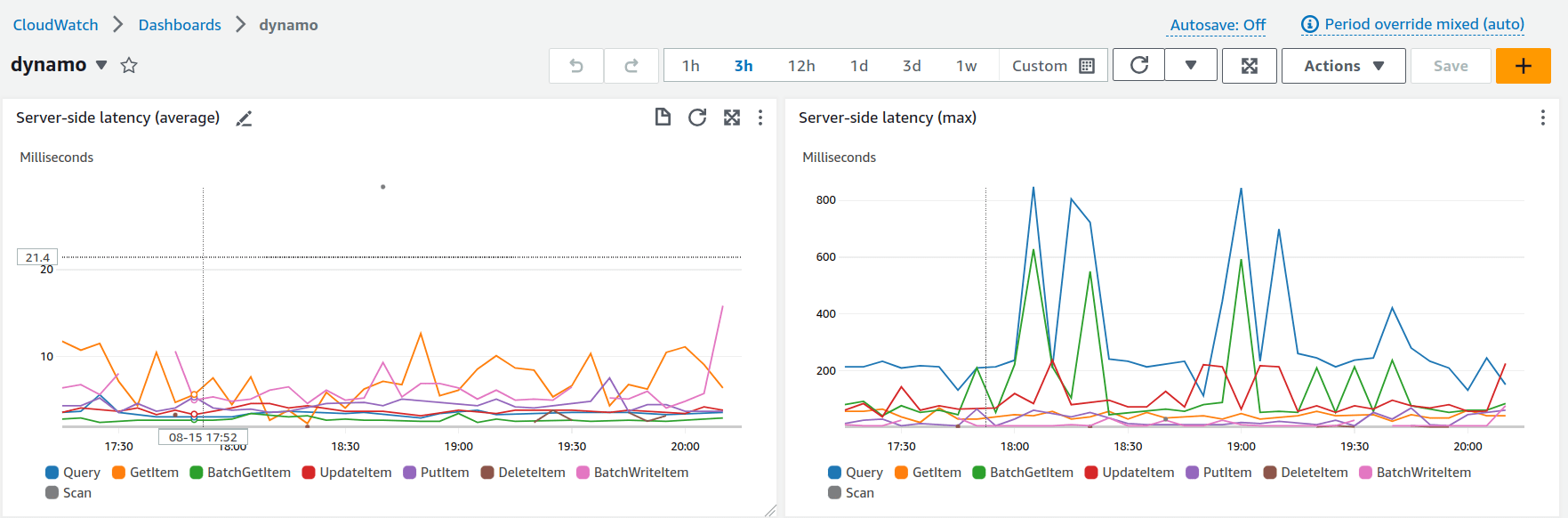
For general monitoring, we use different types of tools and services that help us to be aware of issues in our stack.

  • We monitor AWS infrastructure with CloudWatch .
Fluid Attacks AWS infrastructure with CloudWatch
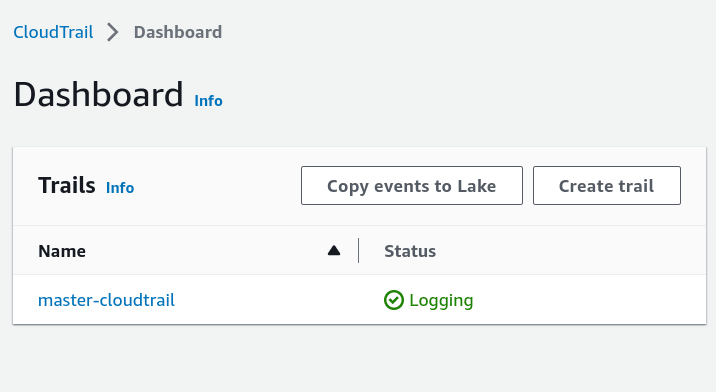
  • For management purposes on AWS accounts, we register events related to them using CloudTrail .
Fluid Attacks use of Cloudtrail
  • With VPC Flow Logs , we can capture ingoing and outgoing IP traffic information from network interfaces in our VPC.

Fluid Attacks use of VPC Flow Logs
  • BugSnag  is a tool we use for error monitoring, tracking and alerting.
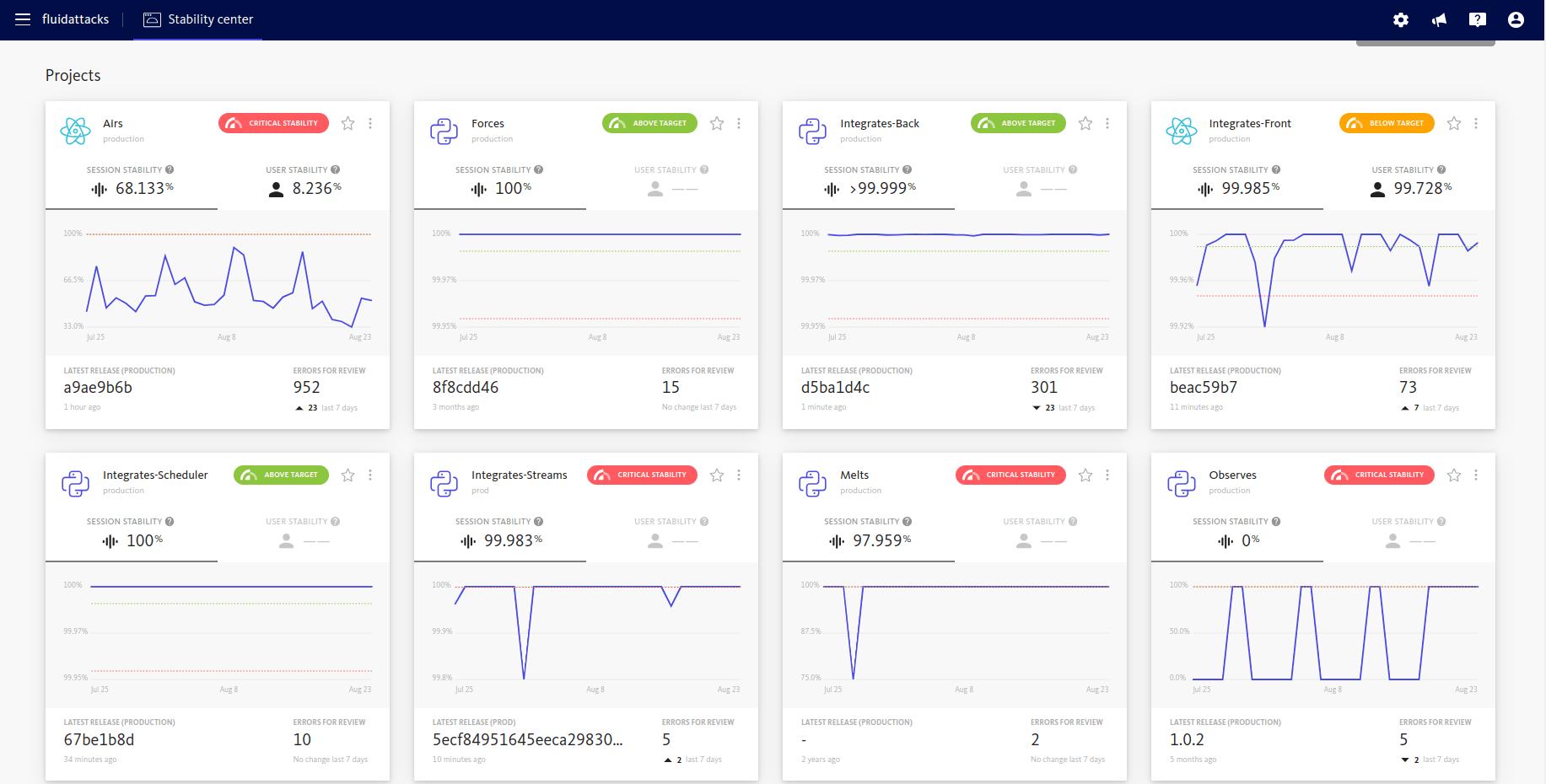
Fluid Attacks use of BugSnag

Threat detection

For threat detection purposes, we adopted Amazon GuardDuty . It continuously monitors for malicious activity and unauthorized behavior to protect AWS accounts, Amazon Elastic Compute Cloud (EC2) workloads, container applications, and data stored in Amazon Simple Storage Service (S3).

GuarDuty uses machine learning, anomaly detection, network monitoring, and malicious file discovery for threat and intrusion detection tasks.
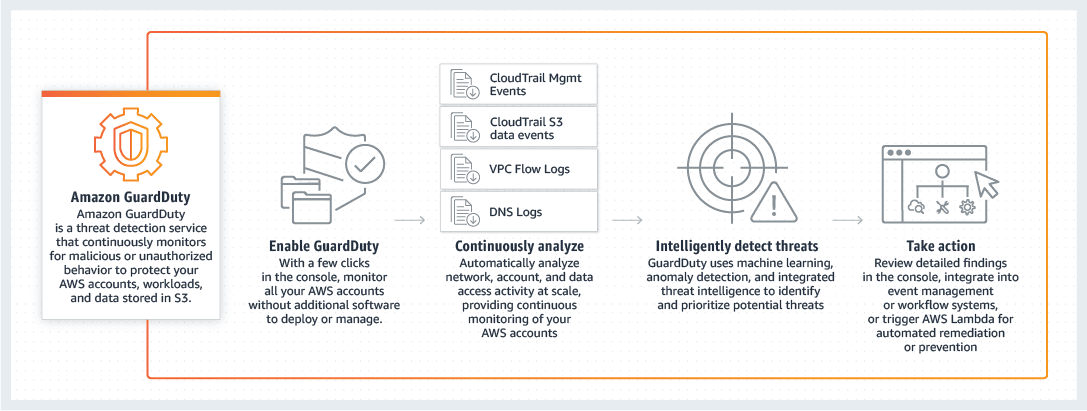
Fluid Attacks use of Amazon GuardDuty

It is capable of analyzing tens of billions of events across multiple AWS data sources, such as AWS CloudTrail event logs, Amazon Virtual Private Cloud (VPC) Flow Logs, Amazon Elastic Kubernetes Service (EKS) audit and system-level logs, and DNS query logs.

S3 Protection

S3 Protection is a feature offered by Amazon GuardDuty that enhances the monitoring capabilities for data stored in Amazon S3 buckets. By default, GuardDuty monitors bucket-level API operations related to S3 resources. However, with S3 Protection enabled, GuardDuty expands its monitoring to include object-level API operations within S3 buckets. This means it can detect suspicious or potentially malicious activities at a more granular level.
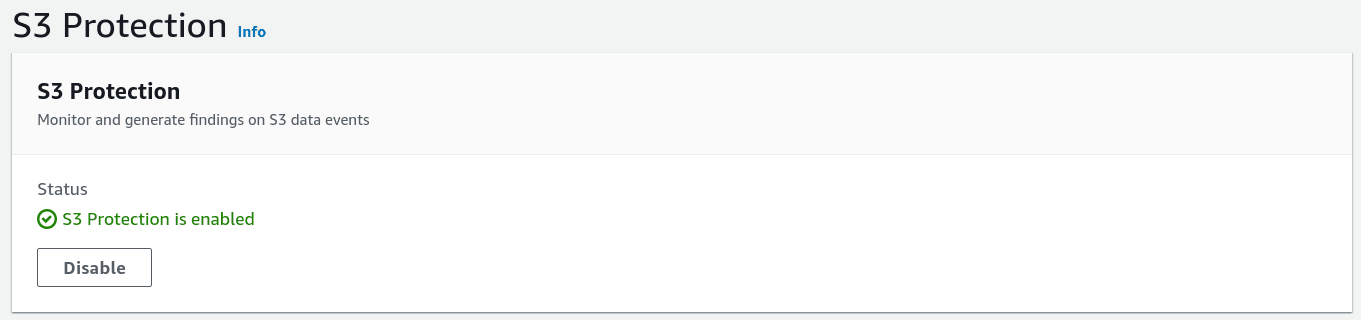
Fluid Attacks use of S3 Protection in Amazon GuardDuty

EKS Protection

EKS Protection in Amazon GuardDuty offers threat detection coverage for Amazon Elastic Kubernetes Service (Amazon EKS) clusters in your AWS environment. It includes two key components: EKS Audit Log Monitoring and EKS Runtime Monitoring.

EKS Audit Log Monitoring focuses on detecting suspicious activities within EKS clusters by analyzing Kubernetes audit logs. These logs capture a sequential record of actions performed by users, applications using the Kubernetes API, and the control plane.

EKS Runtime Monitoring provides real-time threat detection for Amazon EKS nodes and containers in your AWS environment. By leveraging the Amazon EKS add-on GuardDuty security agent, it monitors and analyzes runtime events within your EKS clusters, helping to identify potential security threats.

By configuring your accounts with both EKS Audit Log Monitoring and EKS Runtime Monitoring, you can achieve comprehensive EKS Protection. This setup enables monitoring at the cluster control plane level and extends down to the individual pod or container operating system level, providing optimal security coverage for your EKS environment.
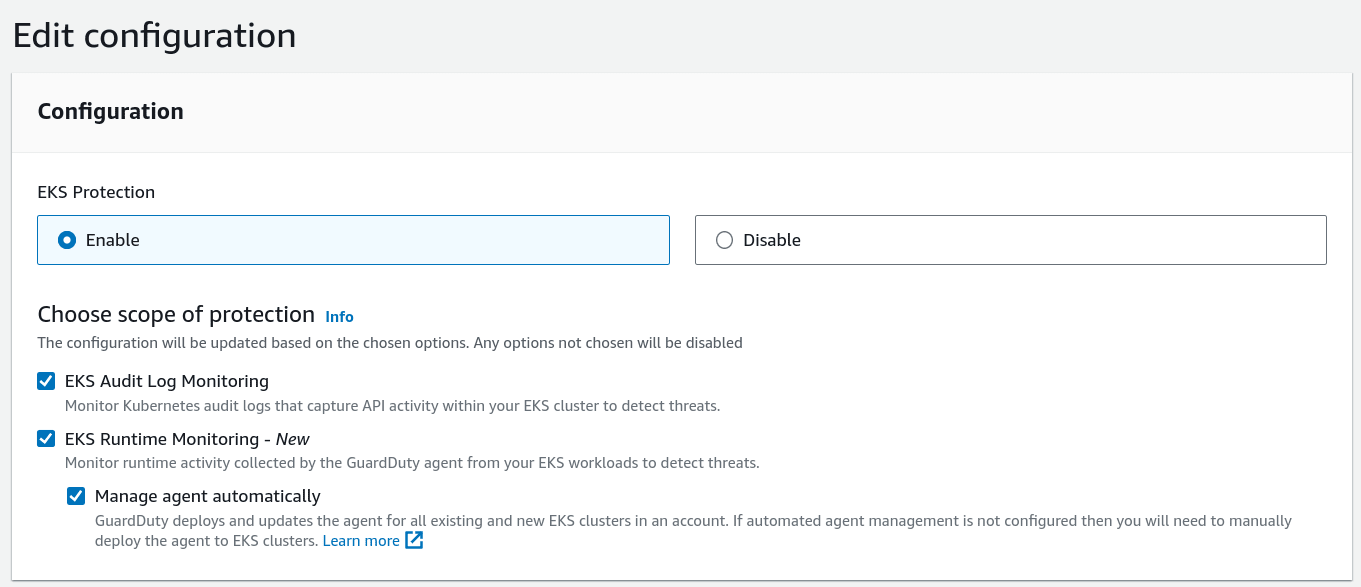
Fluid Attacks use of EKS protection

Malware protection

Malware Protection in Amazon GuardDuty is a feature designed to identify potential malware presence in Amazon EC2 instances and container workloads within your AWS account. It performs scans on the Amazon Elastic Block Store (EBS) volumes attached to these instances or workloads.

There are two types of scans offered:

  • GuardDuty-initiated malware scan: This scan is initiated by GuardDuty on a periodic basis. It automatically scans the EBS volumes associated with your EC2 instances and container workloads to detect any signs of malware.
  • On-demand malware scan: With this option, you can manually trigger a malware scan for specific EBS volumes. It allows you to initiate a scan whenever needed, providing flexibility in scanning resources on demand.

By leveraging these scanning capabilities, Malware Protection helps you proactively detect the potential presence of malware in your EC2 instances and container workloads.
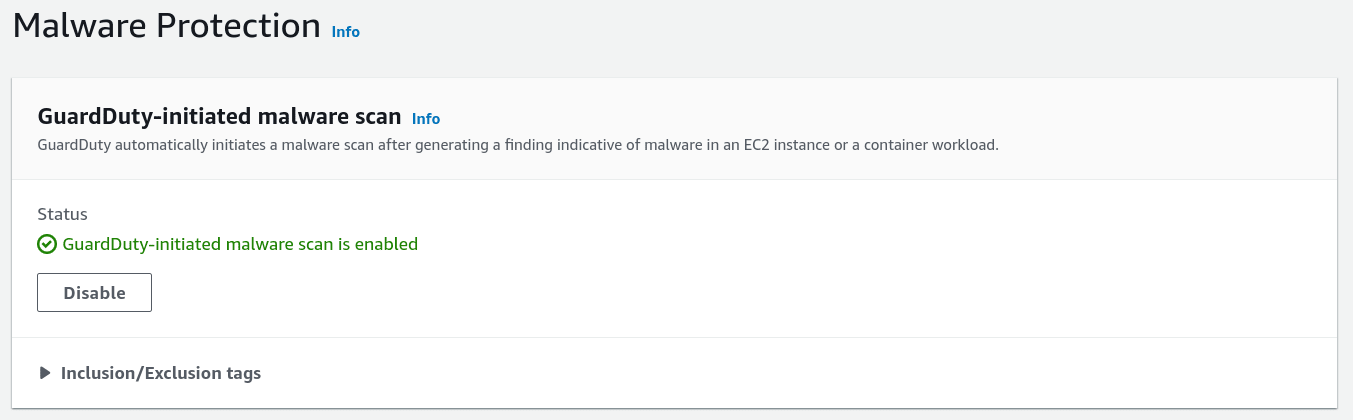
Fluid Attacks use of Malware Protection

AWS GuardDuty summary

While GuardDuty generates detailed findings and insights based on the last 10,000 events, it does not directly generate predefined reports summarizing these findings. However, by analyzing the generated findings, you can gain valuable insights into common attack vectors, suspicious user behavior, unauthorized access attempts, data exfiltration attempts, malicious IP addresses, vulnerable EC2 instances, anomalous network traffic, cryptocurrency mining activity, suspicious DNS activity, and policy violations. Regularly reviewing and addressing these findings enables you to proactively strengthen your security measures and protect your AWS resources against potential threats and attacks.
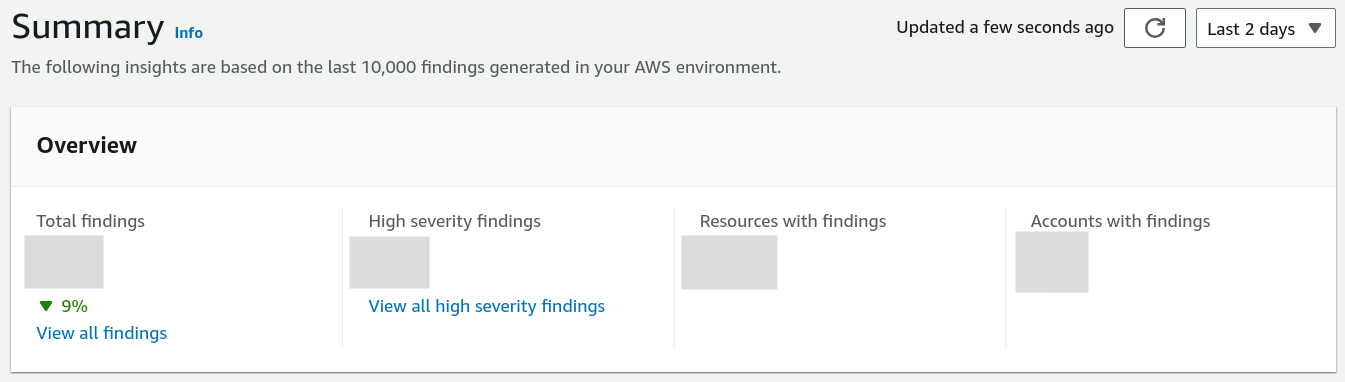
Fluid Attacks use of AWS GuardDuty Summary

AWS Inspector

Amazon Inspector is a comprehensive automated security assessment service designed to evaluate AWS workloads for software vulnerabilities and potential unintended network exposure. This tool assists Fluid Attacks in identifying and resolving security issues within the AWS environment, covering areas such as EC2 instances, container images, and Lambda functions.
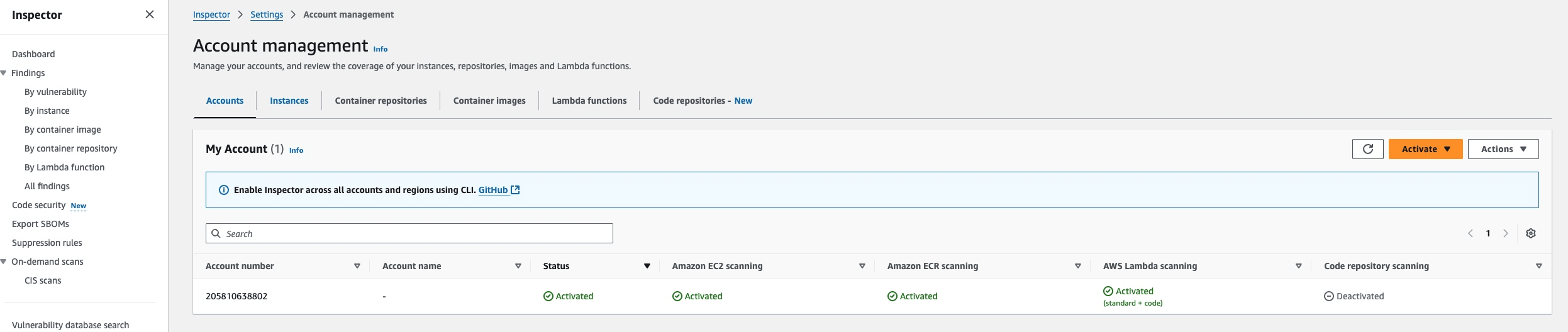
Fluid Attacks use of AWS Inspector

The AWS Inspector alert review process is managed by Fluid Attacks’ engineering team. Each critical patch identified thanks to this service must be installed within 30 days.

Datadog overview

Log management

Datadog log management

Datadog Log Management enables us to collect, monitor, manage, and analyze large volumes of logs as well as unify metrics and traces. The platform provides comprehensive log analytics with several key functionalities:

Advanced log analytics and search

  • Frequently, logs have more contextual information, and by adding custom facets as we need them, we are able to very quickly break things down in new dimensions and find issues
  • Real-time log exploration through the Log Explorer interface
  • Full-text search capabilities across all ingested logs
  • Custom filtering and faceting for dimensional analysis

Log-to-metric and trace correlation

  • Correlate our logs and metrics to gain context of an issue and map it throughout our service.
  • The correlation between Datadog APM and Datadog Log Management is improved by the injection of trace IDs, span IDs, env, service, and version as attributes in logs.
  • Datadog automatically brings together all the logs for a given request and links them seamlessly to tracing data from that same request.

Distributed tracing capabilities
Datadog APM
  • End-to-end request tracking: Datadog APM (Application Performance Monitoring) provides complete visibility into distributed transactions across microservices and cloud infrastructure.
  • Performance analysis: Identify bottlenecks, latency issues, and performance degradation with detailed trace analytics.
  • Service dependencies mapping: Automatically discover and visualize service-to-service communications and dependencies.
  • Error tracking and root cause analysis: Link errors in traces directly to corresponding logs and metrics for faster troubleshooting.
  • Trace search and analytics: Query and analyze traces using tags, facets, and custom attributes for deep performance insights.
  • Integration with logs and metrics: Seamlessly pivot between traces, logs, and metrics to understand the full context of application behavior.

Cloud SIEM capabilities
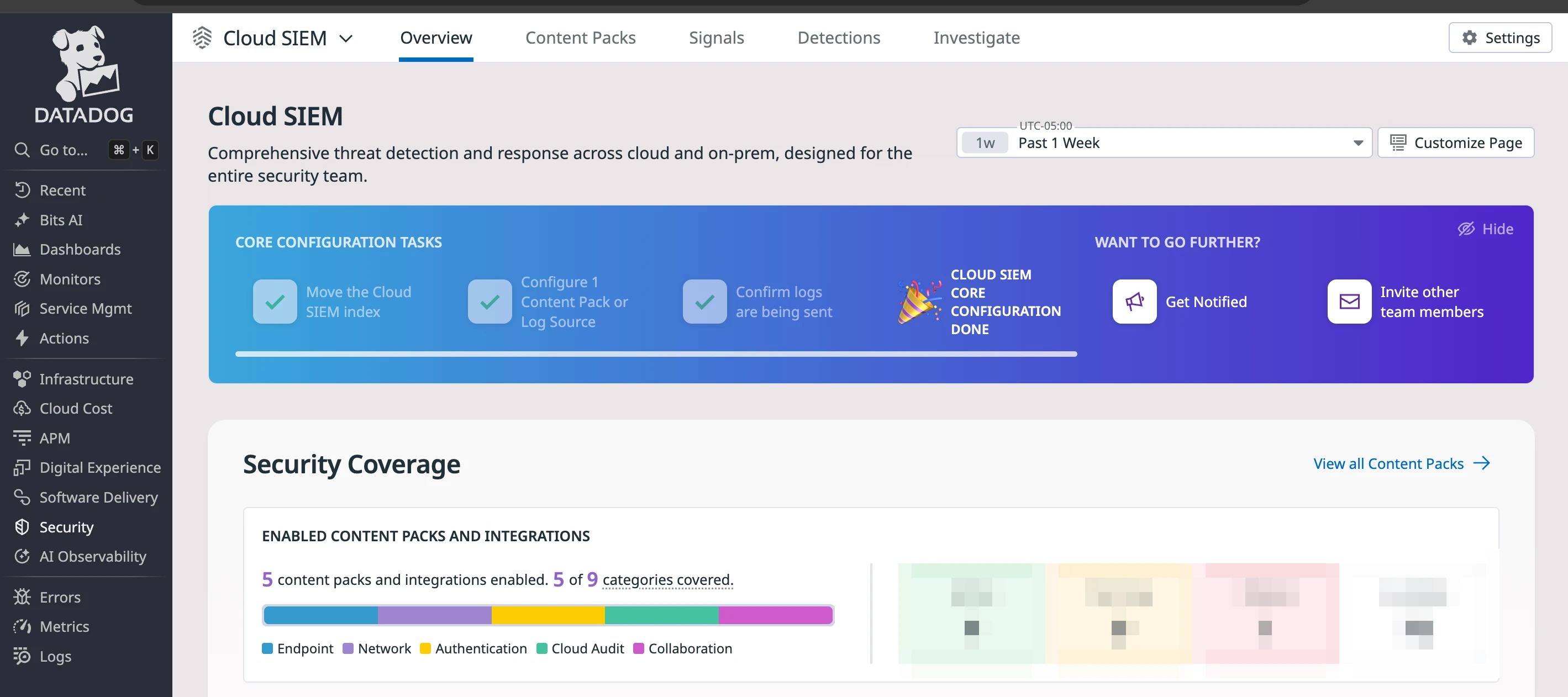
Datadog Cloud SIEM
  • Machine learning-powered threat detection with continuous analysis
  • Integration with the MITRE ATT&CK framework for comprehensive threat coverage
  • Real-time correlation of security events across multiple data sources
  • Automated alert generation based on predefined and custom security rules
  • Centralized security event management and incident response
  • Integration with existing security tools
  • Comprehensive audit trail and compliance reporting capabilities

Integration benefits: Enhanced Audit Log Capabilities

Endpoints

The Endpoint integration allows you to send MDM Audit Logs to Datadog, providing:

  • Mobile device management: Comprehensive audit trails for device configuration changes
  • Security policy enforcement: Real-time monitoring of security policy violations
  • User activity tracking: Detailed logs of user interactions with managed devices

Collaboration

Datadog’s Google Workspace integration gives us the following abilities:

  • Identity and access management: Monitor user authentication, authorization, and access patterns
  • Administrative actions: Track configuration changes, user management, and policy modifications
  • Data loss prevention: Audit file sharing, downloads, and sensitive data access

Cloud Audit

Datadog’s Amazon Web Services integration collects logs, events, and most metrics from CloudWatch for several AWS services, delivering:

  • Infrastructure security: Monitor AWS resource configurations and access patterns
  • Service activity tracking: Comprehensive audit logs for all AWS service interactions
  • Cost and resource optimization: Detailed usage analytics and anomaly detection
  • Multi-account visibility: Centralized monitoring across multiple AWS accounts
  • Automated compliance: Built-in compliance frameworks for various industry standards

Authentication

Datadog’s Okta integration provides comprehensive visibility into identity and access management activities:

  • Authentication monitoring: Track all user authentication attempts, successful logins, failed attempts, and suspicious authentication patterns
  • User lifecycle management: Monitor user provisioning, deprovisioning, role changes, and group membership modifications
  • Multi-factor authentication (MFA) tracking: Audit MFA enrollment, usage, and bypass events for security compliance
  • Single sign-on (SSO) analytics: Analyze SSO activity across integrated applications and identify access patterns
  • Policy and configuration changes: Track administrative changes to authentication policies, password policies, and security settings
  • Privileged access monitoring: Enhanced visibility into administrative actions and privileged user behavior
  • Anomaly detection: Identify unusual login patterns, impossible travel scenarios, and potential account compromise
  • Real-time alerting: Automated notifications for critical security events such as account lockouts, admin privilege escalation, and policy violations

Network

Monitor Cloudflare Web traffic, DNS queries, security threats, and more with enhanced capabilities:

  • Web traffic analysis: Detailed insights into web application performance and security
  • DNS security monitoring: Real-time analysis of DNS queries and potential threats
  • DDoS protection analytics: Comprehensive attack pattern analysis and mitigation tracking
  • Zero trust integration: Datadog’s out-of-the-box log processing pipeline will automatically parse and normalize your Cloudflare Zero Trust logs
  • Content delivery network monitoring: Performance and security analytics for CDN operations

Other integrity measures

  • Applicant evaluation 
  • Awareness 
  • Certification Hub 
  • Certified cloud provider 
  • Certified security analysts 
  • Comprehensive reporting 
  • Developing for integrity 
  • Production data isolation 
  • Secure emails 
  • SLSA compliance 
  • Standard timezone 
  • Static website 
  • Training plan 
Last updated on February 19, 2026
Developing for integrityProduction data isolation

Fluid Attacks 2026. All rights reserved.