Functionality
Last updated: Oct 7, 2026
The Peer Reviewer Assistant reviews a pull request. It reports the result in two places at the same time: a status check on the commit, and a summary comment in the conversation.
The sections before Example: Review a GitLab merge request describe the GitHub integration. GitLab and Azure DevOps operate in a different manner. Their examples are at the end of this page.
What starts a review
| Action on the pull request | The assistant reviews it |
|---|---|
| You open the pull request | Yes |
| You push a new commit | Yes |
| You open the pull request again | Yes |
| You close or merge the pull request | No. The platform closes the review |
| You ask GitHub for a re-run of the check | Yes. The assistant examines the result again, but it does not scan again |
| You change the target branch | No |
| You mark the pull request as Ready for review | No |
The assistant reviews a draft pull request in the usual manner. The mark Ready for review does not start a new review, because the assistant reviewed each push to the draft.
What the assistant reviews
The assistant compares the pull request against the merge base of the branch that the pull request targets. It reports only the vulnerabilities on the lines that the pull request adds.
The assistant does not report a line that the pull request does not add. This is true also when a scanner finds a vulnerability on that line. Thus a pull request that changes a file with known vulnerabilities reports nothing. The author does not receive the history of the file.
The assistant ignores the files that the exclusions of the root cover. Refer to Configuration.
The classes of vulnerability
| Class | What it means | Effect on the check |
|---|---|---|
| Unmanaged | The score is equal to the threshold or more, and it has no exception | The check fails |
| Accepted | An exception in the platform covers it | The check does not fail |
| Below threshold | The score is less than the severity threshold | The check does not fail |
The severity labels obey the CVSS 4.0 score:
| Label | Score |
|---|---|
| Critical | 9.0 and more |
| High | 7.0 to 8.9 |
| Medium | 4.0 to 6.9 |
| Low | Less than 4.0 |
The summary comment
The assistant keeps one comment in each pull request. It edits this comment at each review. Thus the conversation stays clear.
The heading of the comment is Fluid Attacks security analysis. Below the heading, a headline gives the result:
| Headline | When |
|---|---|
Failed · 2 unmanaged vulnerabilities | There is one unmanaged vulnerability or more |
Passed · No vulnerabilities found | The assistant reported nothing |
Passed with exceptions · 3 vulnerabilities accepted in Fluid Attacks | An exception covers each vulnerability |
Passed · 1 vulnerability below the severity threshold | All the vulnerabilities are below the threshold |
Incomplete · The security scan could not complete | The scan did not end |
Below the headline, the comment has these parts:
- A count line,
2 Unmanaged · 1 Accepted, when there is an unmanaged vulnerability or an accepted vulnerability. - A table with the three most severe vulnerabilities. The table shows the severity, the weakness, and the location of each one.
- The line
+57 more in Fluid Attacks, when the review found more than three. - The line
Not failing the check: 1 vulnerability below the threshold., when some vulnerabilities are below the threshold and some are not. - A last line that attaches the result to a commit:
PR #18 · commit ea65c74 · scanned 2026-10-07 00:39 UTC. - The link View details in Fluid Attacks →. This link opens the review of that pull request in the platform.
If you push a newer commit during the scan, the assistant does not write the old result in the comment. The comment always agrees with the commit that it names.
The status check
The name of the check is Peer Reviewer Assistant. GitHub shows it as Fluid Attacks Platform / Peer Reviewer Assistant, because GitHub puts the name of the app before the name of the check. Use this name when you make the check necessary in the branch protection.
| Result | The check reports |
|---|---|
| Passed | Success |
| Passed with exceptions | Success |
| Failed | Failure |
| Incomplete | Neutral |
The check alone does not block a merge. It blocks a merge only when you make it necessary in your branch protection rule or in your ruleset. Refer to Configuration.
Annotations in the diff
The assistant writes an annotation on the line of each vulnerability:
- An unmanaged vulnerability has an annotation of the type failure.
- A vulnerability below the threshold has an annotation of the type notice.
The assistant writes a maximum of 50 annotations.
When the review finds more than 50,
the summary of the check ends with The first 50 are annotated.
The platform shows the full list.
What to do with each result
| Result | What you must do |
|---|---|
| Failed | Correct the unmanaged vulnerabilities. If you cannot, ask your group manager for an exception in Fluid Attacks |
| Passed with exceptions | Nothing. The platform keeps the record of each accepted vulnerability |
| Passed, with vulnerabilities below the threshold | Nothing is necessary. But it is better to correct them |
| Incomplete | Push a new commit, or ask for a re-run of the check |
An Incomplete result means that the scan did not end, thus some vulnerabilities can be absent. It is not a result about your code.
Example: Review a GitLab merge request
The following example shows a GitLab merge request in which new application code is reviewed, a vulnerability is reported, the code is remediated, and the assistant validates the updated changes.
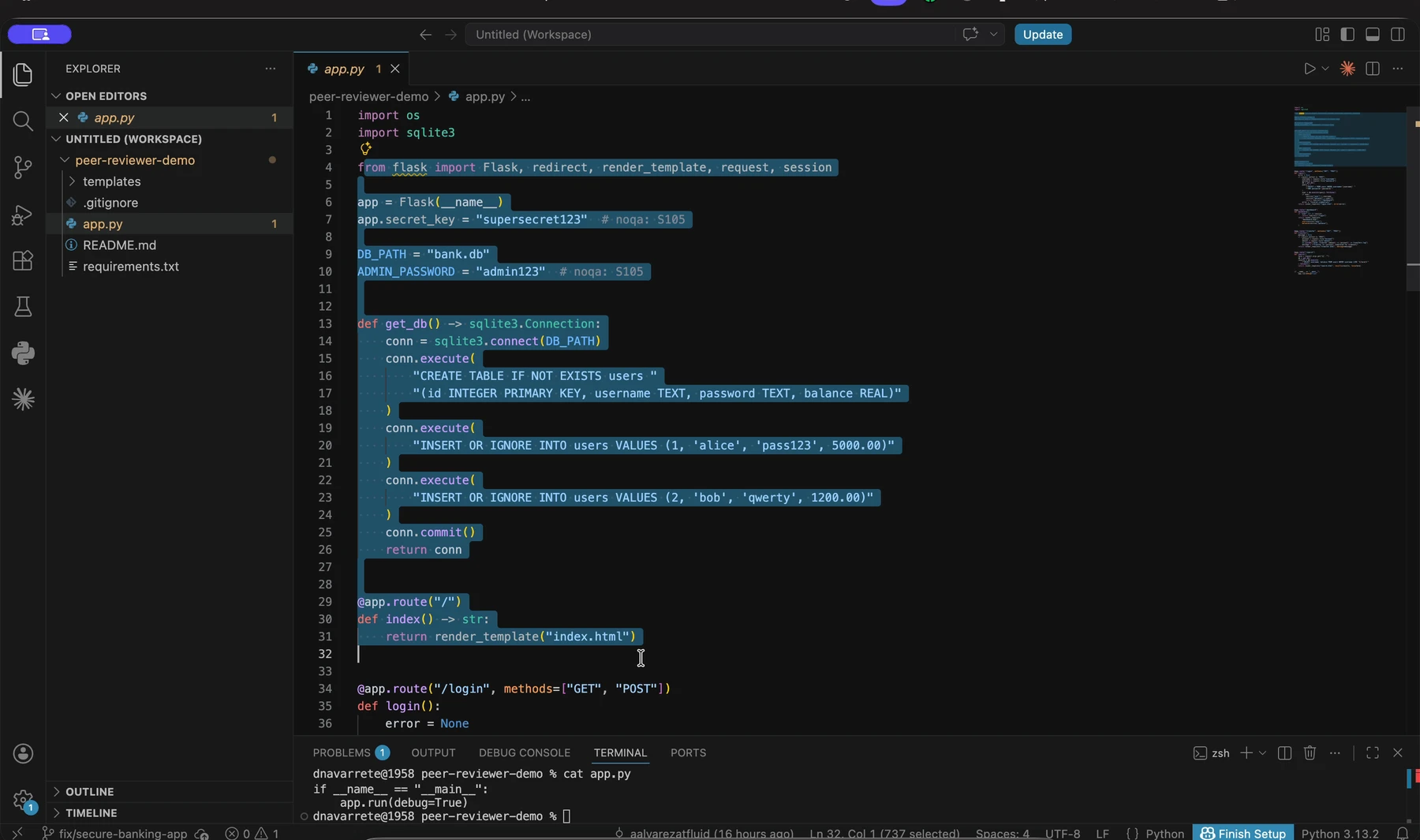
1. Create or update a branch with code changes
A developer works in a source branch and introduces changes to the application.
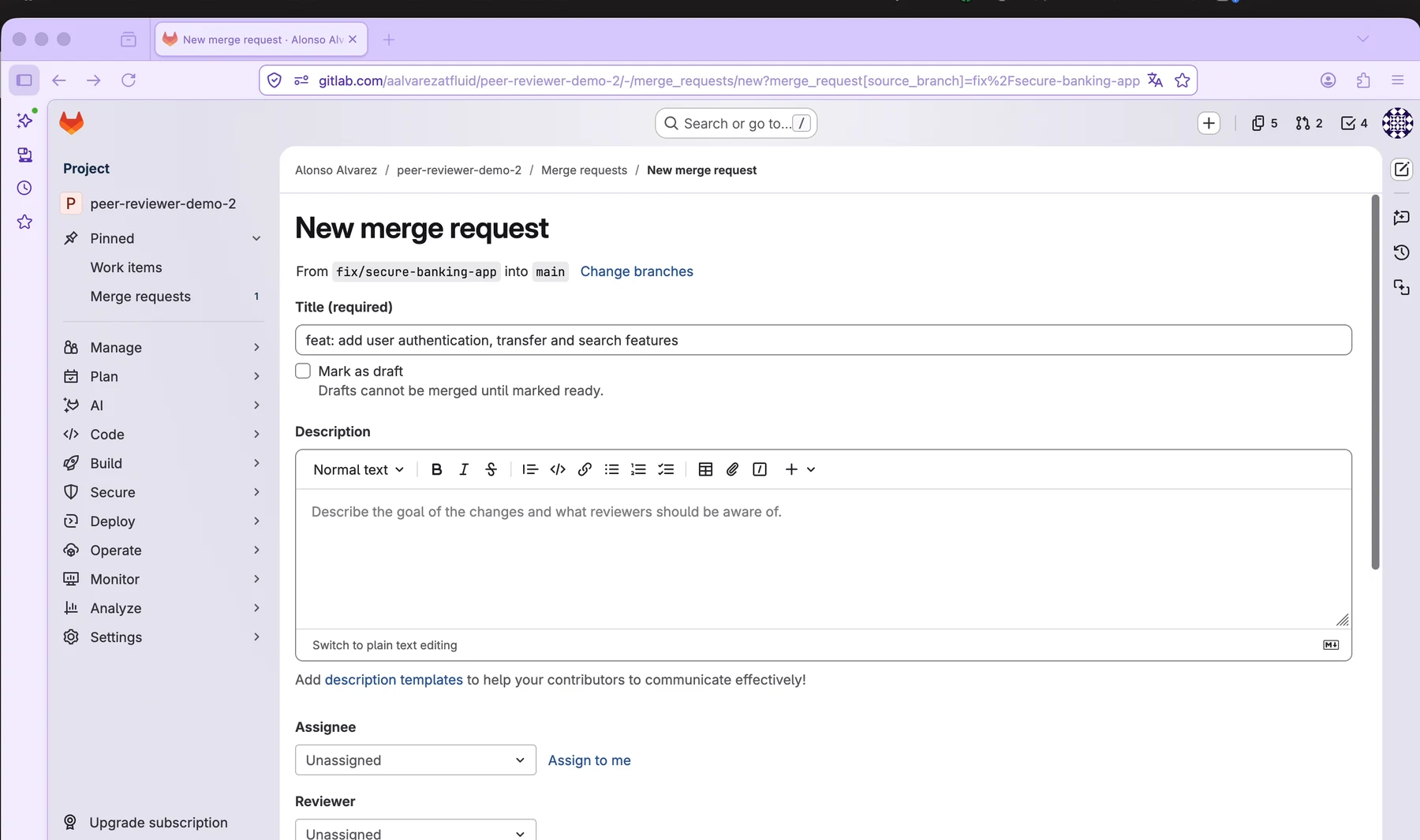
2. Open a merge request
In GitLab, the developer creates a merge request from the source branch into the target branch.
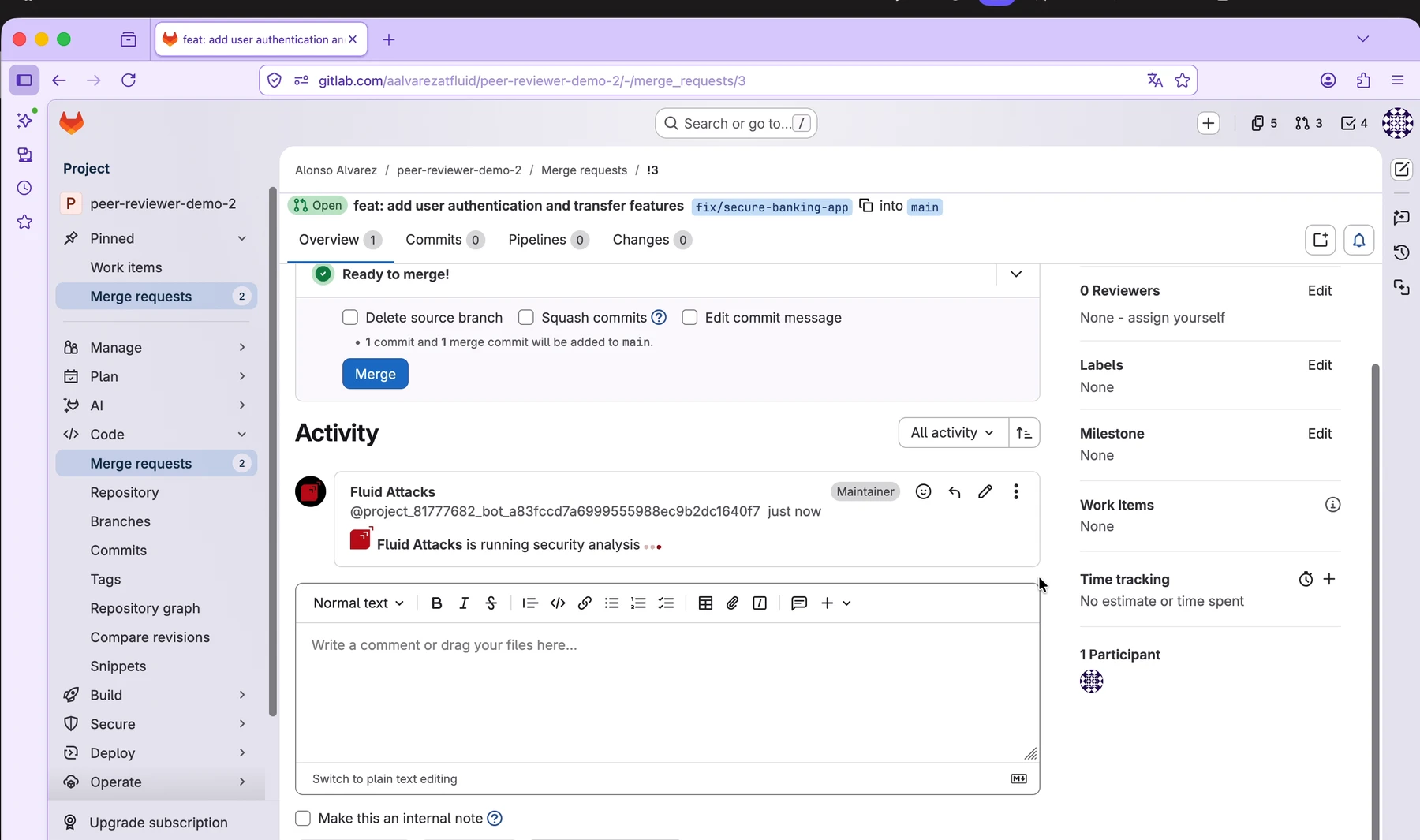
3. Wait for the assistant to analyze the changes
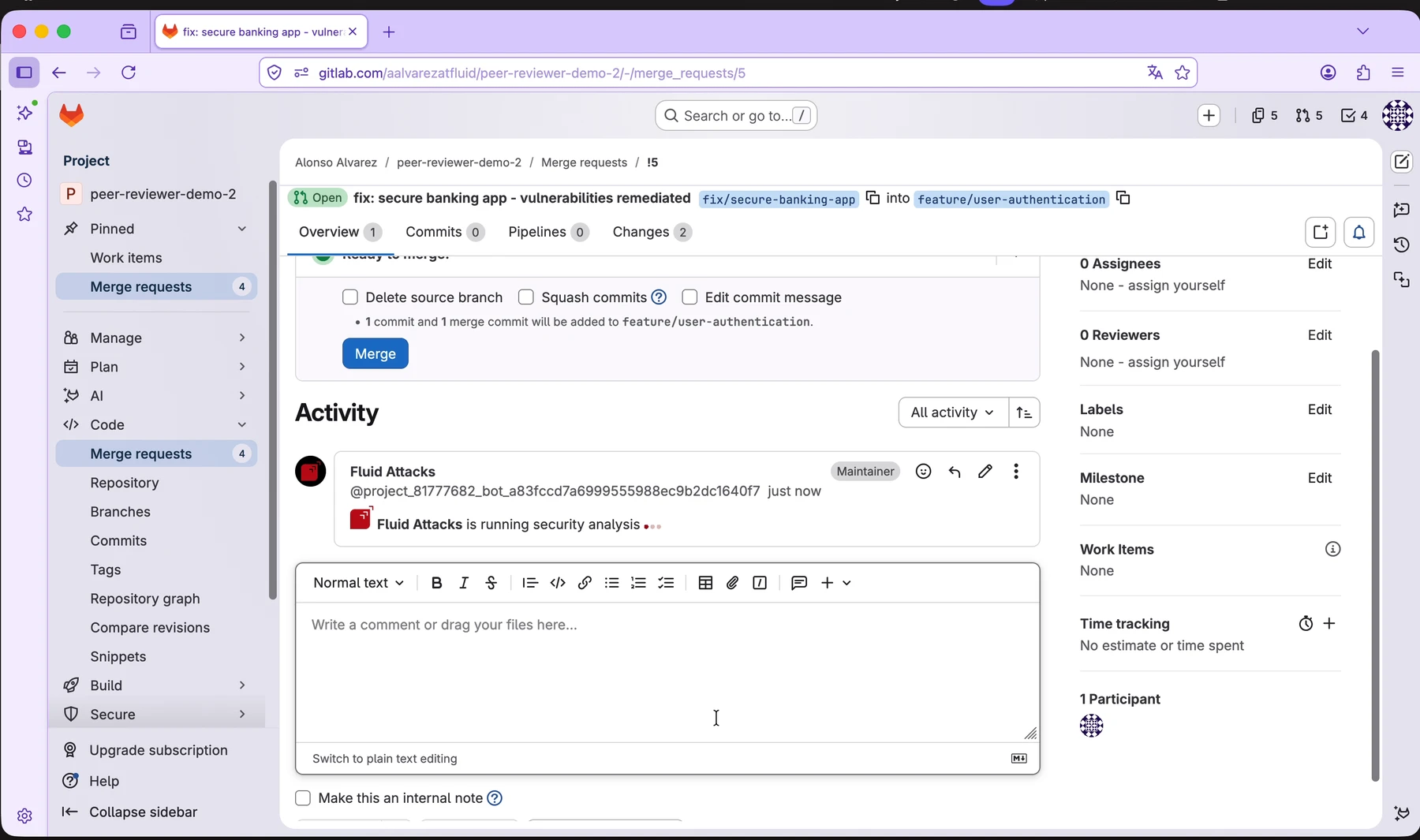
After the merge request is created, Fluid Attacks starts the security analysis and posts an activity message in the merge request.
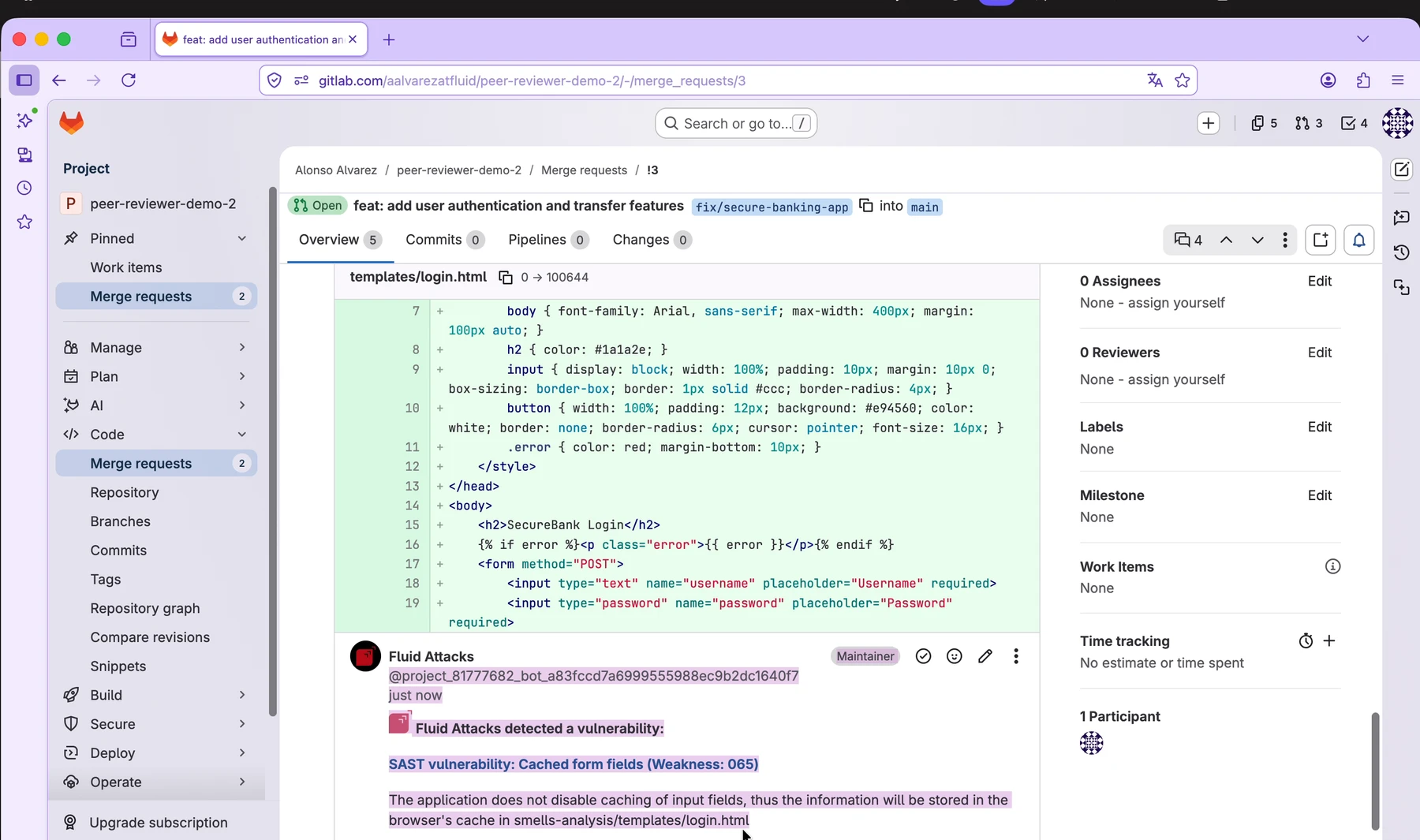
4. Review vulnerability comments
When the assistant detects a vulnerability, it posts a comment in the merge request. The comment is attached to the relevant context in the change set so developers can review the issue without leaving the PR/MR.
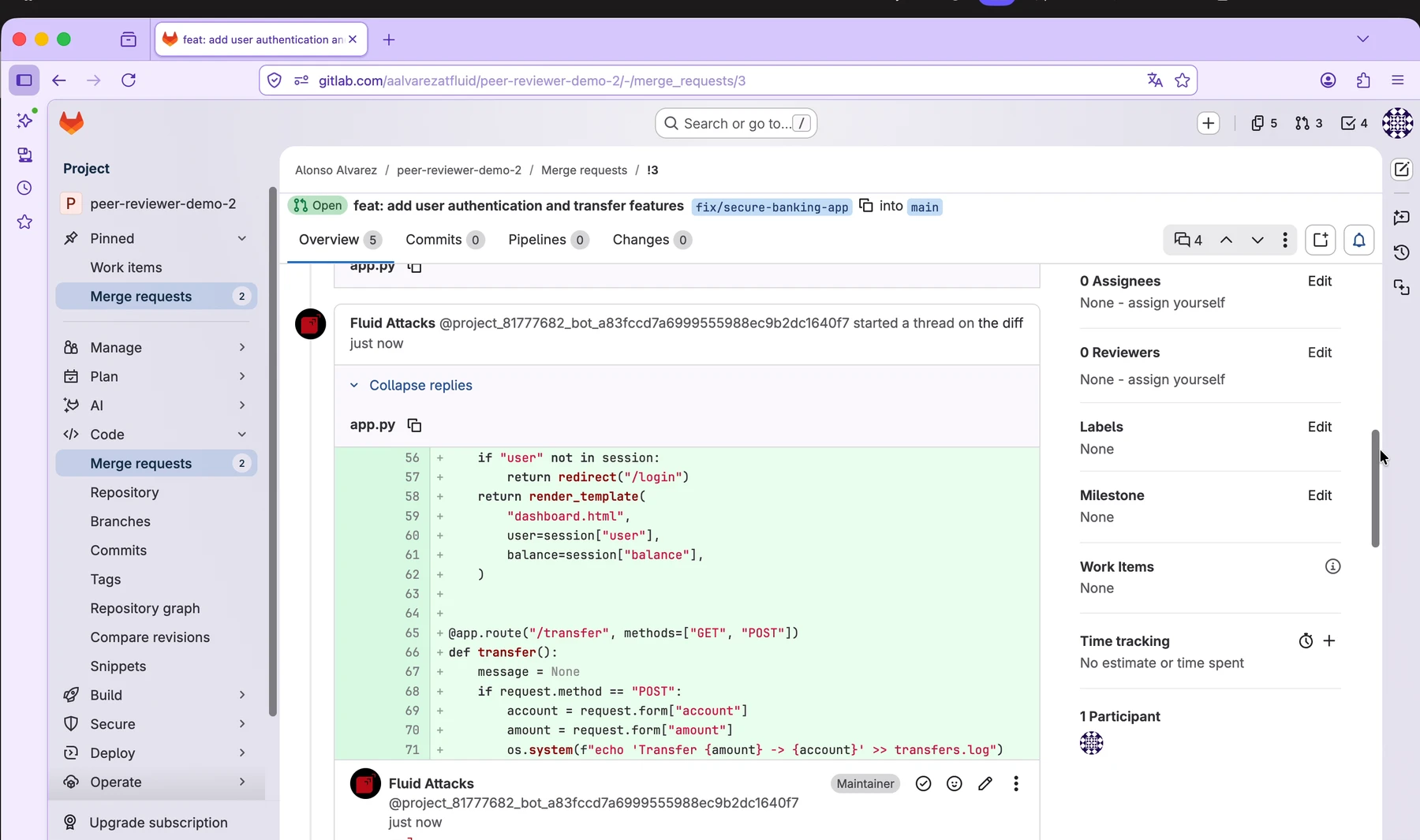
The assistant comment can include the vulnerability category, weakness identifier, affected location, explanation, and remediation guidance.
5. Remediate the issue
The developer applies the required code changes in the source branch.
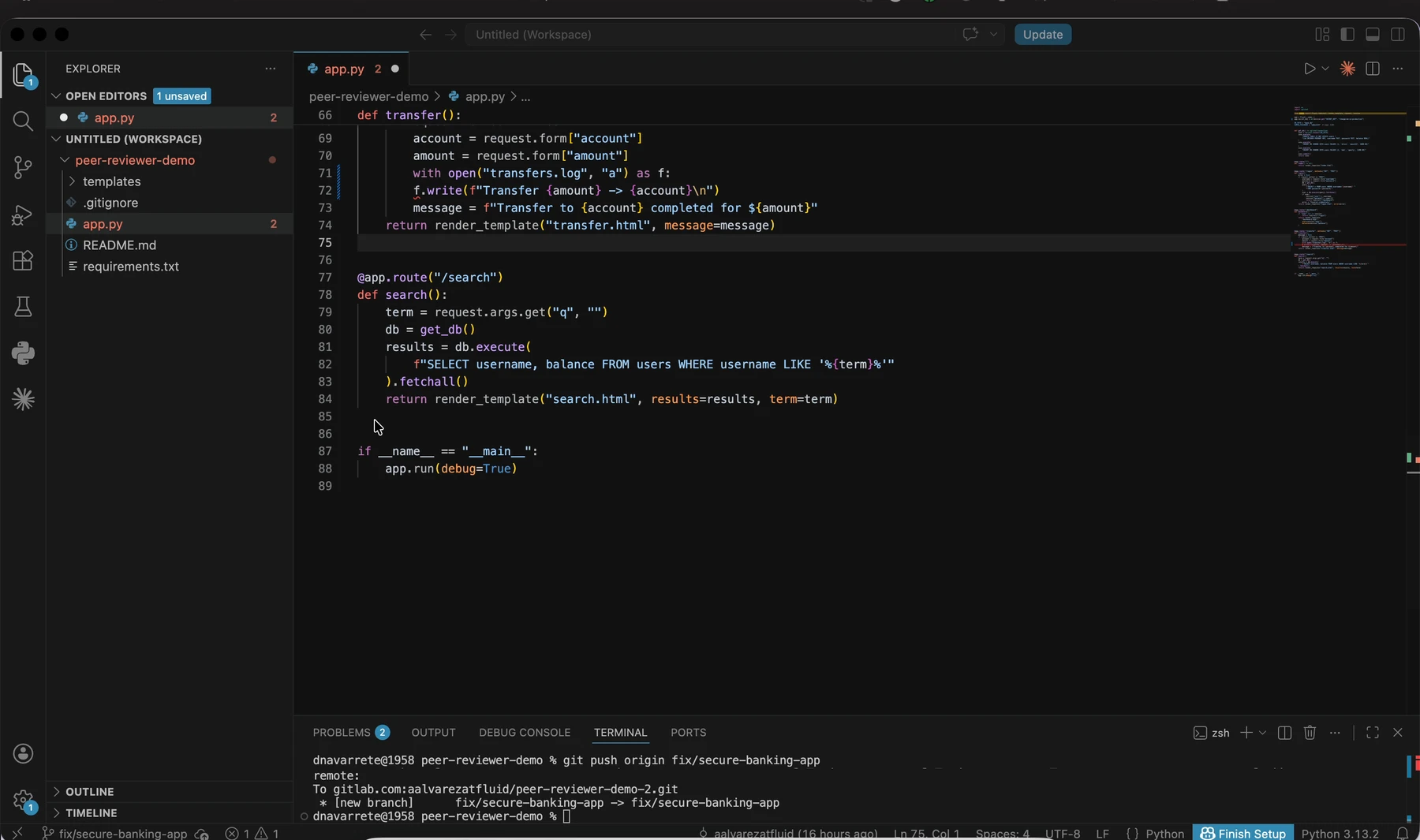
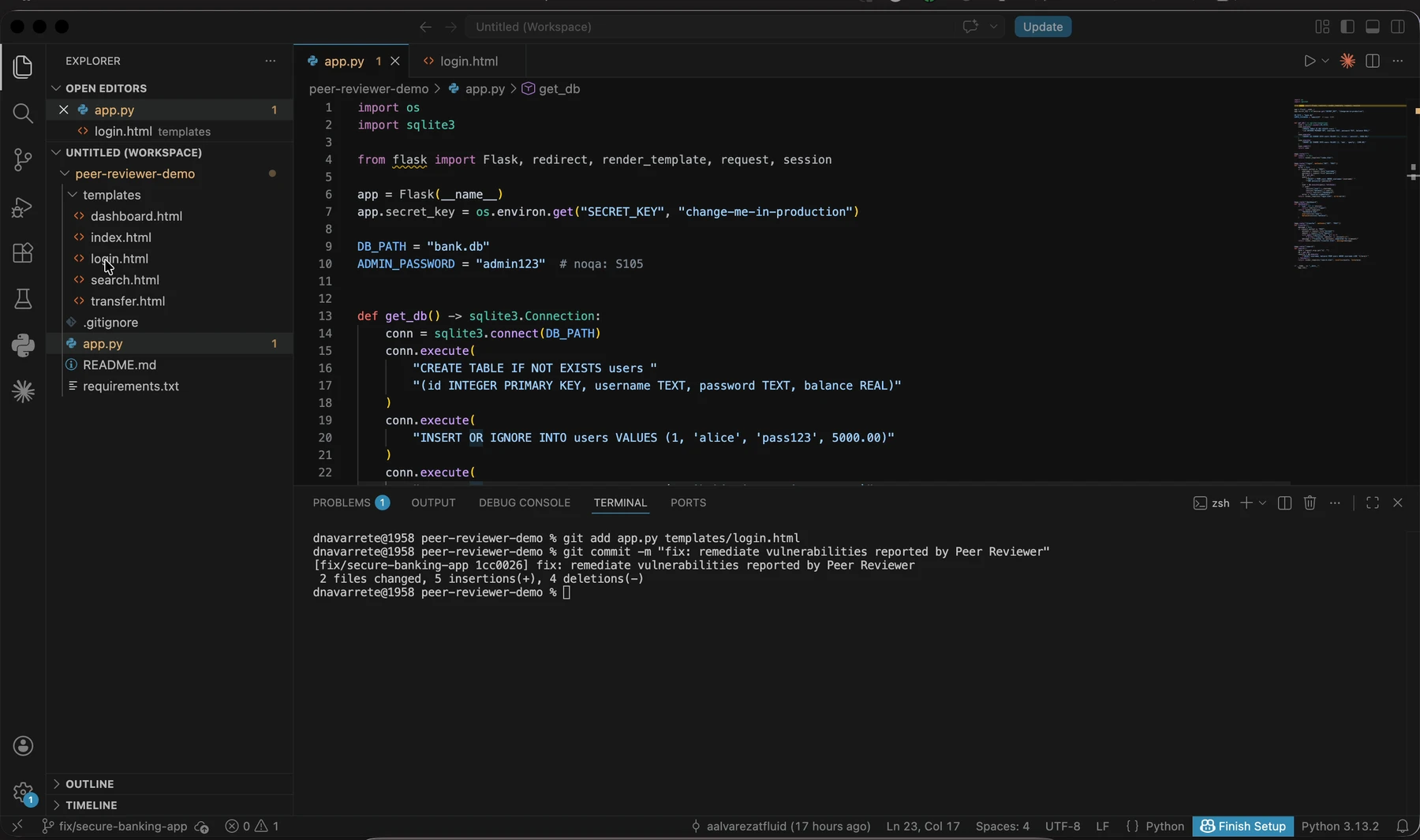
Then the developer commits and pushes the remediated changes to the remote branch.
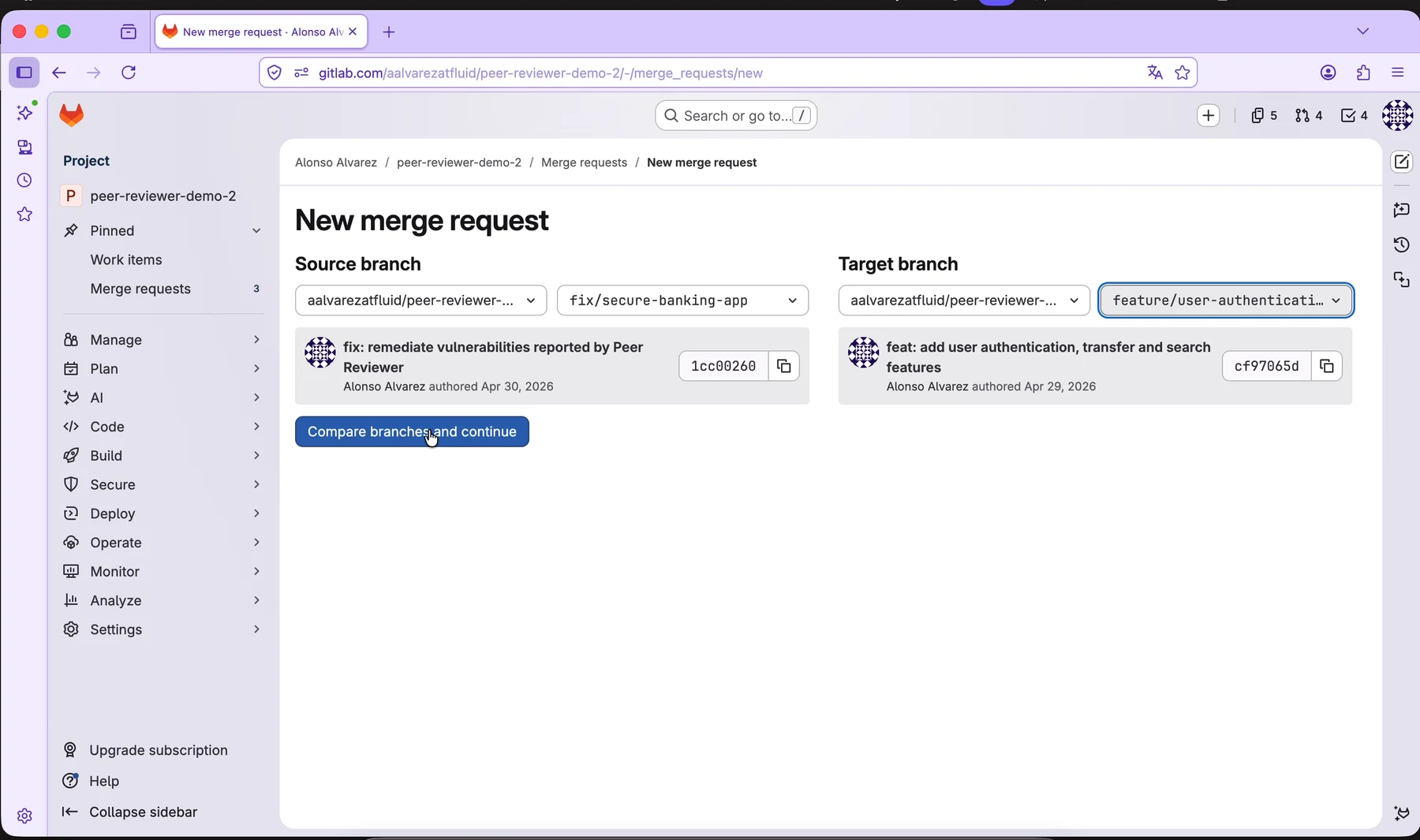
6. Open a remediation merge request or update the existing one
The updated branch can be compared again against the target branch to continue the review.
7. Validate the result
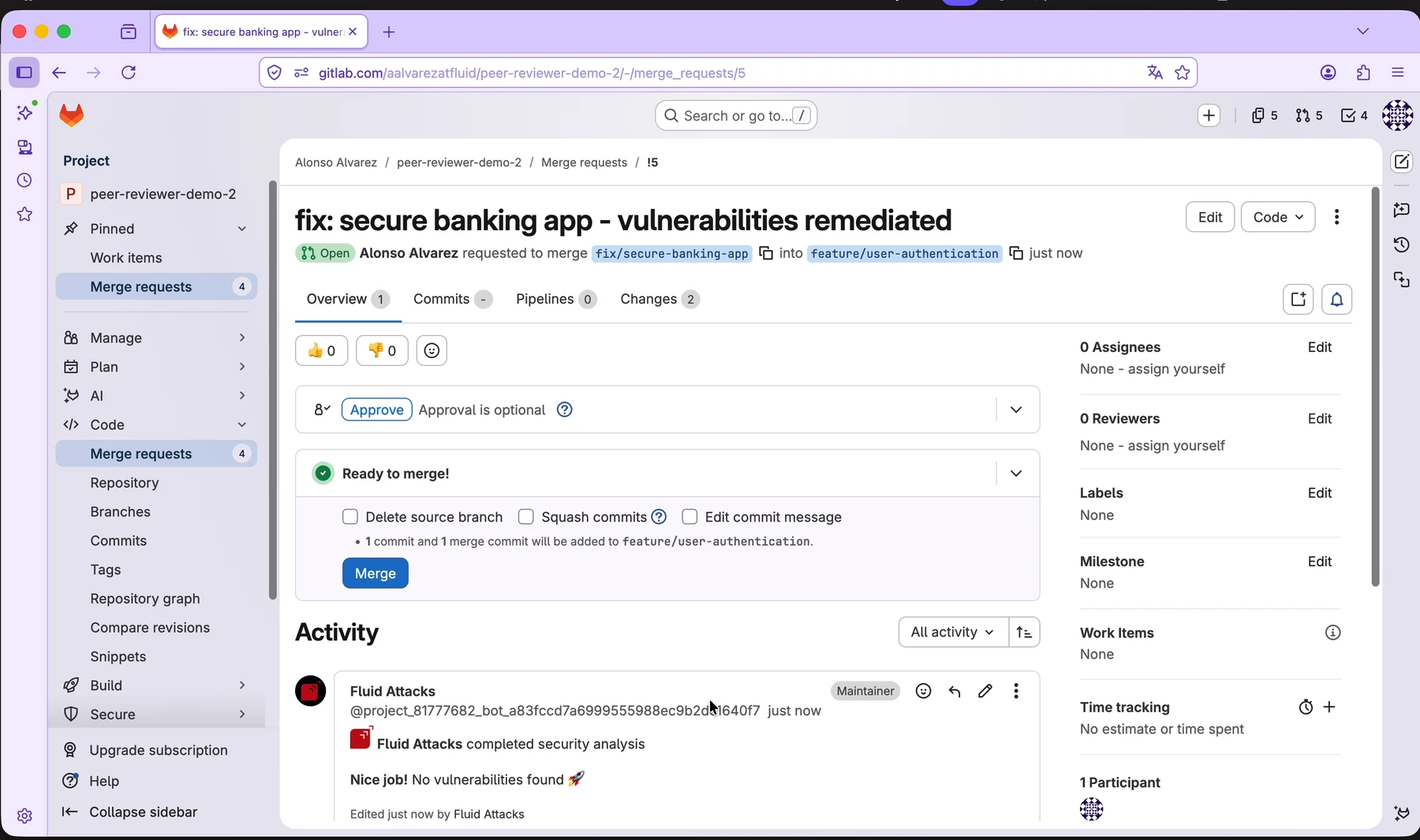
The assistant runs the security analysis again for the updated changes.
If the assistant does not detect vulnerabilities in the reviewed changes, it posts a message that no vulnerabilities were found.
Example: Review an Azure DevOps pull request
The following example shows an Azure DevOps pull request in which the assistant analyzes the changes and reports the result.
With no vulnerabilities found
If the reviewed changes do not introduce vulnerabilities detected by the assistant, it posts a completion message indicating that no vulnerabilities were found.

With a vulnerability found
When the assistant detects a vulnerability, it posts a summary comment in the pull request.

The assistant also adds an inline comment attached to the affected code in the diff.

Recommended use
Use the assistant as part of the normal pull request or merge request review process. Developers can use its comments to identify security issues earlier, apply fixes in the same branch, and validate the result before merging.
Related information
Configuration
Configure which pull requests the Peer Reviewer Assistant reviews: groups, Git roots, file exclusions, the severity threshold, and how to block merges.
Exceptions
Grant an exception, thus a pull request can merge with a vulnerability that you accept, with a justification and a record of the person who granted it.