Install VS Code extension
Last updated: Apr 8, 2026
Download the extension
To download the extension, follow these steps:
-
Open VS Code.
-
Access the extensions view.
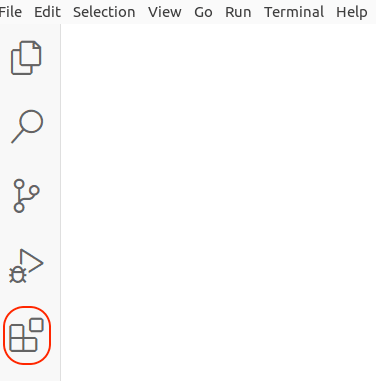
-
Type Fluid Attacks in the search bar.
-
Locate the extension and click on Install.
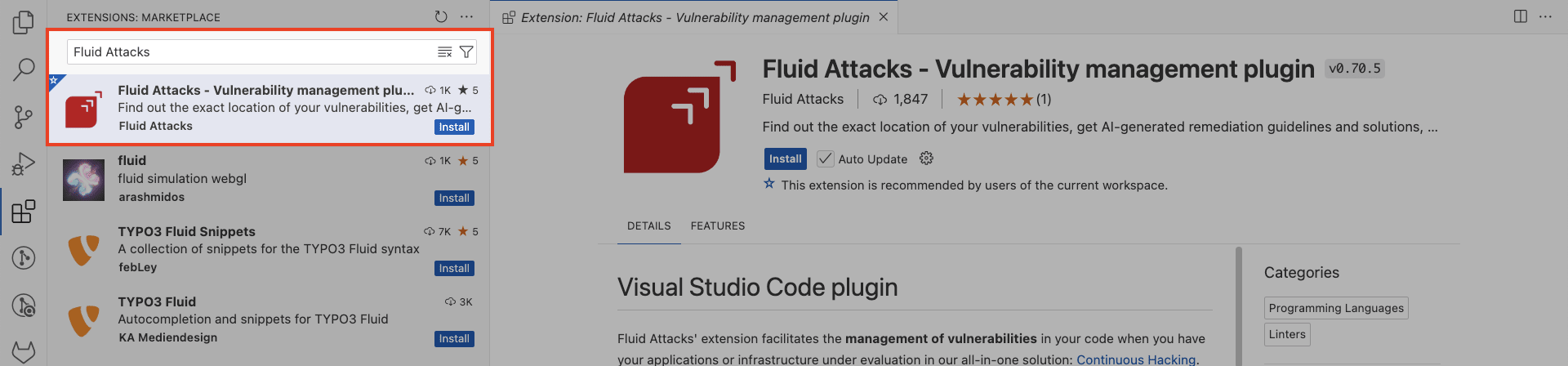
Connect VS Code with the Fluid Attacks platform
Configuring the extension requires a valid API token. Generate one before proceeding with the steps below.
After downloading the extension, you need to configure it to connect the Fluid Attacks platform with VS Code. This can be done in two ways:
Configure within the extension
-
Click the Fluid Attacks extension icon in the VS Code activity bar.
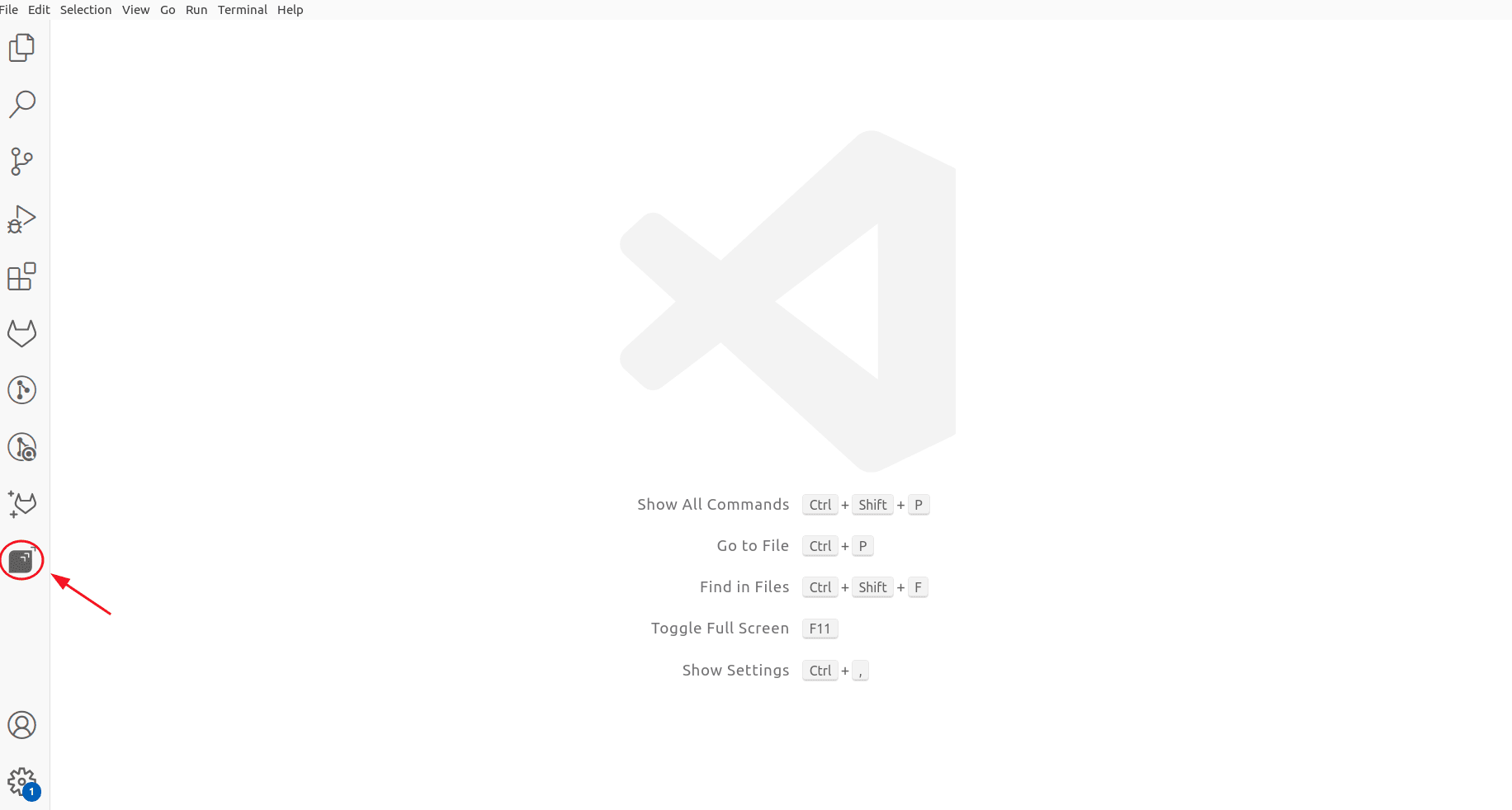
-
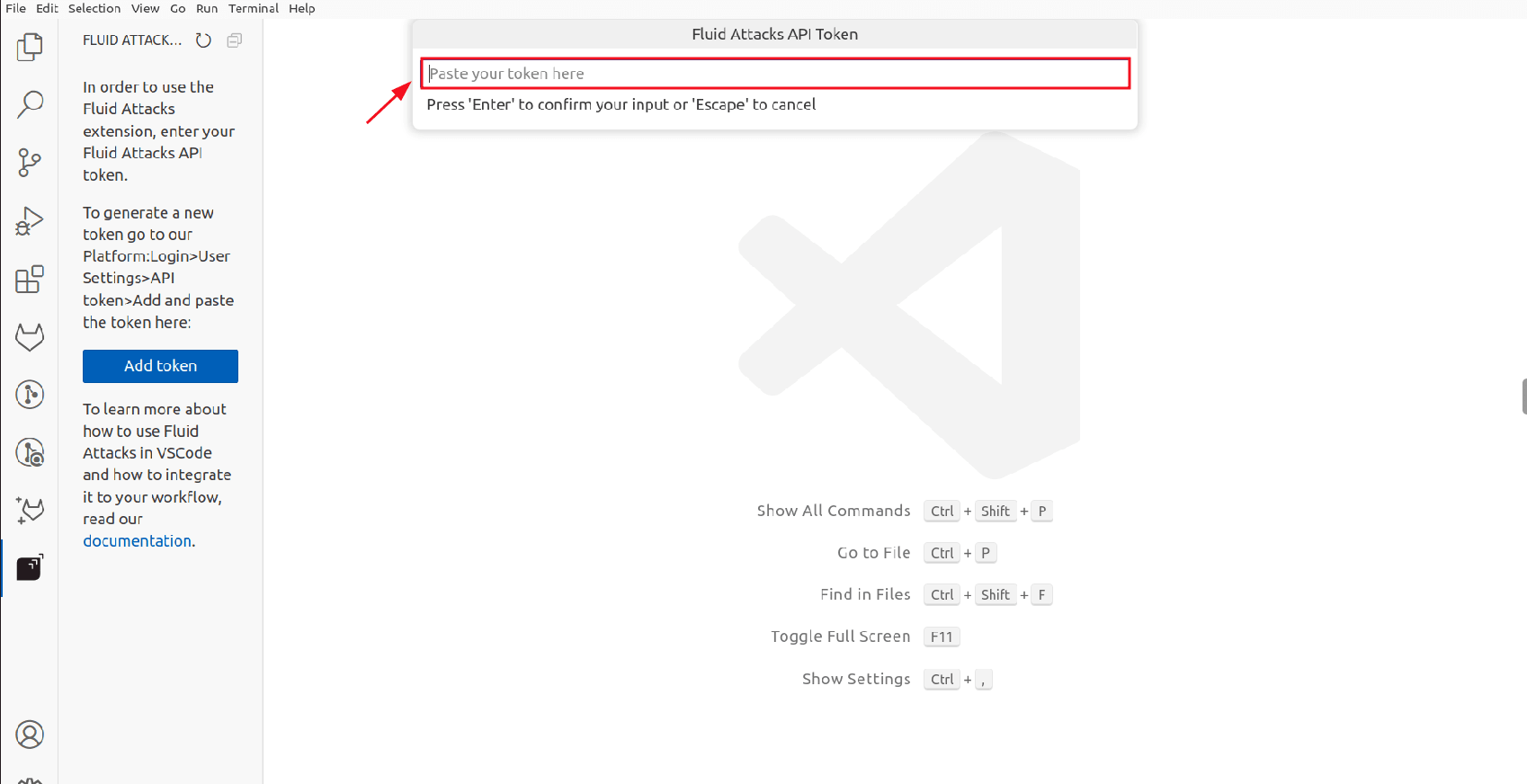
Click Add token.
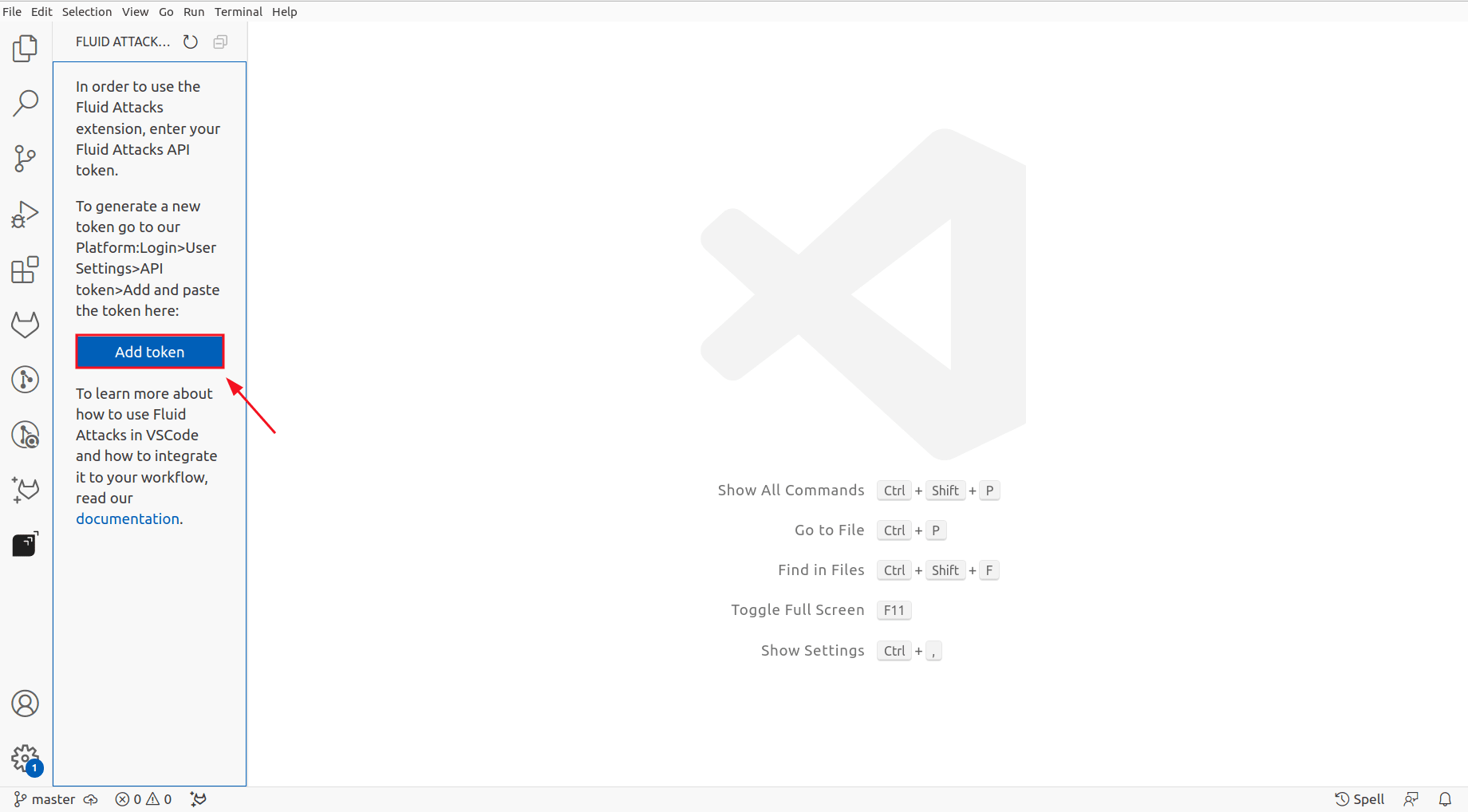
-
Paste your API token and press Enter.
-
Click the Refresh button to apply the changes.
Configure using the terminal
-
Open the terminal in VS Code.
-
Use the following command to set the
FLUID_API_TOKENenvironment variable with your API token:export FLUID_API_TOKEN="your_token"
Verify successful installation
The extension analyzes the files you provide as input, so ensure you include all relevant files for comprehensive vulnerability management.
Once you have the VS Code extension set up, verify that it functions correctly:
-
Open the base folder of your Git repository in VS Code.
-
Ensure the base folder's name matches the repository nickname or that the remote URL is set for the local repository.
-
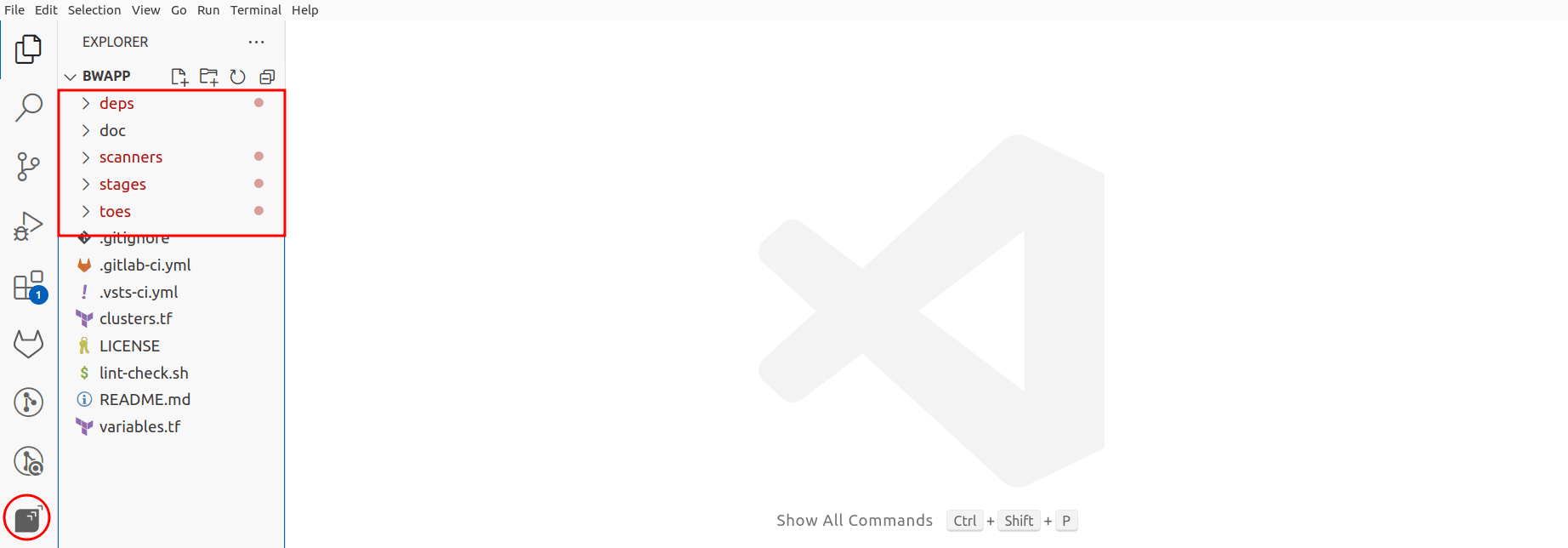
You should see the Fluid Attacks extension icon in the IDE's activity bar and red dots on files with identified vulnerabilities. This confirms successful configuration.
Some extension features require Git history. Ensure your project is a Git repository cloned using Git.
Troubleshooting
If the Fluid Attacks VS Code extension does not function correctly, try the troubleshooting steps.
Telemetry
The Fluid Attacks extension collects error data, which Fluid Attacks analyzes to improve functionality and performance. This data collection respects your VS Code telemetry settings. To opt out, you can disable VS Code's telemetry.
VS Code extension
Learn how to download, install, and configure the Fluid Attacks IDE extension for Visual Studio Code, whose features enable enhanced vulnerability management.
VS Code functions
Use the Fluid Attacks VS Code extension to view vulnerable code, apply treatments, request reattacks, and fix code directly in your IDE.