GitHub Actions
Last updated: Jul 21, 2026
Fluid Attacks provides dedicated GitHub Actions for automated security testing directly in your CI/CD pipeline.
| Action | Scanner | Description |
|---|---|---|
| SAST | Static Application Security Testing | Detects vulnerabilities in your source code |
| SCA | Software Composition Analysis | Detects known CVEs in your dependencies |
| Secret Scan | Secrets Detection | Detects hardcoded credentials and secrets |
| DAST | Dynamic Application Security Testing | Detects vulnerabilities in live web applications |
| CI Gate | Platform integration | Blocks merges when policy-breaking vulnerabilities are present |
How it works
The SAST, SCA, and Secret Scan actions share the same core workflow structure: a checkout step, the scanner action, and an optional SARIF upload to GitHub's Security tab.
The SAST and Secret Scan actions automatically switch between full scan and differential scan modes depending on the Git event that triggered the workflow:
- Push to the default branch → full scan of all configured paths.
- Push to a feature branch or pull request → differential scan of only the changed files.
Differential mode keeps CI fast and ensures new vulnerabilities are caught before they reach the default branch.
The SCA action always runs a full scan by default, regardless of the trigger.
Opt into differential scanning by setting scanner_mode: diff in your configuration file.
Authenticate (optional)
Authenticating attributes each scan to your Fluid Attacks group with a Group
token. On GitHub Actions it is supplied short-lived via OIDC automatically:
grant the workflow the id-token: write permission and the run authenticates
with no stored secret. Alternatively, store a long-lived INTEGRATES_API_TOKEN secret.
Authentication is currently optional and never blocks a scan, but a future release will require it. We recommend adopting it now so your runs are attributed to your group.
See Authentication and OIDC federation for setup.
What it looks like in GitHub
Job steps
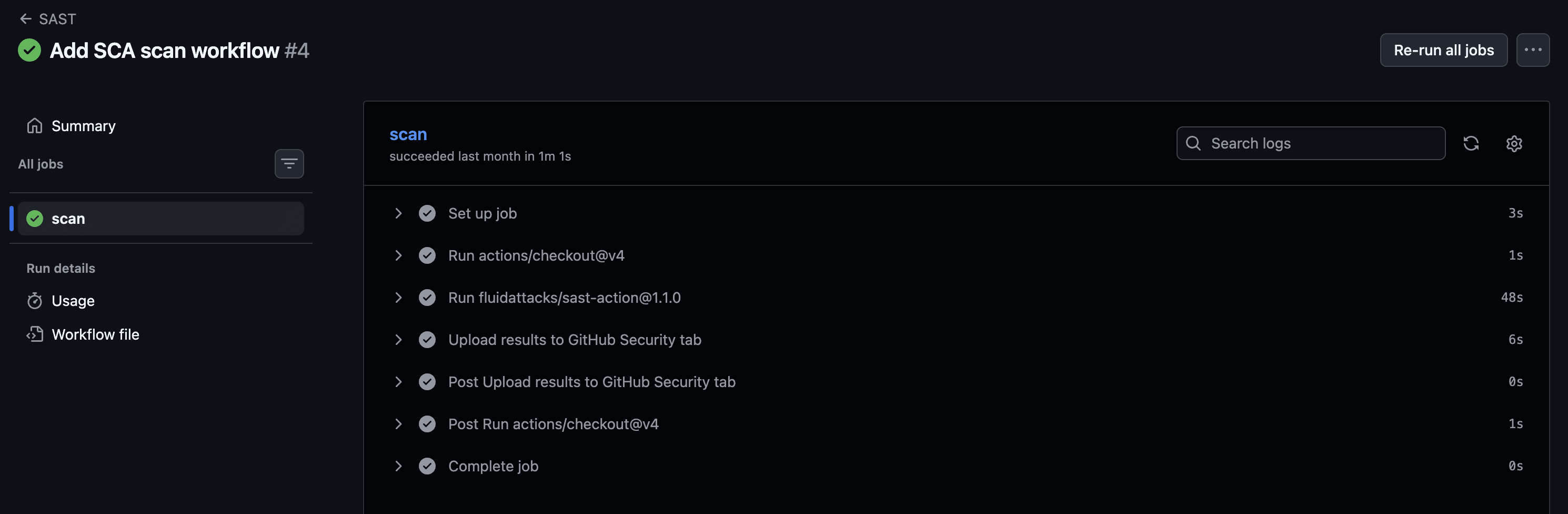
After a push or pull request, the workflow appears in the Actions tab with the individual steps: checkout, scan, and upload.
Scanner logs
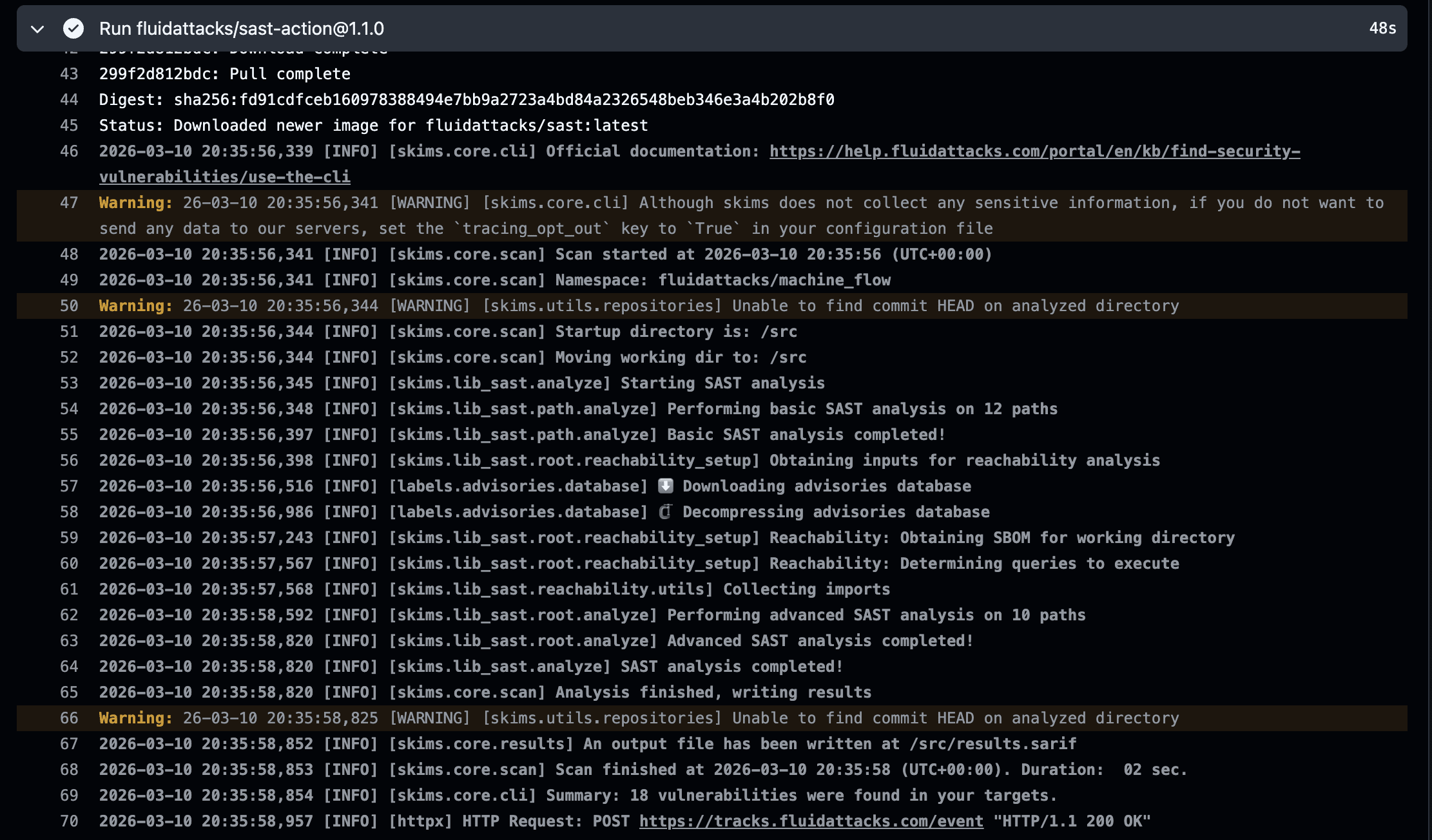
Expanding the scan step shows the scanner output: which files or dependency manifests were found, what vulnerabilities were detected, and whether the run was a full or differential scan.
Security tab results
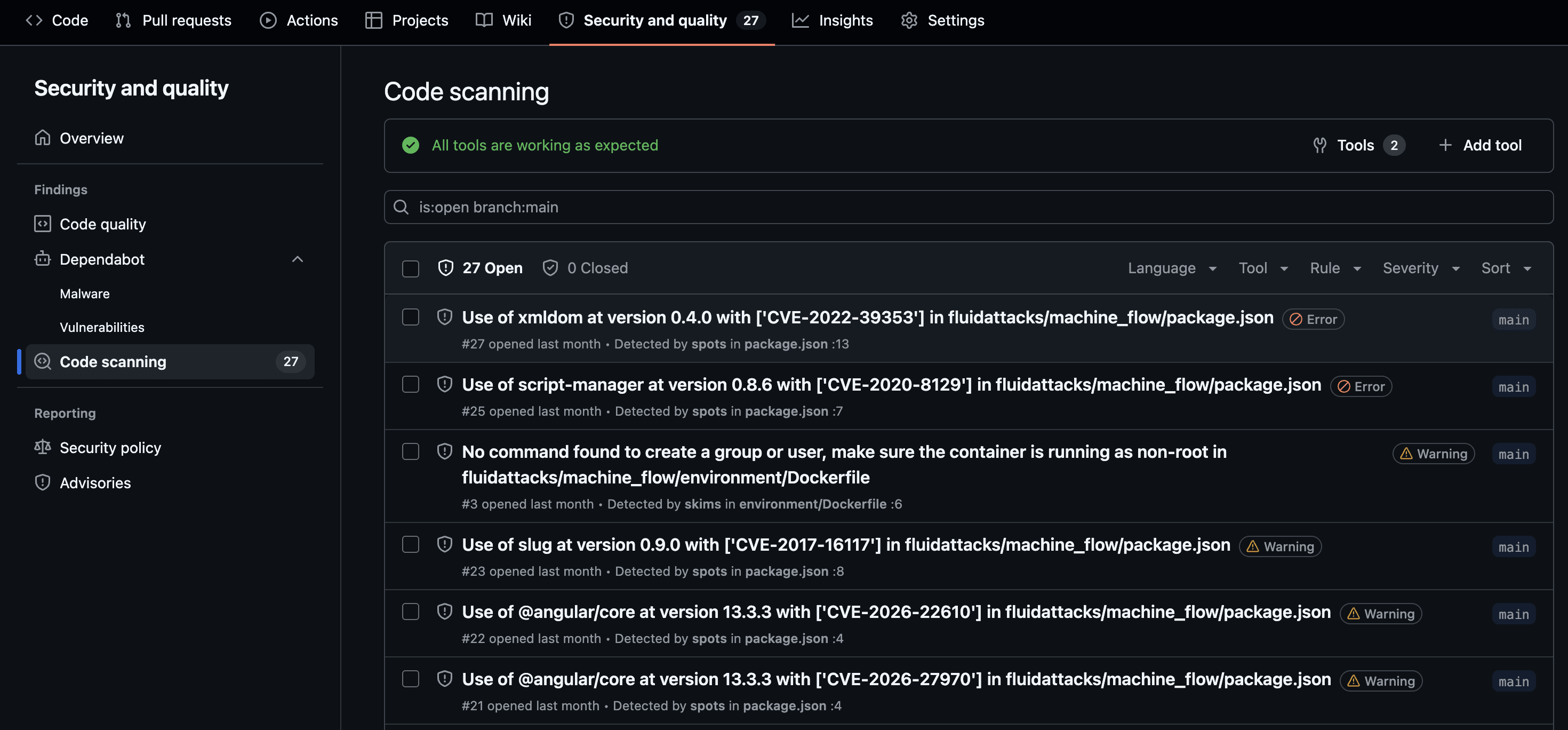
Once the SARIF file is uploaded, findings appear in the repository's Security → Code scanning panel with severity, file location, and a description of each vulnerability.
Privacy: The actions collect only anonymized programming language metadata for analytics. Source code and scan results never leave your runner. See the EULA for details.
GitHub Advanced Security
Uploading scan results to the GitHub Security tab requires GitHub Advanced Security, which is available on all public repositories and on private repositories under a GitHub Advanced Security license. On private repositories without that license, the upload step will fail.
The upload step should always use if: always() so results are uploaded
even when the scan step exits with a non-zero code (for example, when strict: true is set):
- name: Upload SARIF
  if: always()
  uses: github/codeql-action/upload-sarif@v4
  with:
    sarif_file: ${{ steps.scan.outputs.sarif_file }}
Common scenarios
Strict mode: block merges with vulnerabilities
Set strict: true in your configuration file and enable Require status checks to pass before merging
in your repository's branch protection settings:
strict: trueTo break the build only for vulnerabilities above a certain severity threshold,
use strictness_threshold instead:
strictness_threshold: highExport results as CSV or SARIF
Use output.file_path and output.format in your configuration file
to write results to a file:
output:
  file_path: results.sarif
  format: SARIF
Valid values for format are SARIF, CSV, and ALL (generates both simultaneously).
The sarif_file action output is only set when the format is SARIF or ALL.
Troubleshooting
The pipeline fails unexpectedly
If strict: true is set in your configuration file,
the pipeline fails whenever vulnerabilities are found.
Set strict: false to report findings without failing the pipeline.
The job fails with "not found in repository"
The path provided to scan_config_path does not exist in the repository.
Verify the path is correct and relative to the repository root.
No results appear in the Security tab
Make sure the upload step uses if: always()
so it runs even when the scan finds vulnerabilities with strict: true.
Also verify that your repository has GitHub Advanced Security enabled —
see GitHub Advanced Security above.
Differential scan analyzes all files instead of just changes
Verify that fetch-depth: 0 is set in the actions/checkout step.
Without full git history, the action cannot determine which files changed
relative to the default branch.