GitHub Actions example
Last updated: Apr 6, 2026
This page walks through a real integration example using the
fluidattacks/machine_flow
public repository.
It shows how the
SAST and
SCA GitHub Actions
are configured end-to-end,
from the scanner configuration files
to the results visible in the GitHub Security tab.
Configuration files
The repository contains two scanner configuration files at its root, one for each action.
.sast.yaml
language: EN
strict: false
output:
  file_path: results.sarif
  format: SARIF
sast:
  include:
- .language— sets the language for vulnerability descriptions in the output (ENfor English).strict— whenfalse, the scanner reports findings but does not fail the pipeline. Set totrueto break the build on any detected vulnerability.output.file_path— path where the SARIF results file is written. This value is also exposed as thesarif_fileaction output, which is passed to the GitHub Security tab upload step.output.format—SARIFproduces the standard format consumed by GitHub's code scanning API.sast.include— list of paths the scanner analyzes. A single.means the entire repository is in scope.
.sca.yaml
language: EN
strict: false
output:
  file_path: results-sca.sarif
  format: SARIF
sca:
  include:
    - .
The fields mirror the SAST configuration. The only differences are:
output.file_pathuses a distinct name (results-sca.sarif) to avoid overwriting the SAST results file in the same workspace.sca.includeinstead ofsast.include— the scanner reads this section to locate dependency manifests (package.json,pom.xml,*.csproj, etc.) and checks them against known vulnerability databases.
Workflows
SAST — .github/workflows/dev.yml
.github/workflows/dev.yml
runs the SAST action:
name: SAST

on: [push, pull_request]

jobs:
  scan:
    runs-on: ubuntu-latest
    steps:
      - uses: actions/checkout@v4
        with:
          fetch-depth: 0 # required: full history enables differential scanning

      - uses: fluidattacks/sast-action@1.1.0
        id: scan

      - name: Upload results to GitHub Security tab
        if: always()
        uses: github/codeql-action/upload-sarif@v4
        with:
          sarif_file: ${{ steps.scan.outputs.sarif_file }}
SCA — .github/workflows/sca.yml
.github/workflows/sca.yml
runs the SCA action:
name: SCA

on: [push, pull_request]

jobs:
  scan:
    runs-on: ubuntu-latest
    steps:
      - uses: actions/checkout@v4
        with:
          fetch-depth: 0 # required: full history enables differential scanning

      - uses: fluidattacks/sca-action@1.0.0
        id: scan

      - name: Upload results to GitHub Security tab
        if: always()
        uses: github/codeql-action/upload-sarif@v4
        with:
          sarif_file: ${{ steps.scan.outputs.sarif_file }}
Both workflows share the same structure:
fetch-depth: 0fetches the full git history. Without it, the action cannot determine which files changed relative to the default branch, and differential scans will not work correctly.- The action step (
sast-action/sca-action) automatically picks full or differential mode based on the event trigger. upload-sarifruns withif: always()so results are uploaded even when the scan step exits with a non-zero code (e.g., whenstrict: true).steps.scan.outputs.sarif_fileholds the path declared in the respective configuration file.
What it looks like in GitHub
Job steps
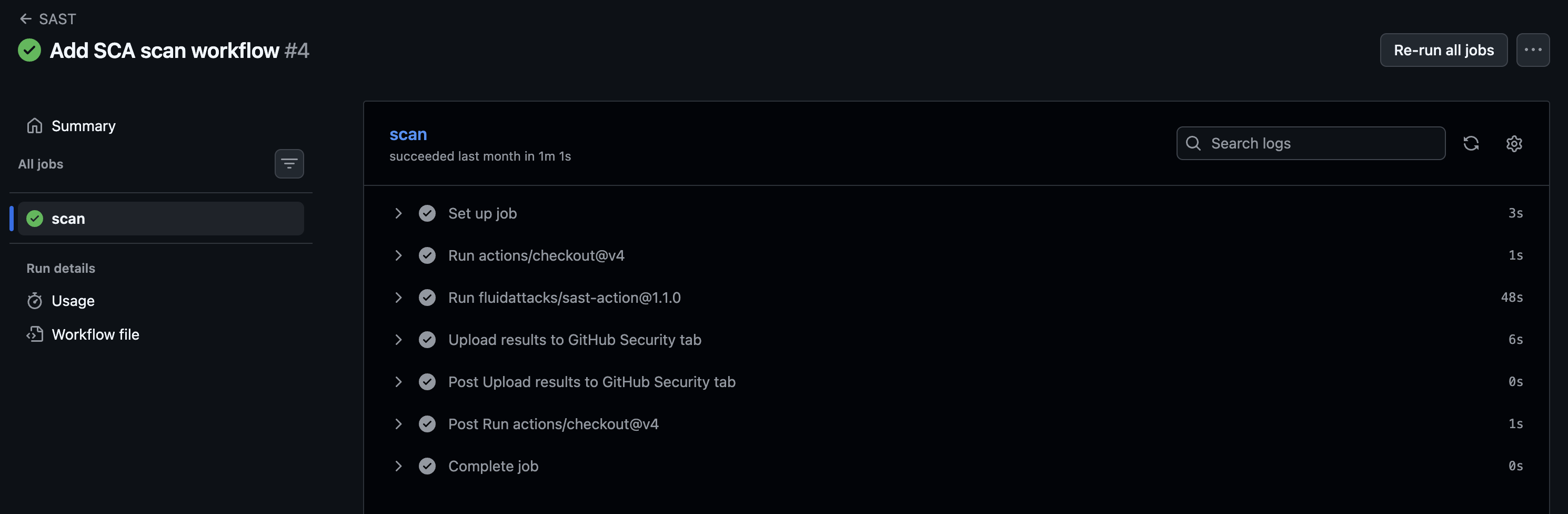
After a push or pull request, the workflow appears in the Actions tab with the individual steps: checkout, scan, and upload.
Scanner logs
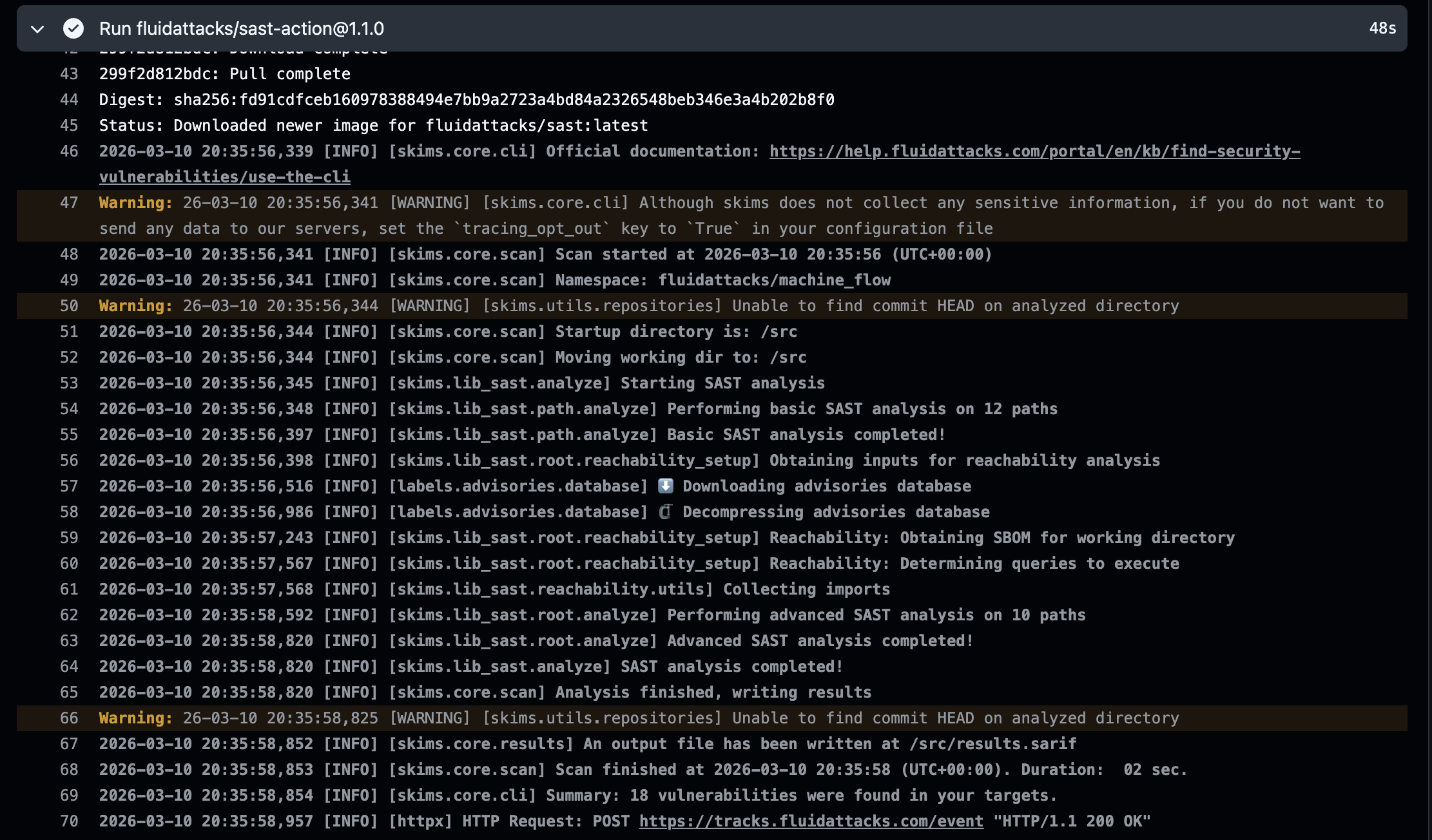
Expanding the scan step shows the scanner output: which dependency files were found, what vulnerabilities were detected, and whether the run was a full or differential scan.
Security tab results
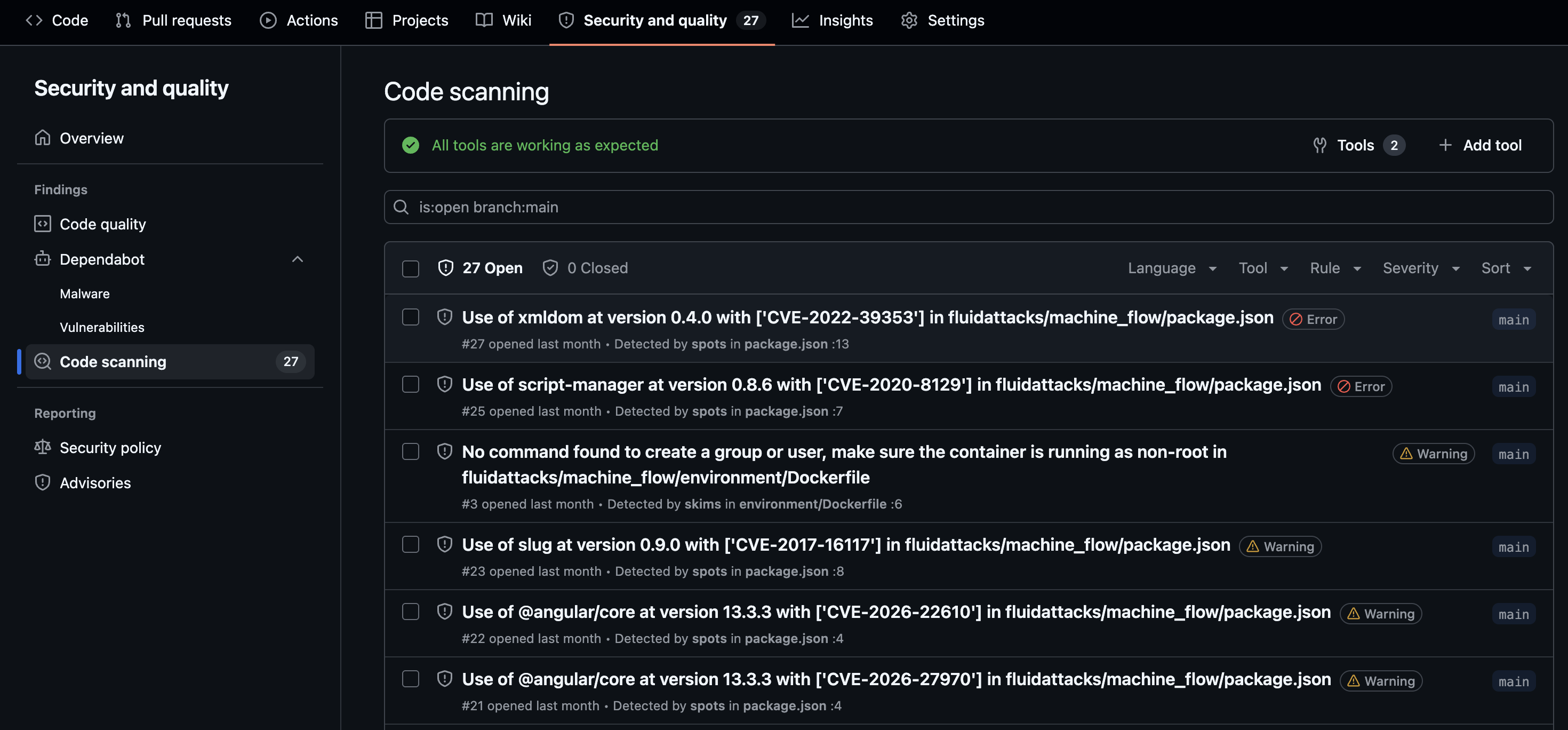
Once the SARIF file is uploaded, findings appear in the repository's Security → Code scanning panel with severity, file location, and a description of each vulnerability.
CI/CD integration
Run Fluid Attacks SAST, SCA, and DAST scanners in your CI/CD pipeline with GitHub Actions, GitLab CI, Bitbucket Pipelines, and other providers.
Understanding outputs
Guide to understanding security testing reports generated by the Fluid Attacks scanner when used as a standalone tool to find vulnerabilities.