Update dependencies
Last updated: Mar 26, 2026
Role required: User, Vulnerability Manager or Group Manager
Fluid Attacks identifies vulnerable dependencies in your environment and provides intelligent upgrade paths. Instead of a single recommendation, you now receive three distinct options, allowing you to choose the best balance between security and stability for your specific situation.
How to access recommendations
-
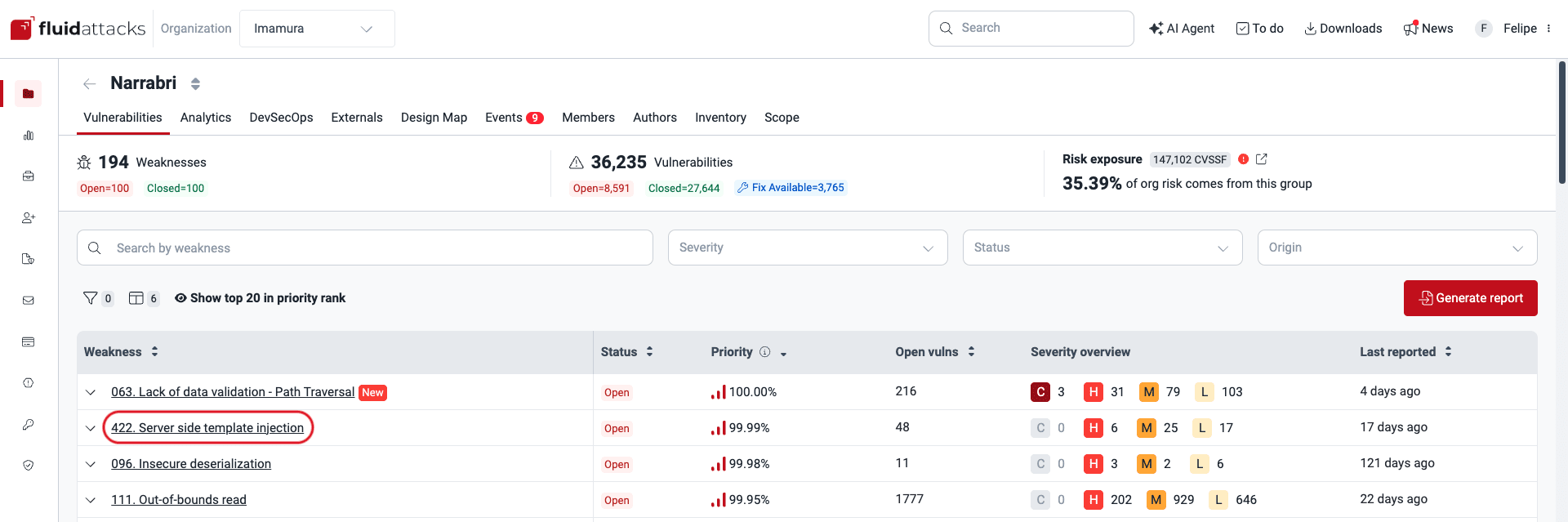
Enter the group where the vulnerability is located, then click on the weakness name.
-
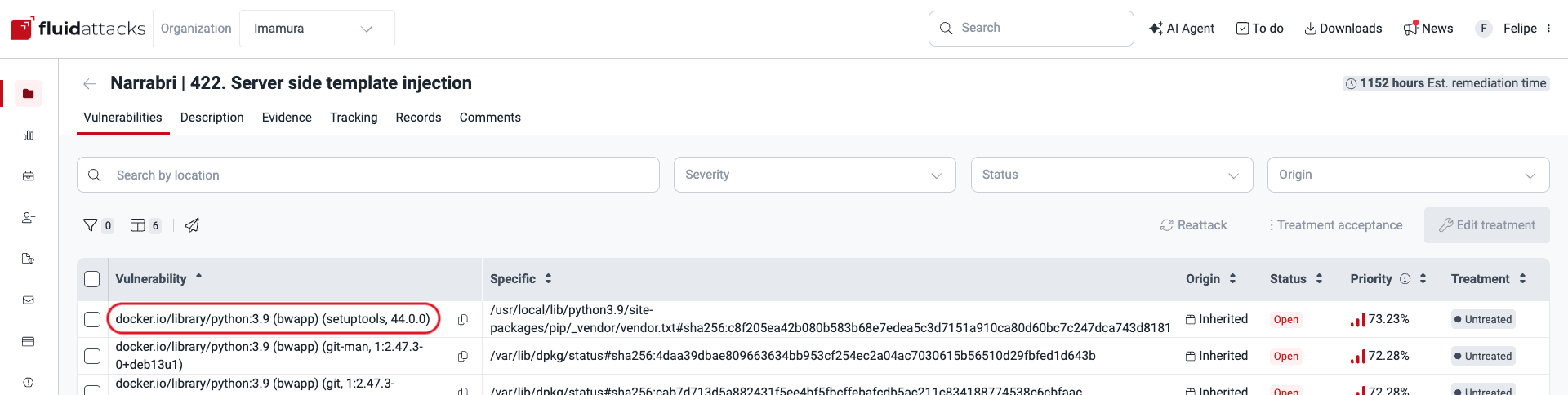
From the vulnerabilities table, click on the specific third-party software vulnerability you wish to examine.
-
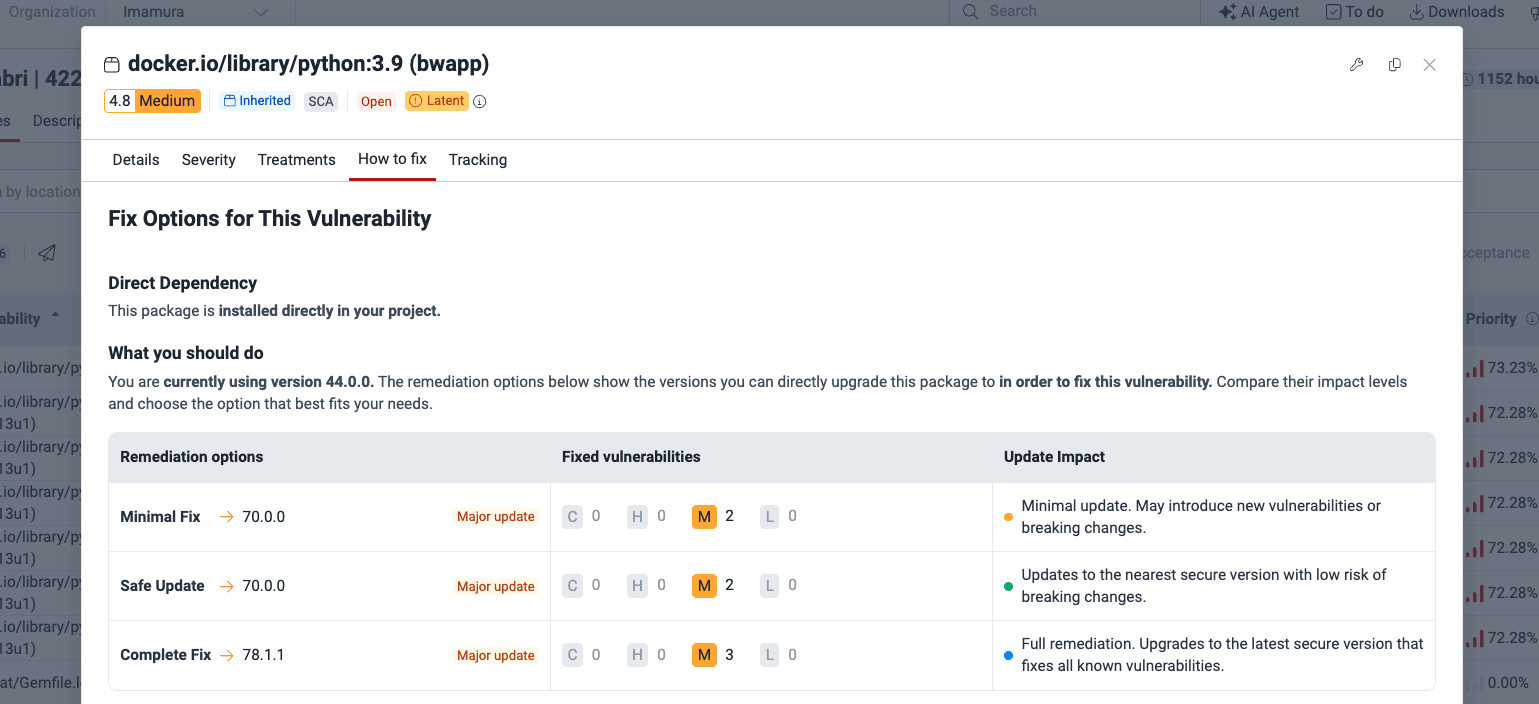
In the pop-up window, switch to the How to fix tab.
Understanding the three update options
For every detected vulnerability, Fluid Attacks evaluates the dependency tree and offers three remediation paths:
- Minimal fix: Patches the specific reported vulnerability but may introduce new vulnerabilities.
- Safe update: Patches the reported vulnerability without introducing any new ones.
- Complete fix: Updates to the latest version that is entirely free of all known vulnerabilities.
Direct dependencies
If the vulnerability is found in a package you manage directly, you will see the versions available for a direct upgrade.
Transitive dependencies
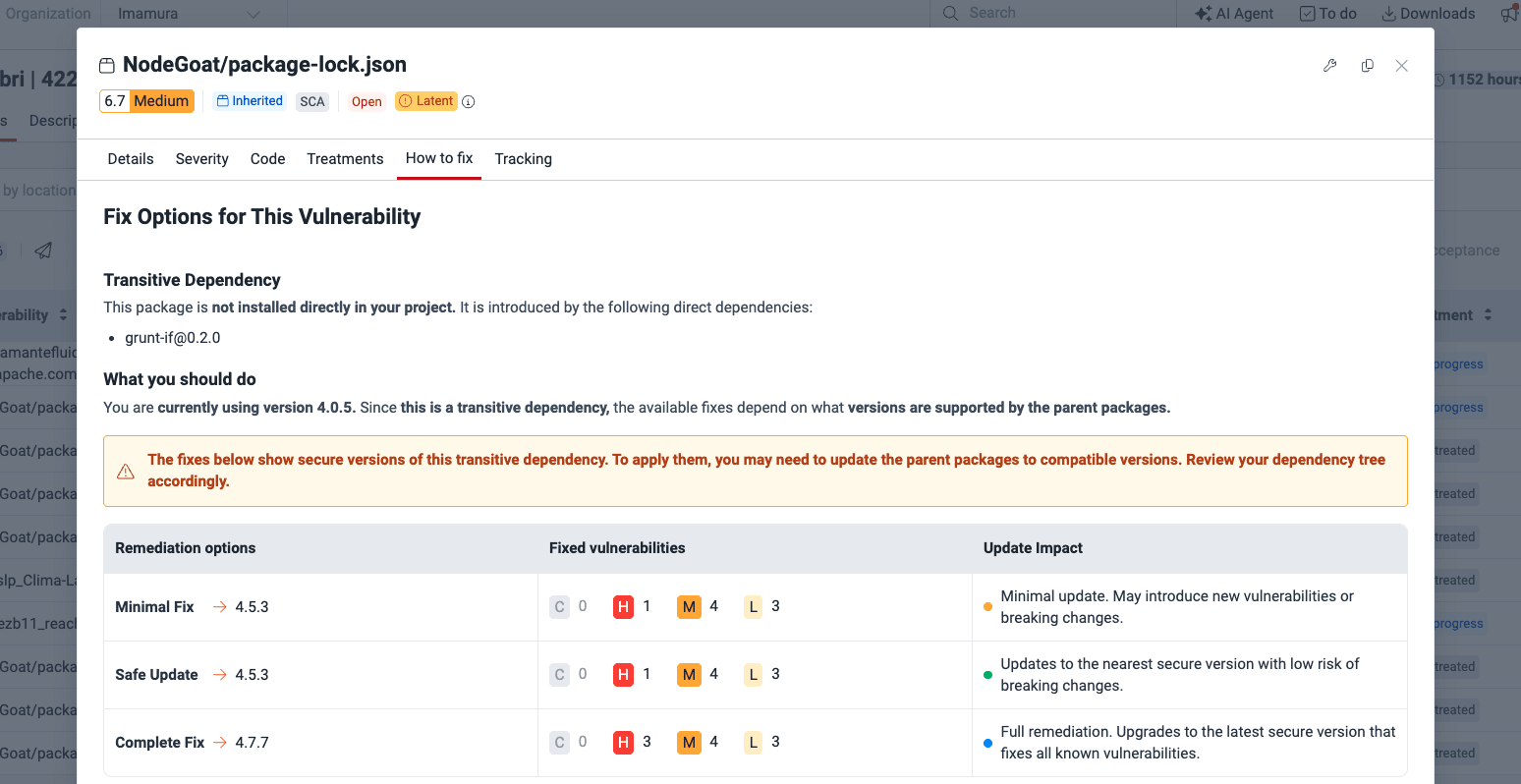
For vulnerabilities introduced by sub-dependencies, the platform identifies the direct package responsible for pulling in the vulnerable code. We provide the three remediation versions for the transitive dependency so you can verify parent compatibility or bump the parent package to the minimum supported version.
Next steps
Once you have upgraded your dependencies to a recommended, safe version, run a reattack to verify the fix and close the finding.