With AI
Last updated: Oct 26, 2026
After you examine the reported vulnerabilities, Fluid Attacks helps you fix your source code with AI-generated suggestions.
You can get custom guides or automatic fixes from generative AI. To do this, install and configure one of these tools of Fluid Attacks:
Then continue with these instructions.
The Fluid Attacks plugin shows you the lines of code that you must fix. With gen AI, you can do one of these tasks:
Follow AI-generated fix guides
To use the Custom fix function of the plugin, follow these steps:
-
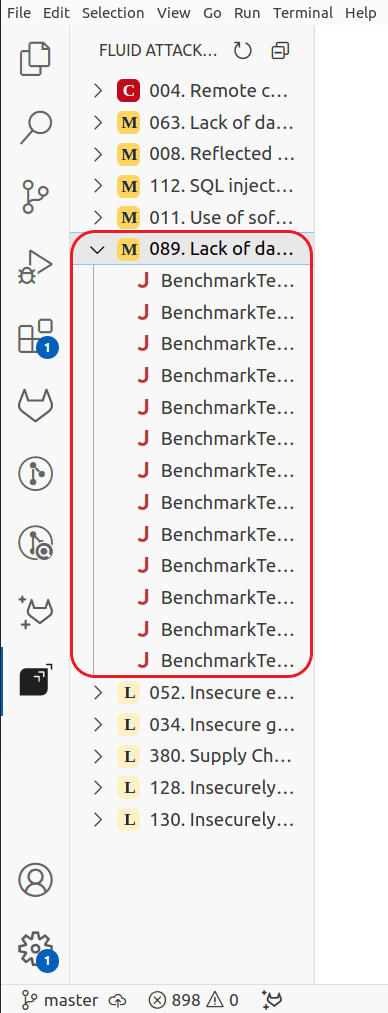
Open the Fluid Attacks extension. Then click the weakness that you want to fix.
-
Put the pointer on the entry of the vulnerable line of code that you want to fix. Then click the wrench.

-
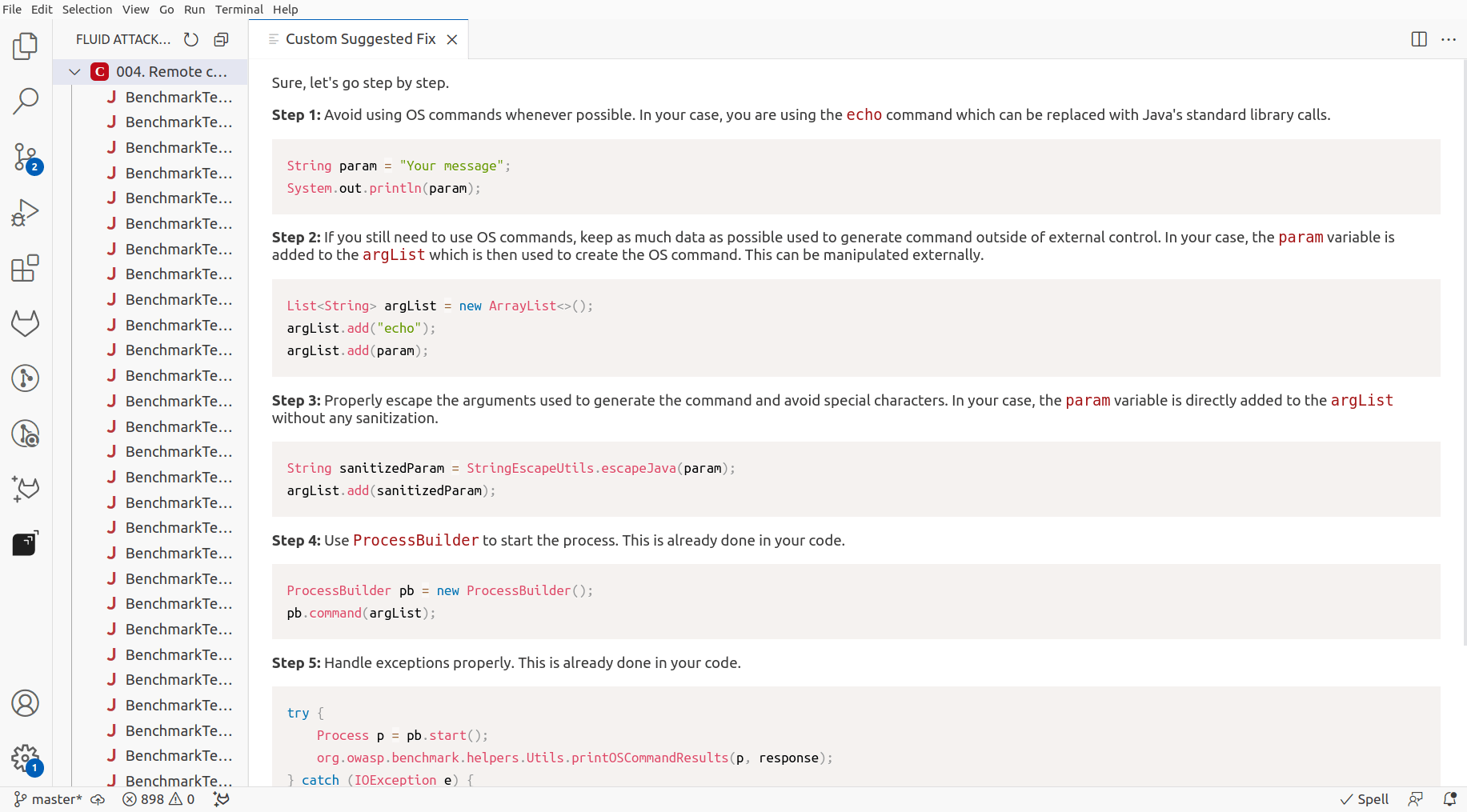
Follow the step-by-step guide to secure your code. Examine each step carefully, because gen AI can make vulnerable code.
After you fix the code, you can make sure that the fix was successful. If you have the Advanced plan, you can request an explanatory session with a Fluid Attacks pentester. The pentester helps you understand a vulnerability.
Get AI-generated automatic fix suggestions
To use the Autofix function of the plugin, follow these steps:
-
Open the Fluid Attacks extension. Then click the weakness that you want to fix.
-
Put the pointer on the entry of the line of code that you want to fix automatically. Then click the hammer and wrench.

-
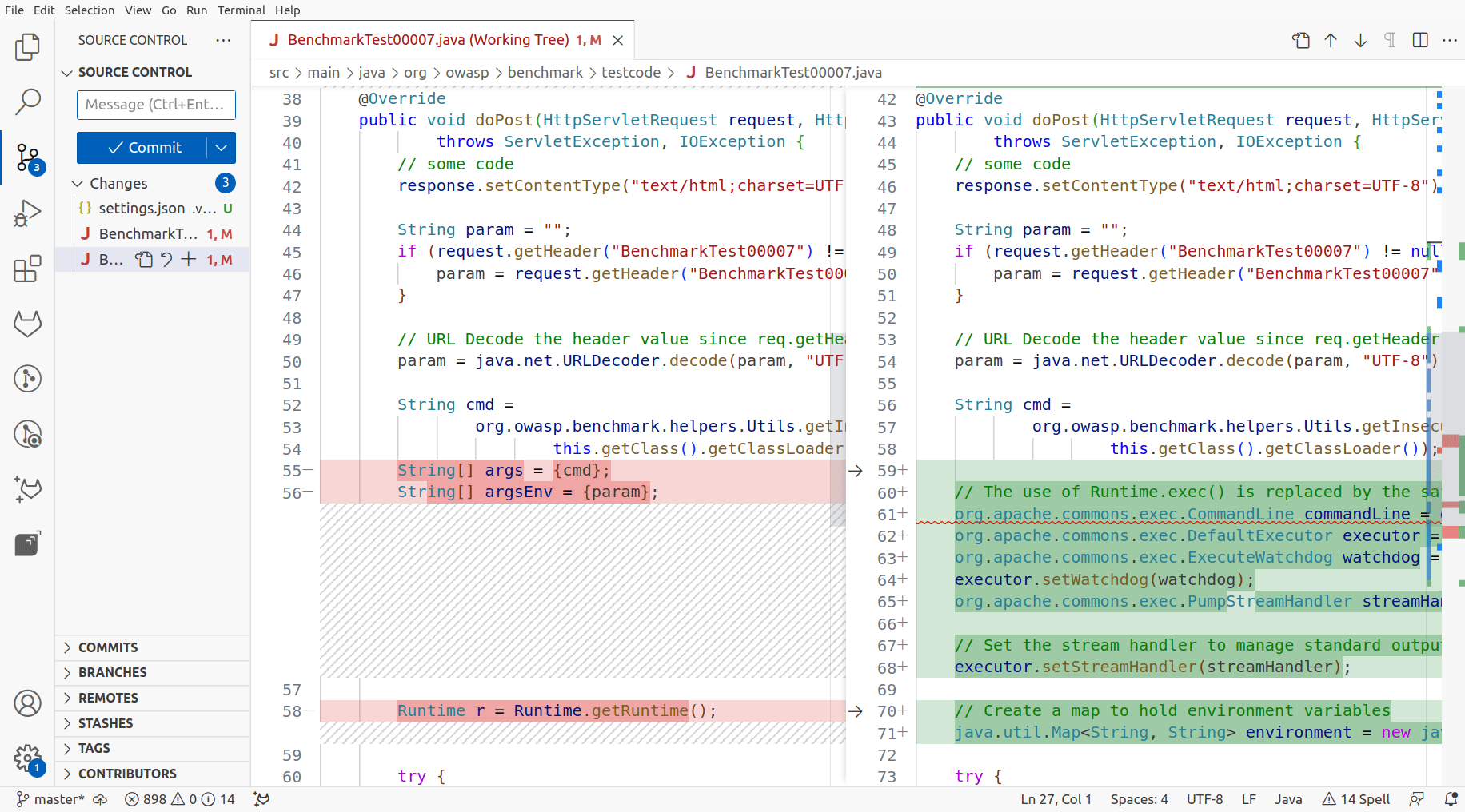
Examine the output. The plugin shows it as changes that are already in the file.
After you apply this suggestion, you can request a reattack to make sure that the remediation was successful.