Reattack
Last updated: Oct 21, 2026
As part of vulnerability management, examine the code again after each fix. A fix can add new vulnerabilities, or it can fail to fix the original vulnerability.
To learn how Fluid Attacks can help you fix vulnerabilities, read the Fix code section. After you apply your fix, do the steps on this page.
At Fluid Attacks, the name of a reassessment is "reattack." Follow these steps to request automated reattacks by the tool or manual reattacks by Fluid Attacks pentesters:
-
Go to the group where the platform reported the vulnerability that you want to reattack. Then go to the Scope section.

-
Click the Update button to clone the latest version of the repository. This sends the version with the fixed code for the tests.

Examine the Status value of the repository. When it shows 'Cloned', go to step 3.
The platform clones the repositories each time that you use this option. It also clones them every two hours on workdays.
-
In the Vulnerabilities section, click the name of the weakness that you want to reattack.
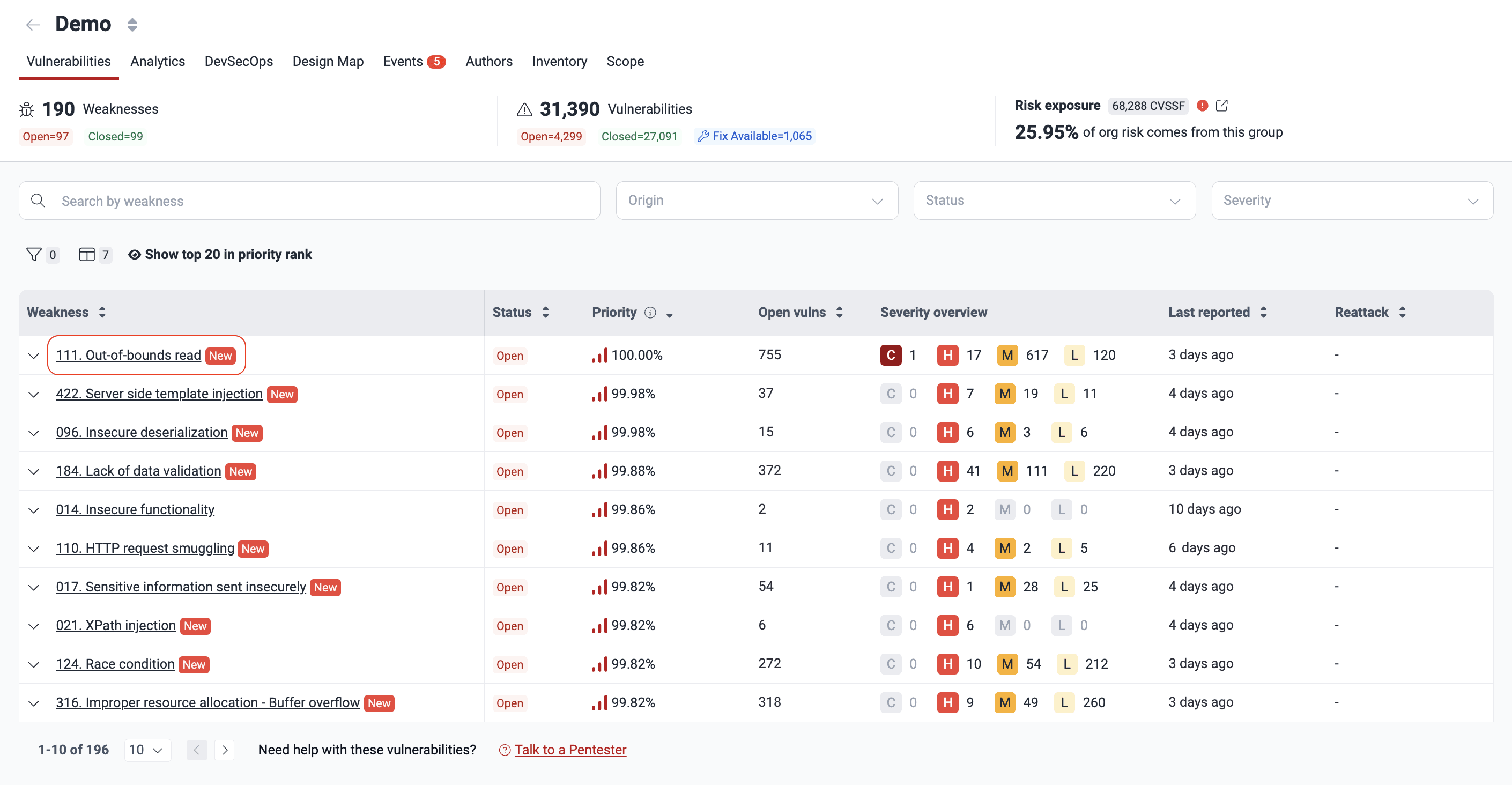
-
Select the path where you applied a fix. Then click Reattack.
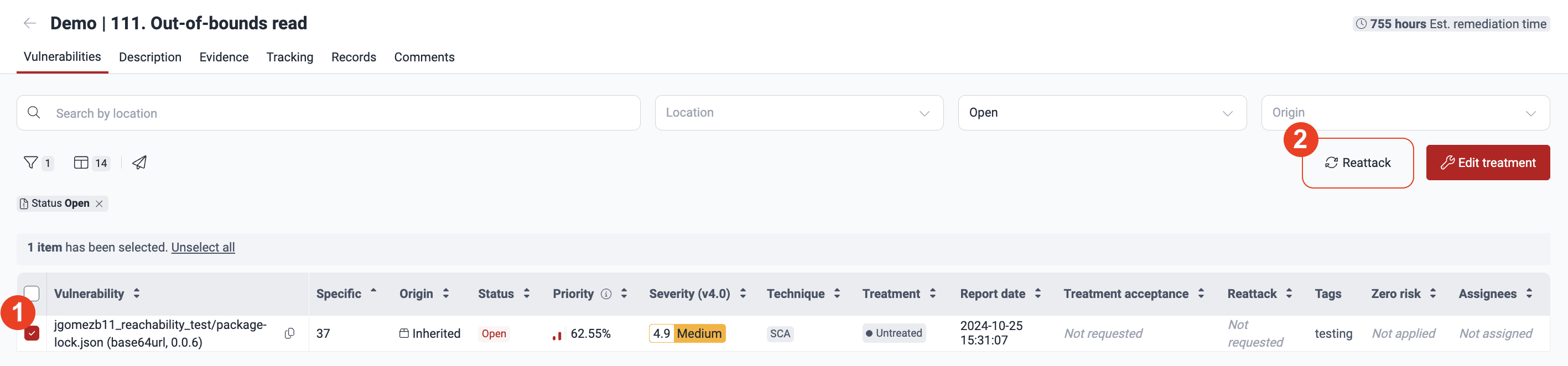
-
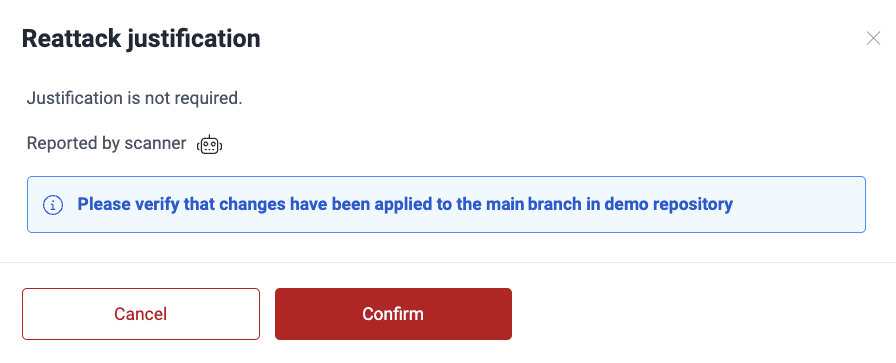
In the pop-up window, click Confirm. This tells the platform that you synced the fixed version.
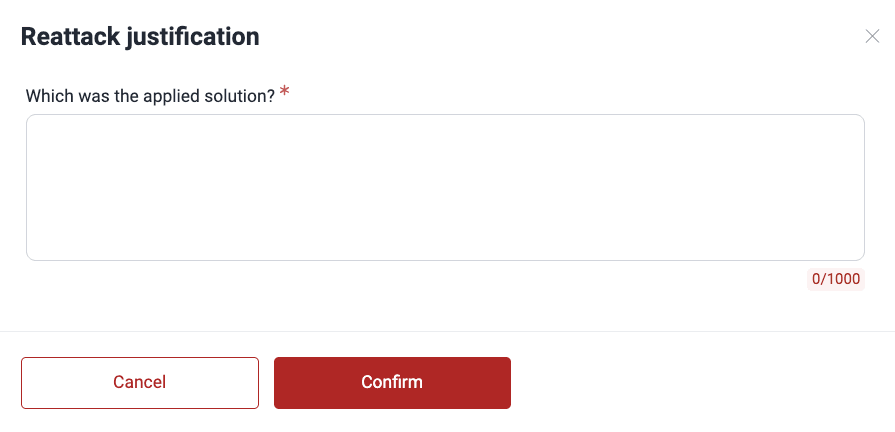
If you have the Advanced plan, and the pentesters reported the vulnerability, describe the fix that you applied. Then click Confirm.
If you select more than one vulnerability, the platform can refuse to reattack some of them. The pop-up window shows the cause before you continue. These are the possible causes:
- The request is already in the platform.
- The location already has the 'Safe' status.
- The reattacks are on hold.
- You must upgrade your plan to request the reattack.

If the vulnerability is still present, you get a comment about it in the Comments section of the weakness. In the Vulnerabilities table, the Reattack column of the vulnerability shows the value 'Verified (vulnerable)'.
As a security measure, you can use the Fluid Attacks CI Gate to break the build. The build breaks if it has vulnerabilities with specified attributes.
Do you still have problems with the fix? Try GenAI help.