Installation
Last updated: Oct 27, 2026
The IntelliJ plugin of Fluid Attacks and all the other local tools and extensions of Fluid Attacks are free of charge.
With the IntelliJ plugin of Fluid Attacks, you can do these actions directly in IntelliJ IDEA and other supported IDEs:
- See a list of the weaknesses and their vulnerabilities that Fluid Attacks found in the source code of your products.
- See the lines of code with a vulnerability that the tools or the pentesting team of Fluid Attacks detected.
- Get custom guides from AI to remediate vulnerabilities.
- Get code fix suggestions from AI and apply them automatically.
- Request reattacks.
Plugin support information:
Android Studio: Meerkat (2024.3.1) and later
AppCode: Build 243.0 and later
Aqua: 2024.3 and later
IntelliJ IDEA Community: 2024.3 and later
IntelliJ IDEA Ultimate: 2024.3 and later
Read the specifications of the IntelliJ
plugin
To install the plugin, follow these steps:
-
Go to JetBrains Marketplace.
-
Type "Fluid Attacks" in the search bar.

-
Click the search result to go to the page of the Fluid Attacks plugin.
-
Click the Get button.

As an alternative, you can install the plugin from the IDE (for example, IntelliJ IDEA). Do these steps, and not steps 1 to 4:
- Open the settings of the IDE.
- Click Plugins.
- Type "Fluid Attacks" in the search bar of the Marketplace tab.
- Click the Install button next to the search result.
- Restart the IDE.
Then, do these steps:
-
Log in to the Fluid Attacks platform.
-
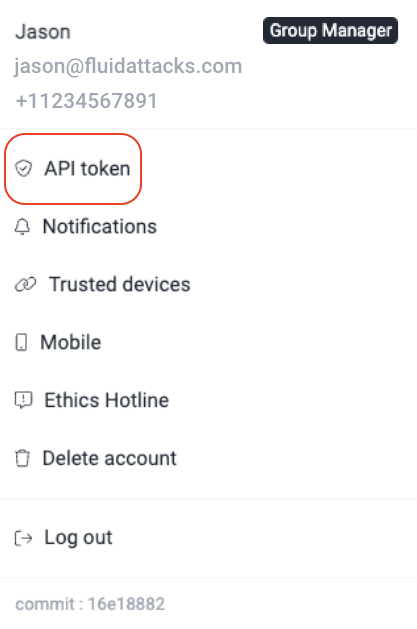
Generate an API token on the Fluid Attacks platform. For the procedure, read Generate or revoke the API Token.
-
Copy the API token.
-
Go to the IDE.
-
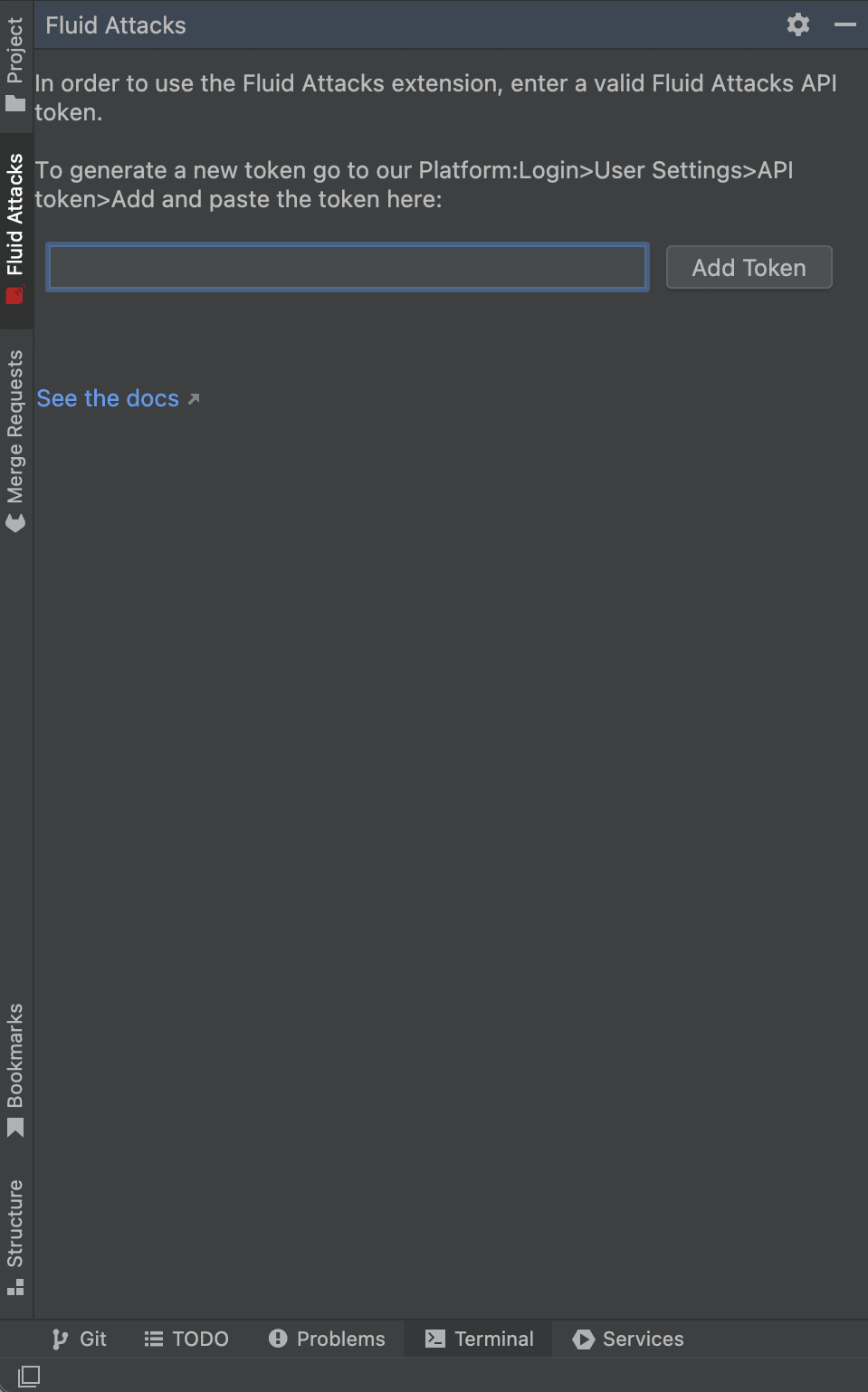
Click the Fluid Attacks tab on the left side.
-
Paste the API token in the field.
-
Click Add Token.
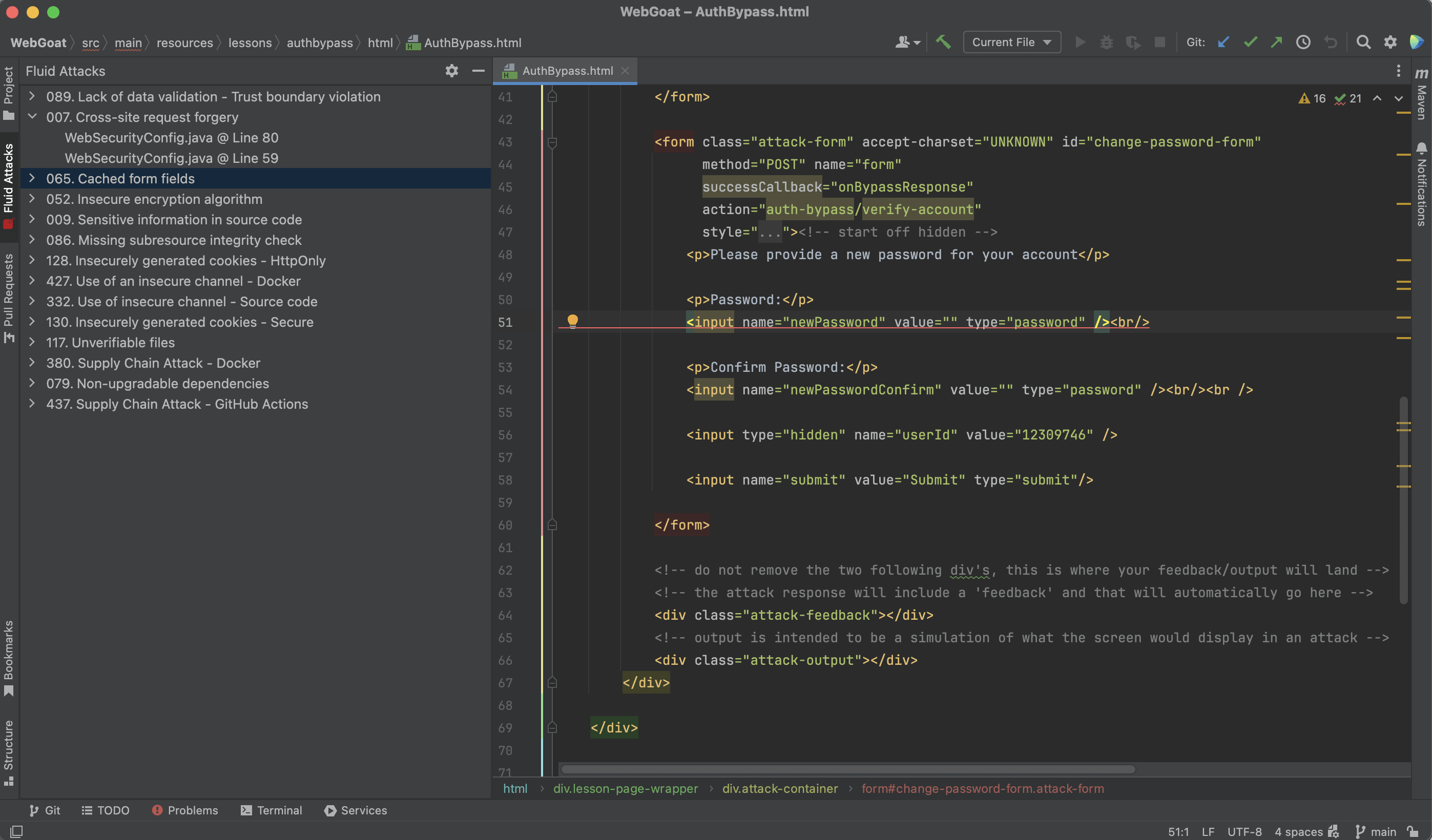
After you add the token, the tab loads again. It shows a tree view with the vulnerable locations in your repository, by vulnerability type. When you click a location, the IDE opens the related lines in the file.
Search for vulnerabilities in your apps for free with Fluid Attacks' automated security testing! Start your 21-day free trial and discover the benefits of the Essential plan. If you prefer the Advanced plan, which includes the expertise of Fluid Attacks' pentesting team, complete this contact form.