Verify fixes with reattacks
Last updated: Oct 26, 2026
Request a reattack
Role required: User, Vulnerability Manager or Group Manager
Before requesting a reattack, make sure you have synced the fixed software version to the platform.
When you fix your code or service configuration to remediate a reported vulnerability, you can request a reattack to make sure that your fix removed the vulnerability. Reattacks are retests that Fluid Attacks' tools and pentesters do. (Reattacks by pentesters are available only in the Advanced plan.)
You can send reattack requests from the Fluid Attacks platform in the Vulnerabilities and To do sections. You can also send them from VS Code with the Fluid Attacks integration. This page shows how to send reattack requests from the platform.
To send a request from Vulnerabilities, follow these steps:
-
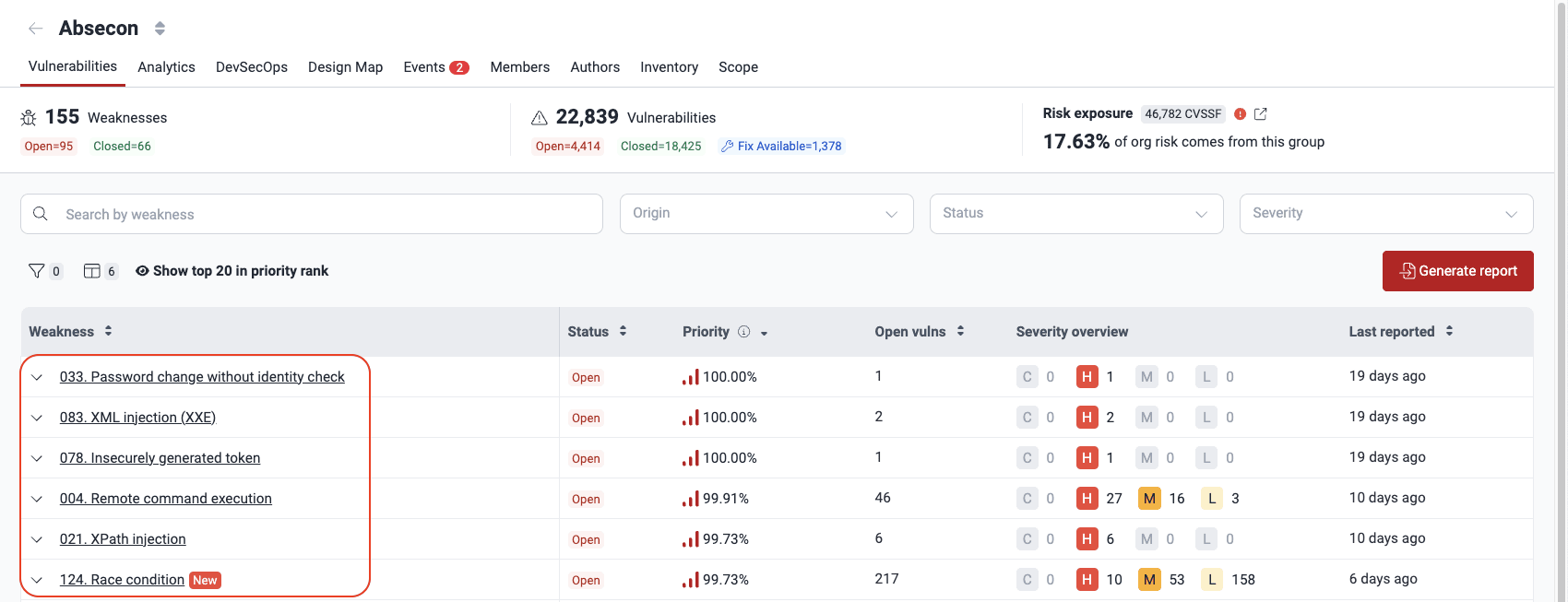
Go to the Vulnerabilities section of the group. Then, click the weakness name.
-
Select the vulnerability that you want the reattack to check. Only some entries can get a reattack. They must have the 'Vulnerable' status, and their reattack status must not be 'Requested' or 'On hold'. Then, click the Reattack button.
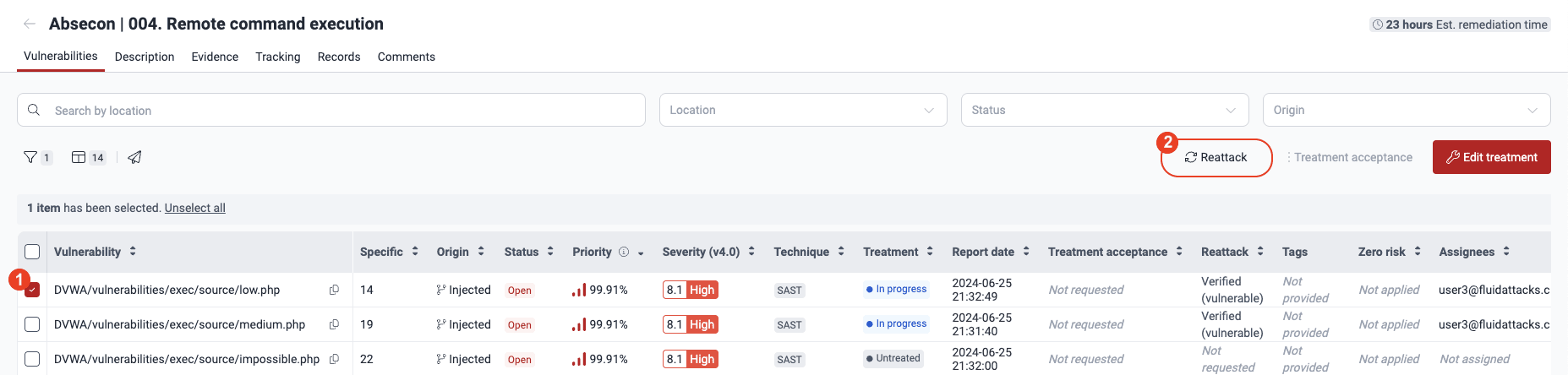
You may select multiple vulnerabilities and then click Reattack. If the reattack is not possible for some vulnerabilities, the reason is displayed in the next pop-up window.
-
In the pop-up window, write a detailed description (minimum 10 characters) of the fix that you applied to the vulnerability (if applicable).
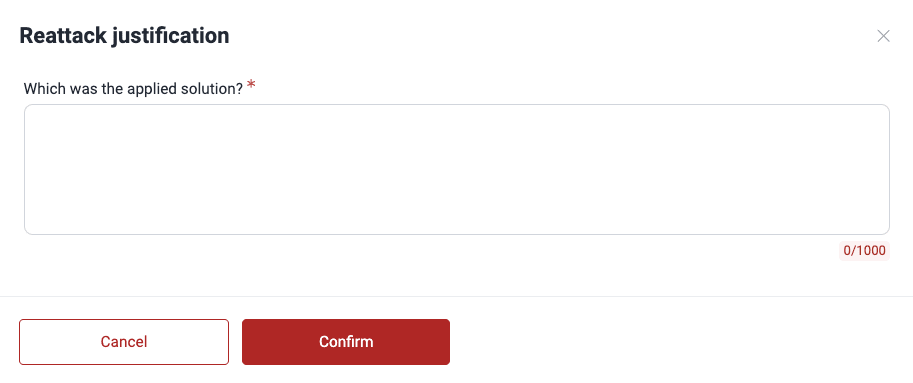
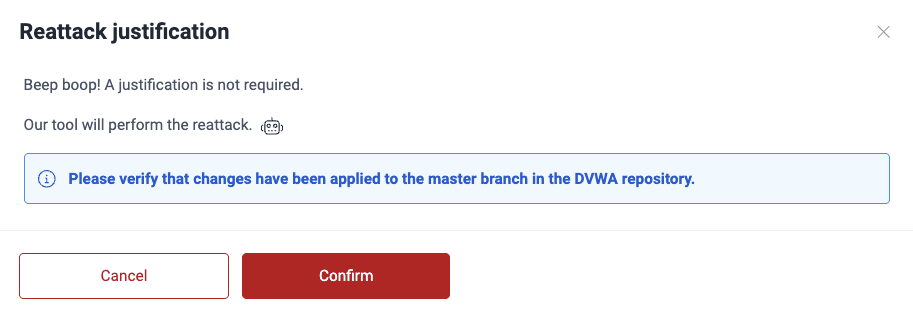
If the reattack is to be performed by Fluid Attacks' tools, you do not need to provide a justification but rather only make sure that the fixed version is synced to the platform. Read more about reattacks by tools below.
-
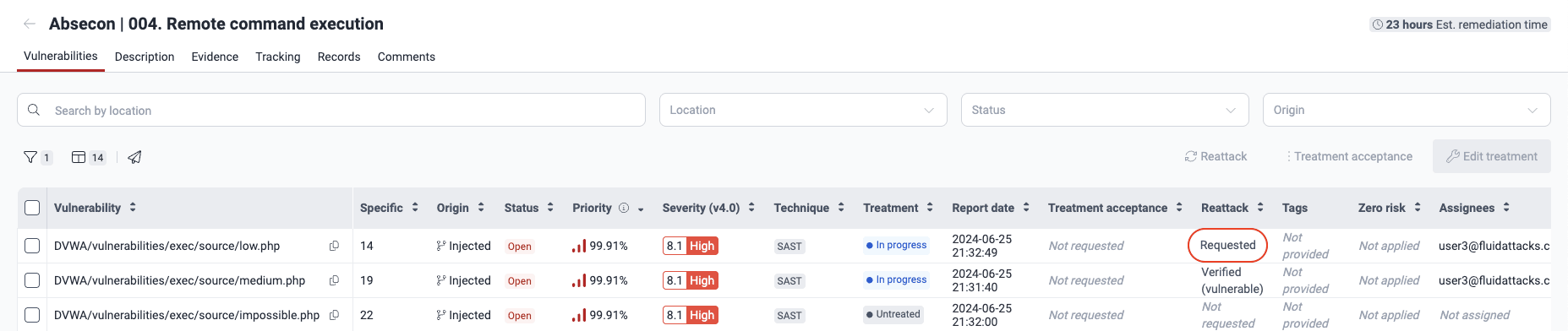
Click Confirm. The Reattack column of that vulnerability then shows the value 'Requested'.
To request reattacks from the To do section, follow these steps:
-
Go to the To do section.

-
In Assigned vulnerabilities, select the checkbox of the vulnerability. Then, click Reattack.
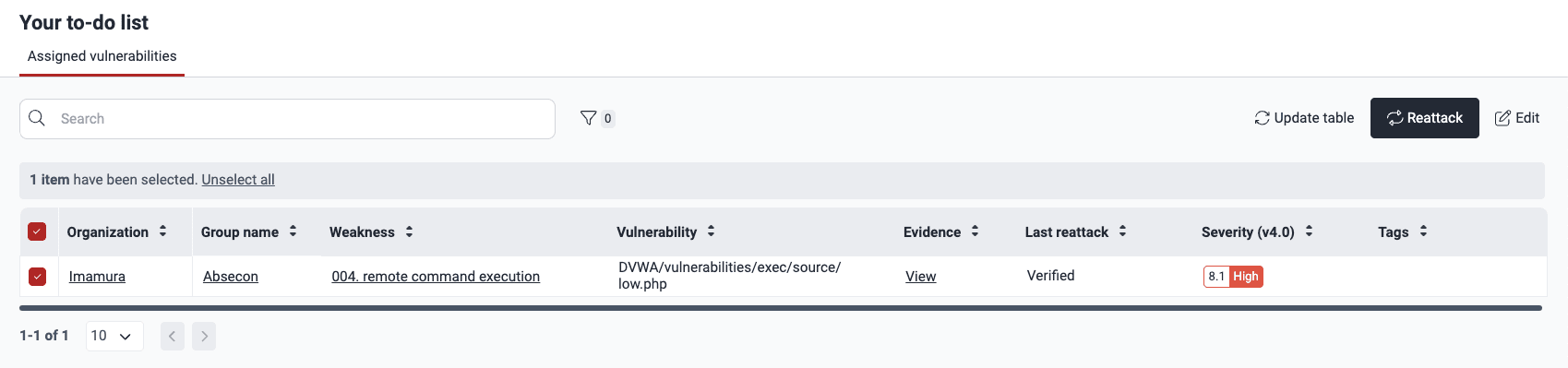
-
In the pop-up window, write a justification (minimum 10 characters), if applicable.
-
Click Confirm.
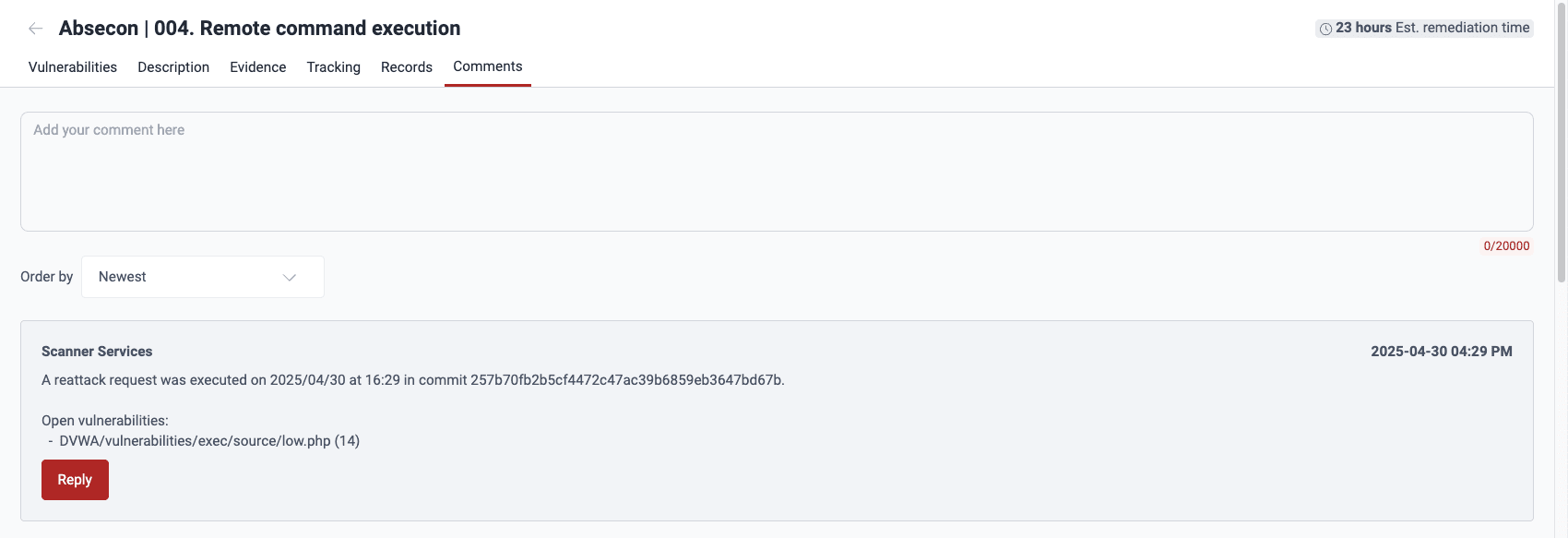
After you request the reattack, wait for the tools or pentesters to give you the result. A reattack by the tool can continue for some minutes. For a reattack by security analysts, the response time follows the conditions of the service-level agreement. This is a median of 8 office hours. Also, Fluid Attacks adds a new comment about your request in the Comments section of the weakness. If applicable, Fluid Attacks adds one more comment a short time after. In this comment, Fluid Attacks' tools give you the reattack result. If security analysts do the reattack, they can add detailed comments with the reattack result.
Reattack outcomes
On the platform, a reattack can have two results. The Reattack column of the Vulnerabilities table shows the result.
- Verified (vulnerable): The vulnerability is still exploitable. Fluid Attacks' tool or pentesters give evidence of the exploit in the Evidence section. Try to remediate the vulnerability again. Then, request one more reattack.
- Verified (safe): Your team remediated the vulnerability successfully.
The platform records reattack results in the Tracking and Comments sections of the weakness.
Reattacks on hold
Situations on your side can delay reattacks temporarily. Fluid Attacks calls these situations "events." To learn more about them, read Resolve events impeding tests. The Vulnerabilities table shows delayed reattacks with the value 'On hold'.

When your team resolves the events, the platform activates the reattack request again automatically.
Automated reattacks
These points apply to reattacks of vulnerabilities that the automated tool detected:
-
Your request does not have to include a detailed justification, because the tool does not use it. The platform shows this message and not a justification field.
-
Do not request a reattack in these cases:
- If you think that the vulnerability is a false positive, contact Fluid Attacks.
- If you find that the vulnerability is not a risk because of other security measures, request the false positive treatment.
-
The posts in the Comments sections are simple messages. They tell which vulnerabilities continue to be open after the reattack and which are remediated.
-
If you have problems when you remediate the vulnerability, read the vulnerability and fixes documentation for code examples. You can also use the Fluid Attacks features that leverage generative artificial intelligence to get an idea of how to continue.
Reattack a permanently accepted vulnerability
Role required: User, Vulnerability Manager or Group Manager
If you accepted a vulnerability permanently on the Fluid Attacks platform, you can request a reattack when you remediate it.
To request a reattack for a permanently accepted vulnerability, follow the same steps described above. After you send the request, the Reattack column shows the value 'Requested'.

Error when requesting reattacks
Add new changes to your repository before requesting a new reattack
The platform does not let you request a reattack if
- the latest cloned version (last commit) of the repository of the vulnerability that you try to reattack is from more than 1 day ago,
- the vulnerability is still present in that last commit (or in a previous commit).
In these cases, the error message tells you to update the repository before you request the reattack.
If you get this error, follow these steps:
- Examine the current version of the repository (in your remote version control system or the remote container that hosts the repository). Make sure that the latest commit is recent and includes the fix.
- Update the branch that Fluid Attacks examines (the branch registered in the Scope section) to include the current version of the repository.
- Return to the platform and request the reattack again.
- If necessary, update the repository manually in Scope. Request the reattack when its Status is 'OK'.
- Repeat the steps for each repository containing vulnerabilities to reattack.
- Contact [email protected] if you face issues with the above steps or if you believe a repository update is not required.
You had already requested that reattack
If you or your team requested the reattack for the vulnerability and the response of Fluid Attacks is pending, the platform does not let you request it again. To find these vulnerabilities, look for the 'Requested' value in the Reattack column.
You selected a vulnerability already marked as Safe
If the Status column shows 'Safe' for the vulnerability, the vulnerability is no longer present in your system. Thus, a reattack of this vulnerability is not necessary.
You selected a vulnerability whose reattack is On hold
As explained above, a situation that you must resolve first can delay the reattack for a vulnerability (for a full explanation, read the Events section). The platform does not let you request a reattack again until Fluid Attacks does the delayed reattack and finds the vulnerability again.
Your current subscription does not include reattacks for the selected vulnerability
If you changed to the Essential plan, you cannot request reattacks for vulnerabilities detected with penetration testing as a service, secure code review, and reverse engineering (marked 'PTAAS', 'SCR' and 'RE' in the Technique column, respectively). To request those reattacks, change back to the Advanced plan.
Search for vulnerabilities in your apps for free with Fluid Attacks' automated security testing! Start your 21-day free trial and discover the benefits of the Essential plan. If you prefer the Advanced plan, which includes the expertise of Fluid Attacks' pentesting team, complete this contact form.
Assigned to you
The To do section on the Fluid Attacks platform enables users to visualize vulnerabilities assigned to them, change treatments and request reattacks.
False positive requests
Fluid Attacks lets you assign a Treatment called False positive request to reported vulnerabilities on the platform that you think are FPs or pose no threat.