Define assignees
Last updated: Oct 21, 2026
Role required: Vulnerability Manager or Group Manager (members with the User role can assign fix work to themselves)
Before you do the steps below, tell your team members to sign up on the platform.
Follow these steps to make a developer responsible for the remediation of a vulnerability:
-
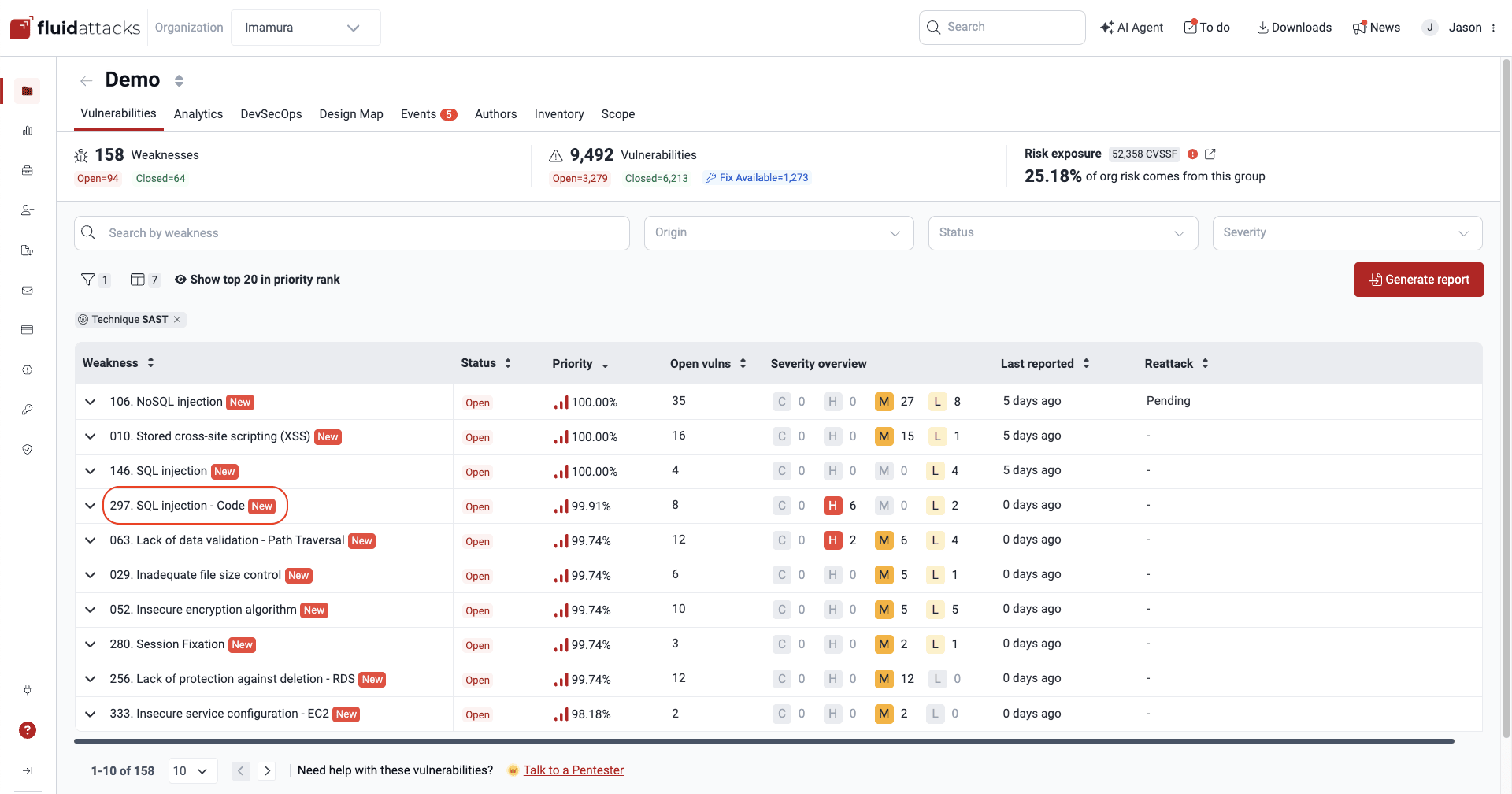
Go to the group that has the vulnerability. Then click the name of the weakness.
-
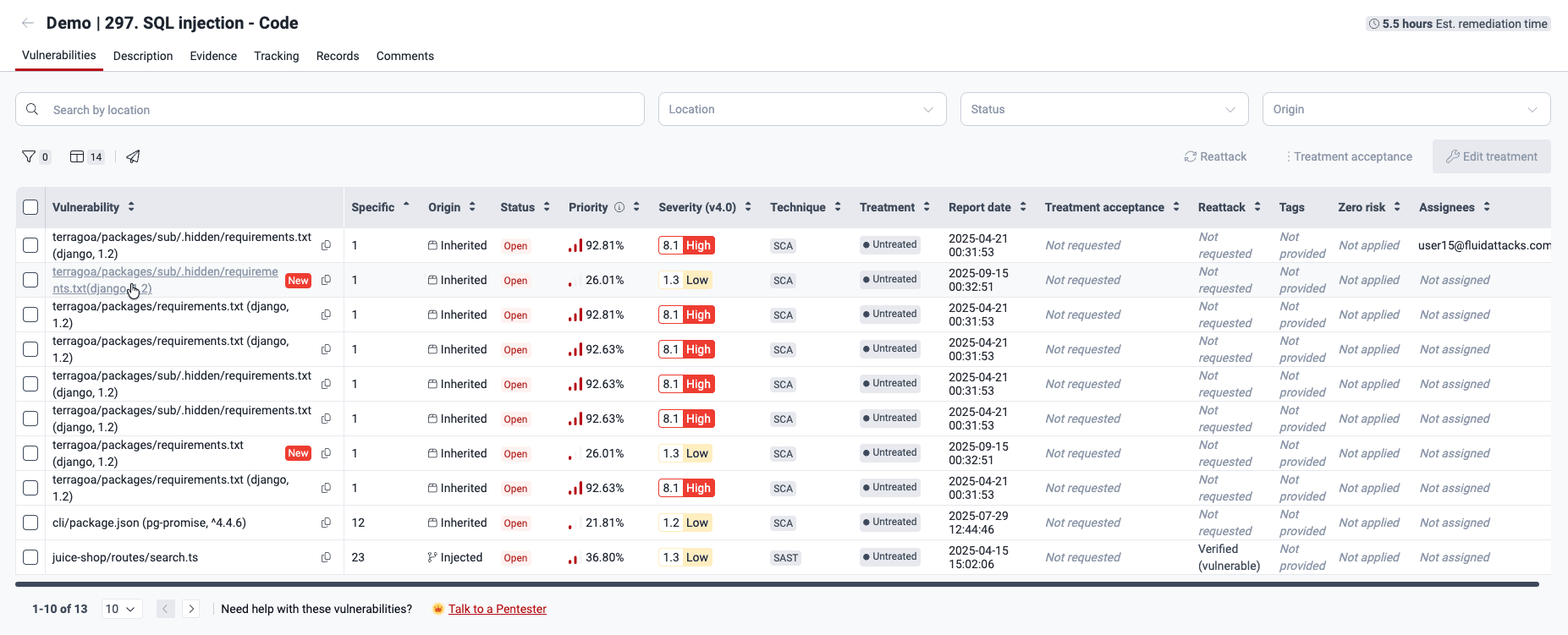
In the table, click the vulnerability that you want to assign.
-
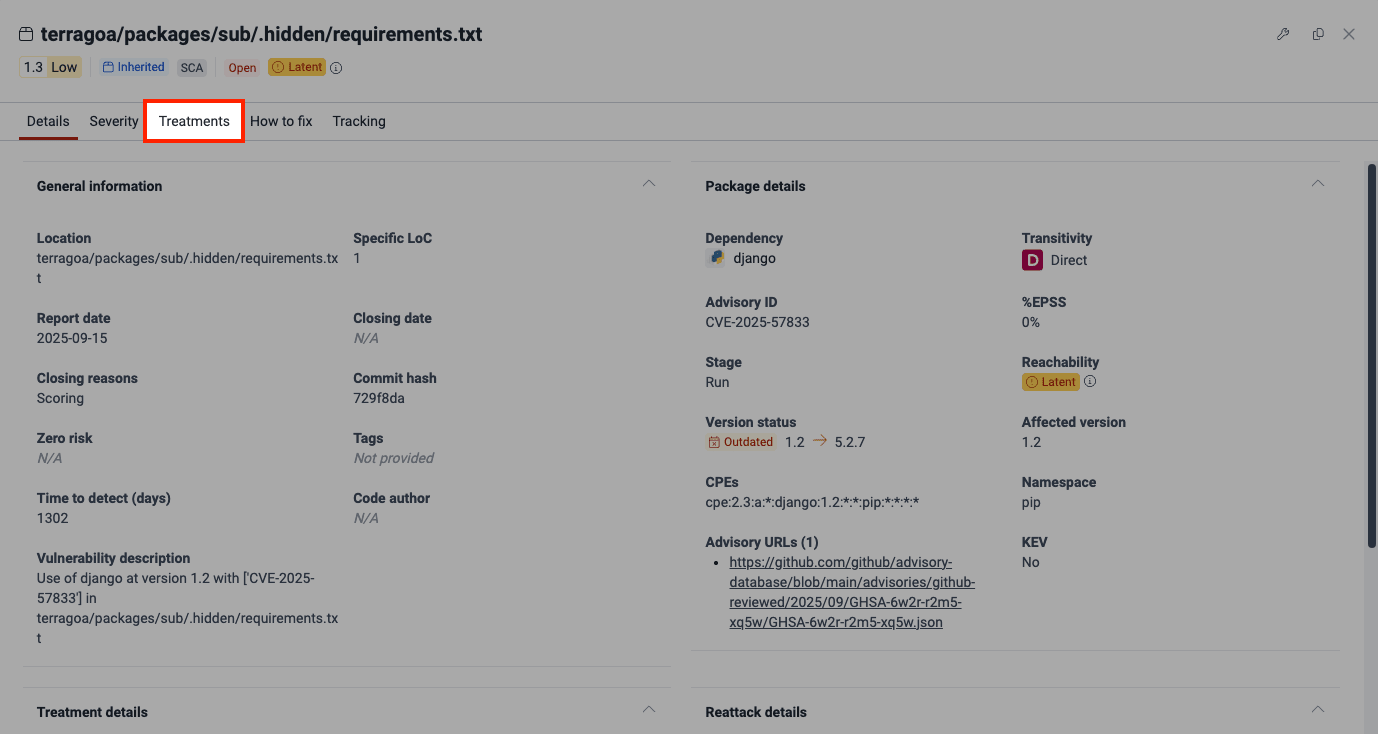
Open the Treatments tab in the pop-up window.
-
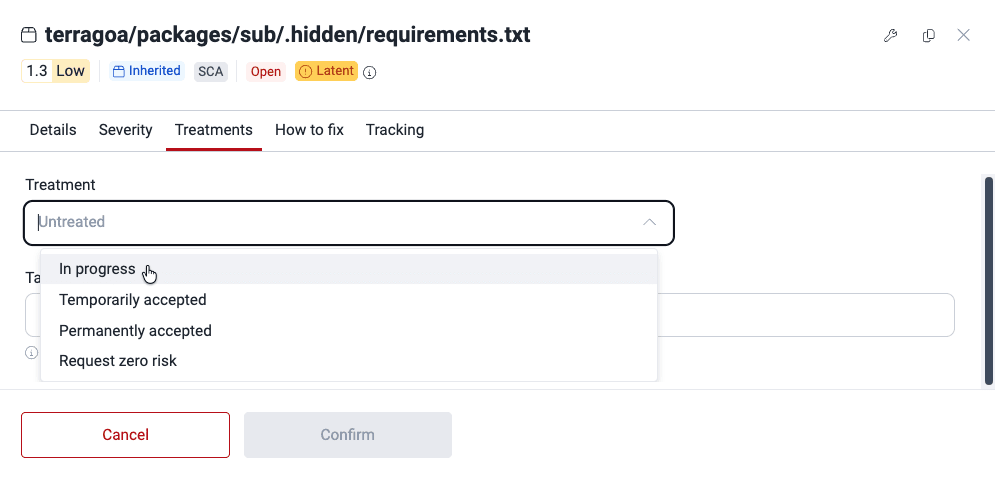
Change the current value in the Treatment dropdown to In progress.
-
In the Assignee dropdown, select the developer who must fix the code. Then write a justification for the In progress treatment.
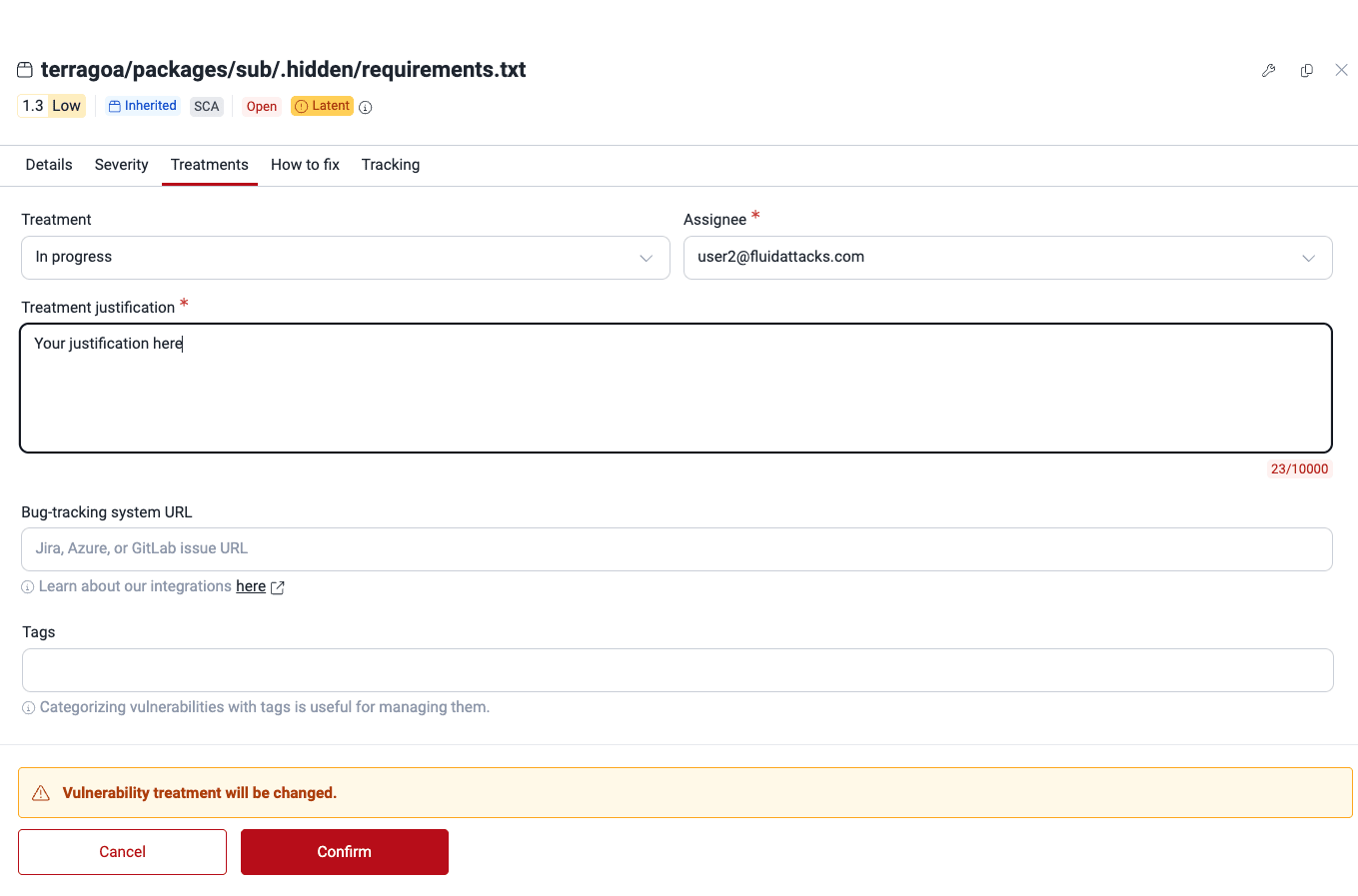
You can also complete the other fields. The Assign treatments page shows them. When you finish, click Confirm.
When your team has vulnerabilities to fix, Fluid Attacks can help with code fixes.
For more information about vulnerabilities and treatments, read the page Vulnerabilities section.