Explore details
Last updated: Mar 26, 2026
After you have signed up on Fluid Attacks' platform and imported one or more Git repositories to test, you begin to receive results of security tests in the platform. Follow these steps on the platform to learn about the security vulnerabilities found in your software:
-
Enter the group where security vulnerabilities are reported to access its Vulnerabilities section.

You can immediately discover how many vulnerabilities per CVSS severity range there are for each weakness detected in your software and each weakness' Priority score.
-
Click the downward-facing arrow next to a weakness name to see its description.

-
Click on the weakness name to enter Vulnerabilities. There, you see where precisely vulnerabilities are located.
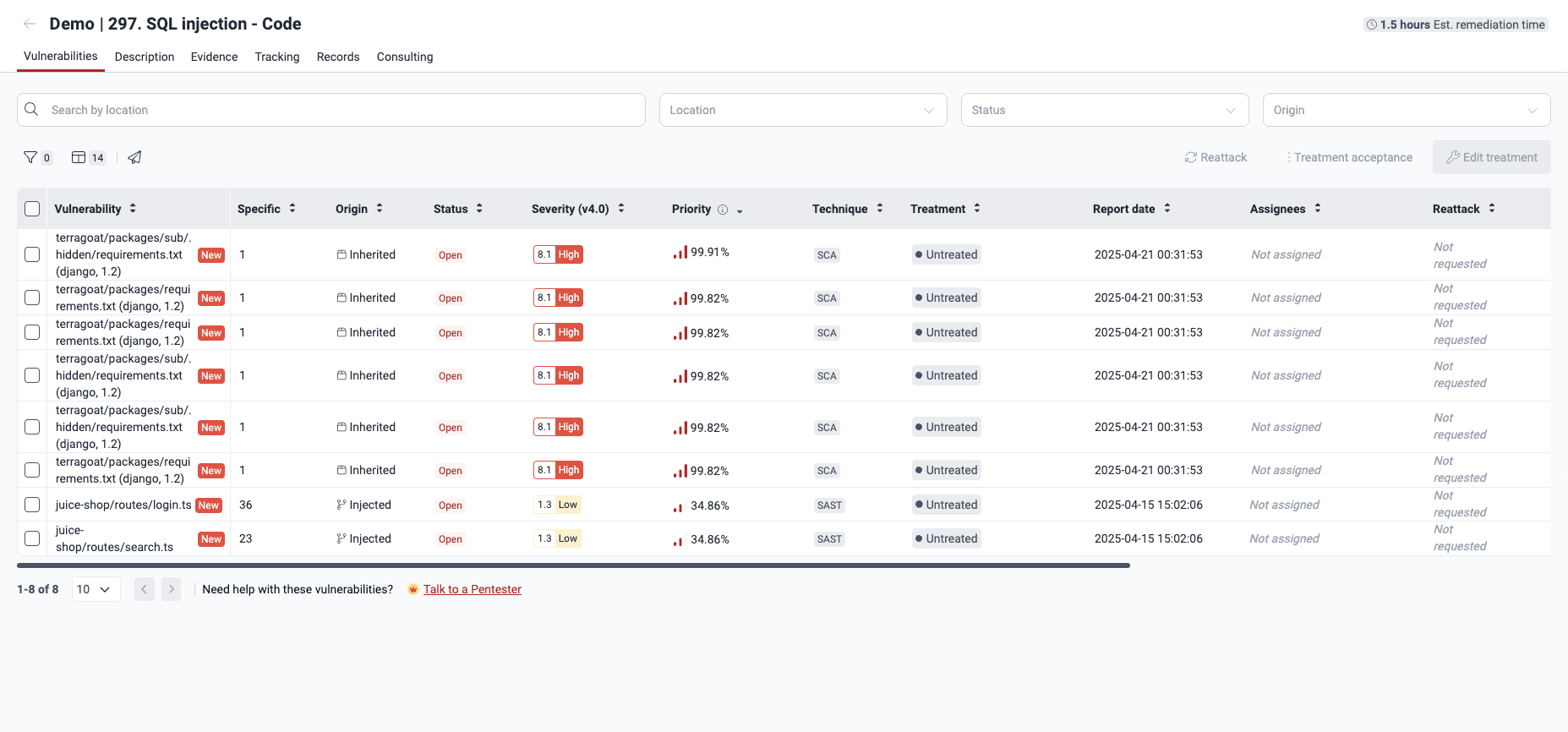
-
Go to the Description tab to learn what security requirements may be associated with the vulnerability. You can also read the recommendations for fixing the code.

Read Vulnerabilities section for a description of all the platform sections that give you information about the findings.
Having understood the vulnerability to be addressed, you can assign its remediation to a developer in your team.
If you are assigned the vulnerability you just explored, you can go ahead and fix the code.