Group-level authors
Last updated: Oct 26, 2026
For Fluid Attacks, contributing developers are "authors."
Specifically, an author is an individual or an automated entity (bot) whose change commits in the code repository of a group under evaluation have been merged into a branch configured within the platform during the billing month.
On the Fluid Attacks platform, you can see the authors of your groups and information about them. Go to the group. Then, open its Authors section.
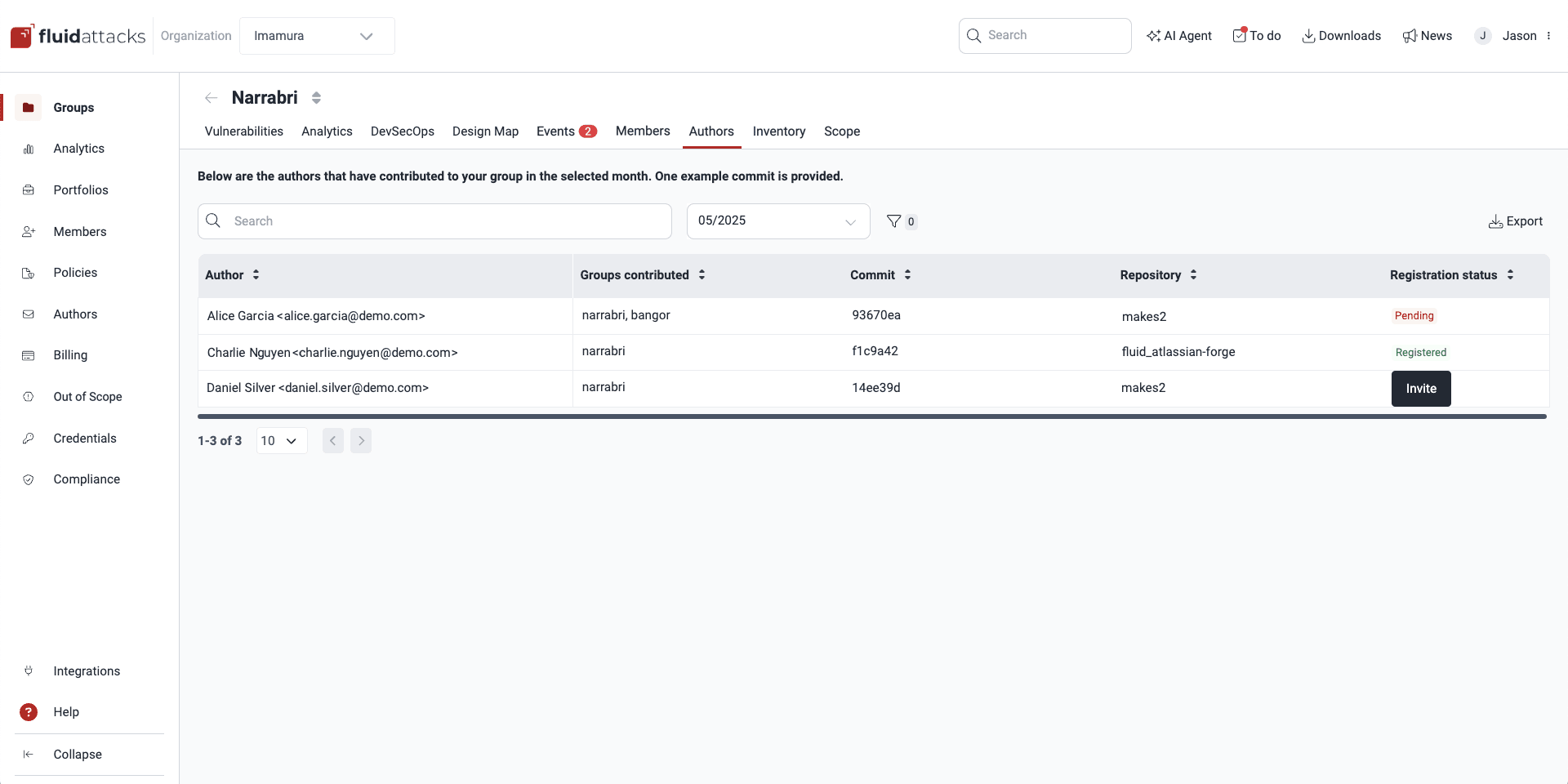
Know the Authors table
The Authors table shows the authors who contributed to the development of the systems of the group in the selected month. It has five columns:
- Author: The name of the author and the email of their commits
- Groups contributed: The name of the group that the author contributed to
- Commit: The first commit of the author in the selected month
- Repository: The first repository that the author contributed to in the selected month
- Registration status:
The current registration status of the person:
- Registered: The person has registered on the platform
- Pending: The person got an invitation to register on the platform, but did not register at this time
If an invitation to register is due, group members with the Group Manager role can see the Invite button, which they can use to send an invitation.
Filter authors by month
Role required: User, Vulnerability Manager or Group Manager
To see the list of group authors in a specific month, click the date at the top left. A menu opens with the current month and the previous eleven months.

Filter Authors table by row data
Role required: User, Vulnerability Manager or Group Manager
You can also filter authors by email and author, group, and repository name. To filter them by month, read Filter authors by month. To see these options, click the filter button.


Export Authors table
Role required: User, Vulnerability Manager or Group Manager
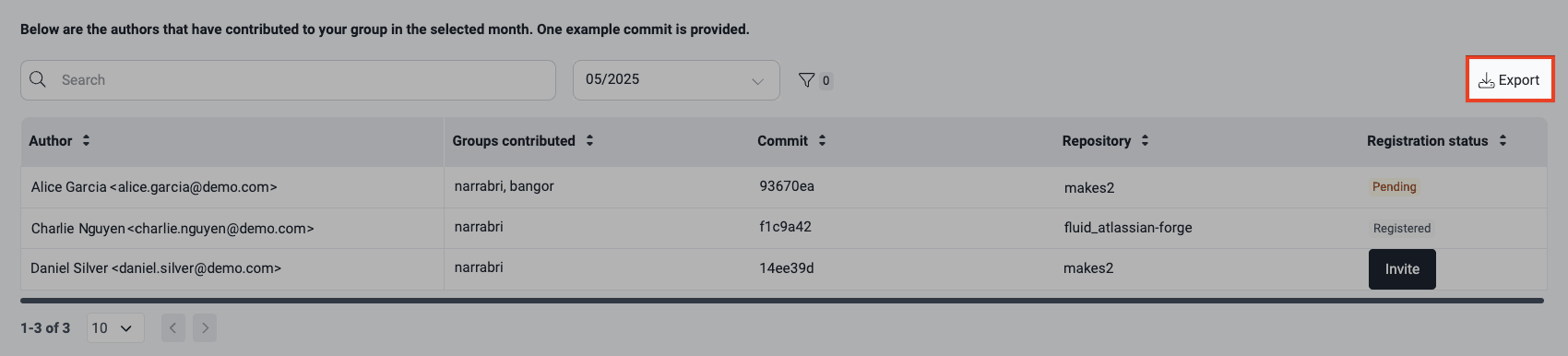
To download the list of authors as a CSV (comma-separated values) file, click Export.
Search the Authors table
Role required: User, Vulnerability Manager or Group Manager
Use the search bar to filter the table in the Authors section. Type the text that you want to find. The table then shows only the rows that match your search terms.

Invite authors to sign up
Role required: Group Manager
Secure development is a shared responsibility. Thus, it is important that all the contributors to a repository are part of vulnerability management. Fluid Attacks recommends that all software authors use the Fluid Attacks platform.
If you are a Group Manager, you can send registration invitations to contributors who do not have an account on the platform at this time.
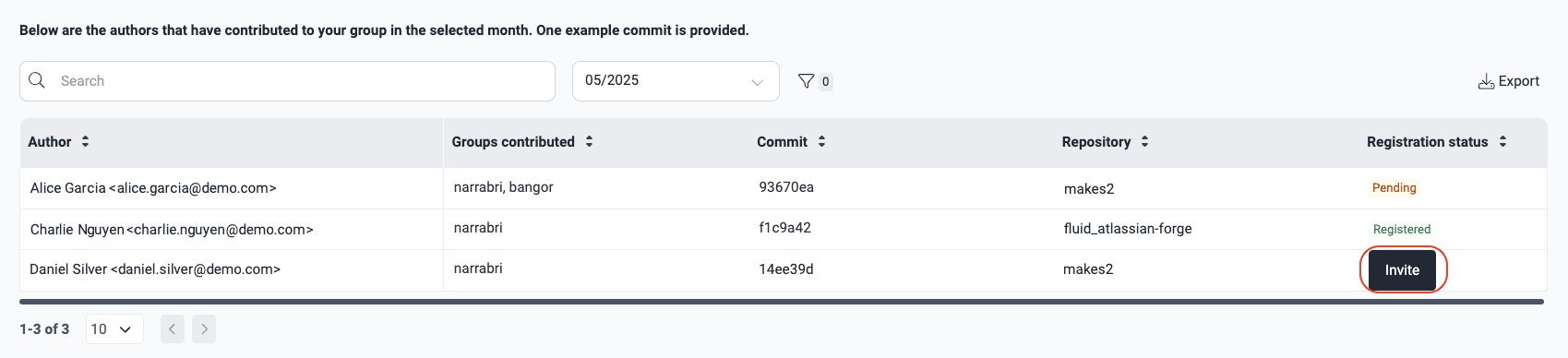
The platform emails the author with the options to accept or reject access. Until the author replies to the registration invitation, their Registration status column on the platform shows Pending.

If the author rejects the invitation, the Registration status changes back to Invite. If the author accepts the invitation, the status changes to Registered.
When authors register on the platform, they are also members. You can manage their role to give them access to the applicable platform functions.
Search for vulnerabilities in your apps for free with Fluid Attacks' automated security testing! Start your 21-day free trial and discover the benefits of the Essential plan. If you prefer the Advanced plan, which includes the expertise of Fluid Attacks' pentesting team, complete this contact form.