Prioritization attributes
Last updated: Jun 30, 2026
Role required: Organization Manager
The Priority section within Policies allows you to configure your organization's decisions for prioritizing vulnerability remediation by arranging risk-relevant attributes in order of importance.
The chosen arrangement (where 1 is the most important attribute and 5 is the least important) is used by Fluid Attacks to calculate the vulnerability priority rank.
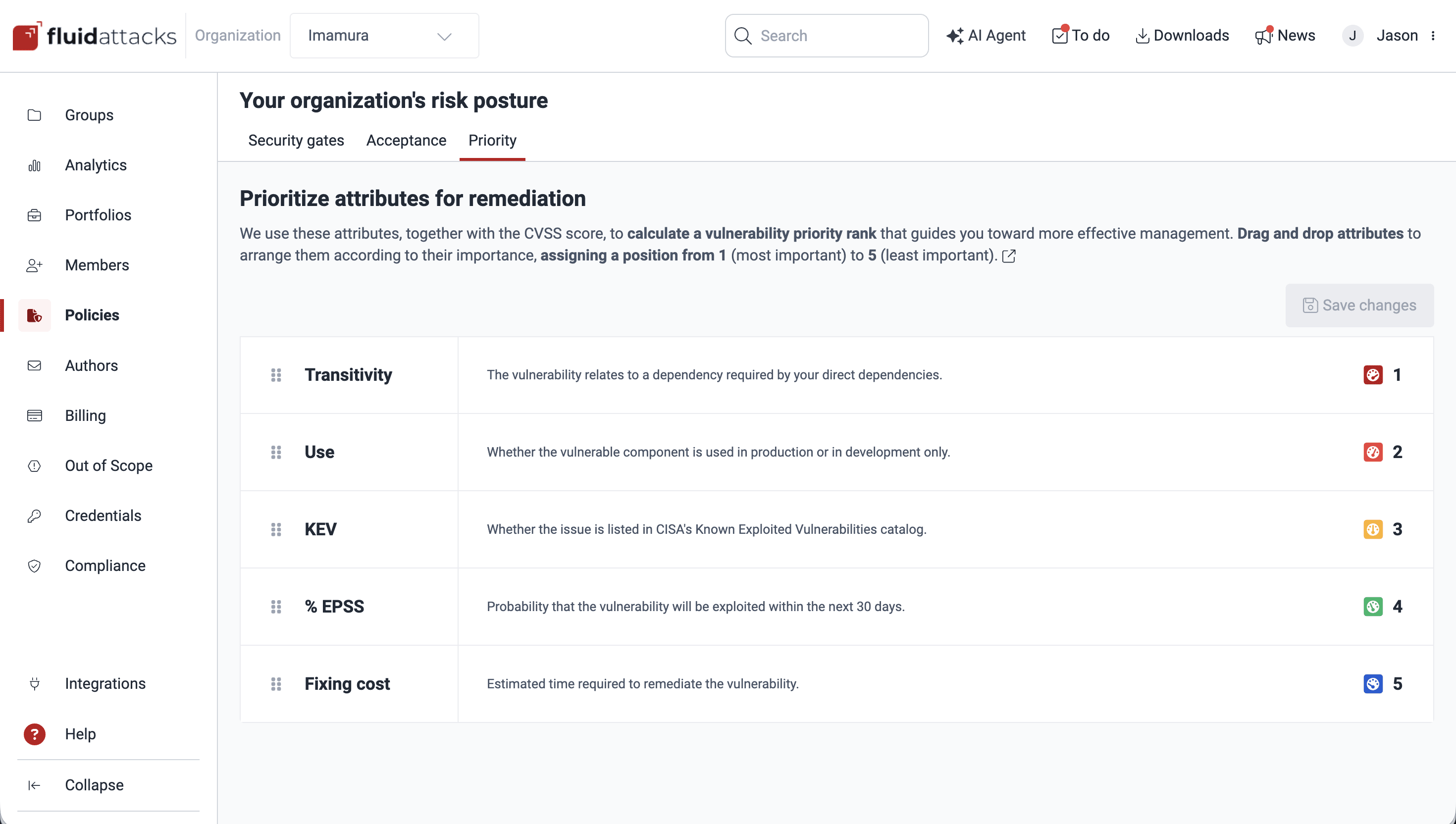
The available attributes are the following:
- Transitivity: Related to supply chain risk, identifies whether the vulnerability exists in a transitive dependency (a component that one of your direct dependencies uses, but you do not directly control).
- Use: Refers to the environment where the vulnerable component is being used, either only in development or in production stages, helping you assess vulnerabilities by their real-world impact on your business operations and security posture.
- KEV: Whether the vulnerability is in the Known Exploited Vulnerabilities catalog maintained by the U.S. Cybersecurity and Infrastructure Security Agency (CISA), i.e., vulnerabilities that have been actively exploited by attackers in the wild.
- % EPSS: The probability (from 0 to 1) that a vulnerability will be exploited in the next 30 days (Exploit Prediction Scoring System), and therefore a dynamic, predictive metric based on real-world threat intelligence
- Fixing cost: Fluid Attacks' estimation of the time it would take your team to remediate the vulnerability.
CVSS v4.0 scores are adjusted up to 2 points for the priority score according to these attributes. This adjustment applies only for the priority score, and therefore the Severity value remains unchanged.
Click on the attributes and drag them to arrange them according to your organization's chosen order.
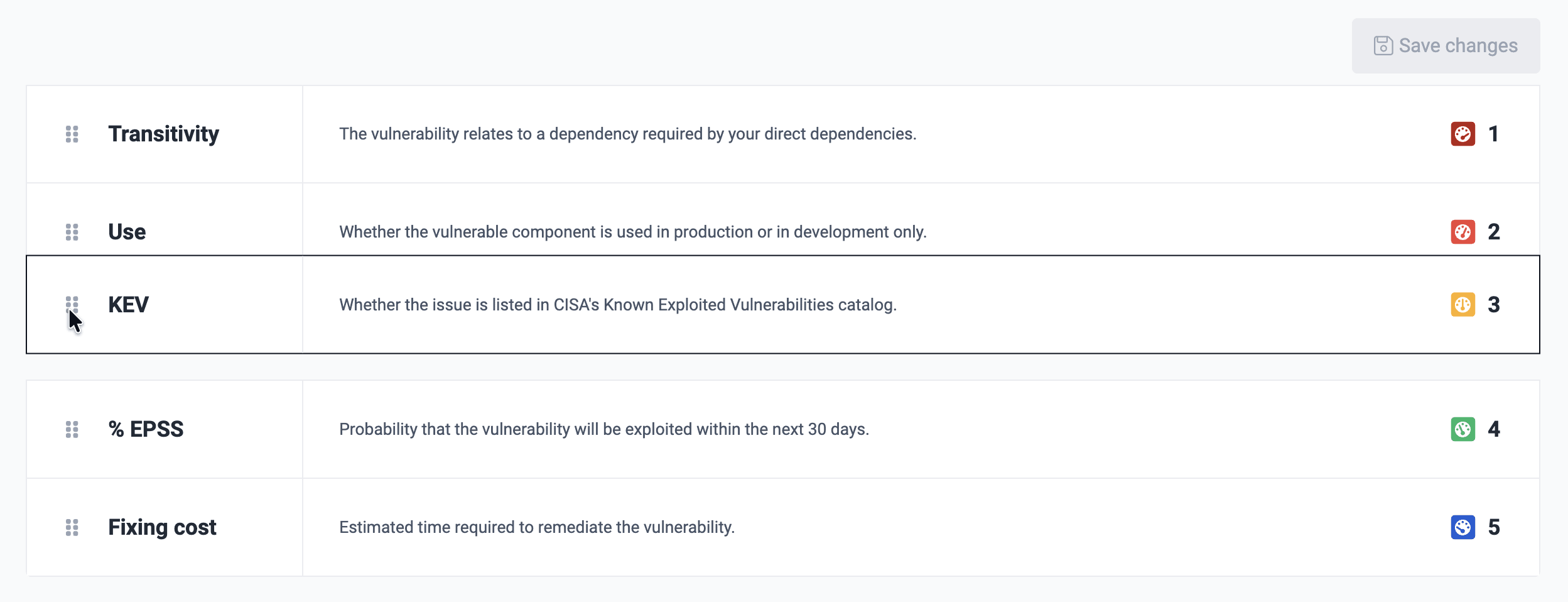
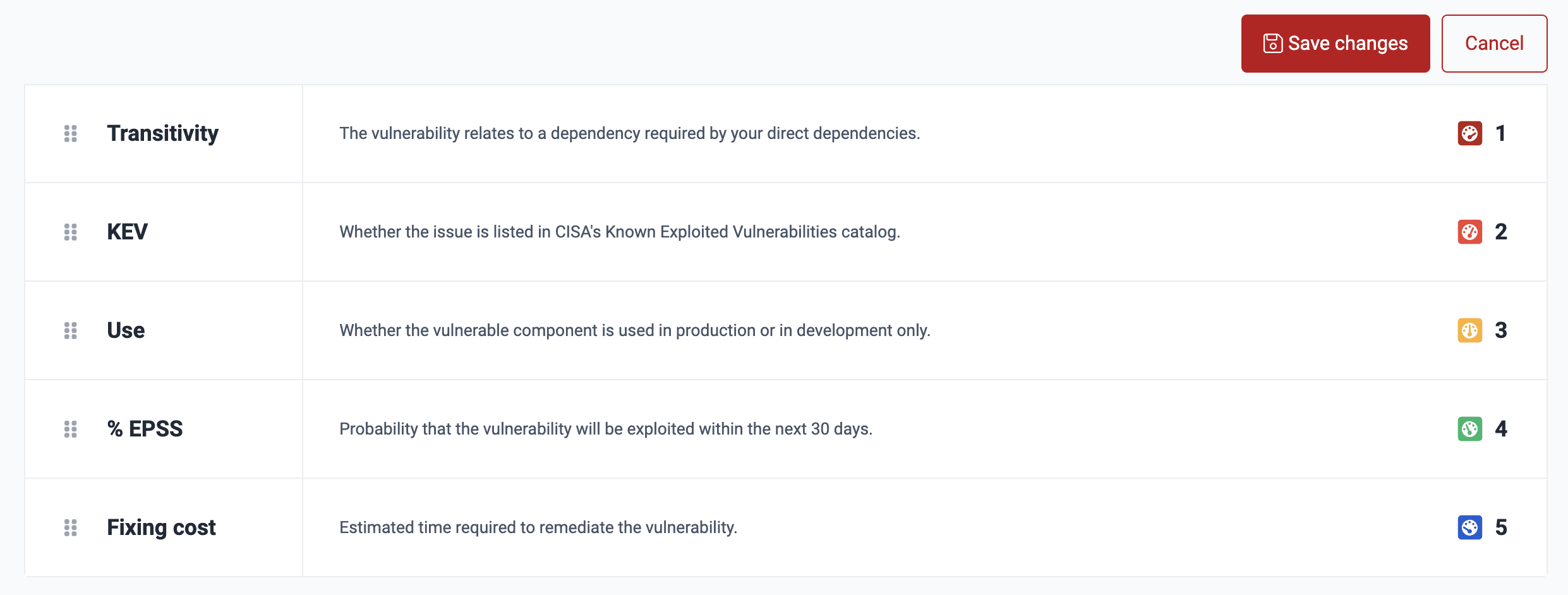
After rearranging the items, you can either click on Save changes or Cancel. The latter would restore the arrangement immediately preceding your current, unsaved change.
After saving the arrangement, you may restore the default arrangement by clicking the Reset to default button. It is then necessary to click on Save changes to keep that default setting.
Bear in mind that the vulnerability priority rank needs some time to update after you modify the order of the attributes. Moreover, while these changes are applied, you cannot save a different arrangement.
Search for vulnerabilities in your apps for free with Fluid Attacks' automated security testing! Start your 21-day free trial and discover the benefits of the Essential plan. If you prefer the Advanced plan, which includes the expertise of Fluid Attacks' pentesting team, fill out this contact form.
Vulnerability acceptance
The Fluid Attacks platform offers setting policies to accept vulnerabilities permanently or temporarily within its risk management features.
Explore the user menu
Access the options to manage notifications, get an API token, delete your account, etc., in the user menu on the Fluid Attacks platform.