Issue creation
Last updated: Mar 26, 2026
- Permission required: In order to create issues from reported vulnerabilities, you must have the permission "Administer Jira" or be an admin of the Jira instance.
- You can also automate Jira issue creation!
Using Fluid Attacks' Jira integration, you can assign, prioritize and manage issues using your team's workflows.
To create an issue on Jira about a reported vulnerability, follow the steps below.
-
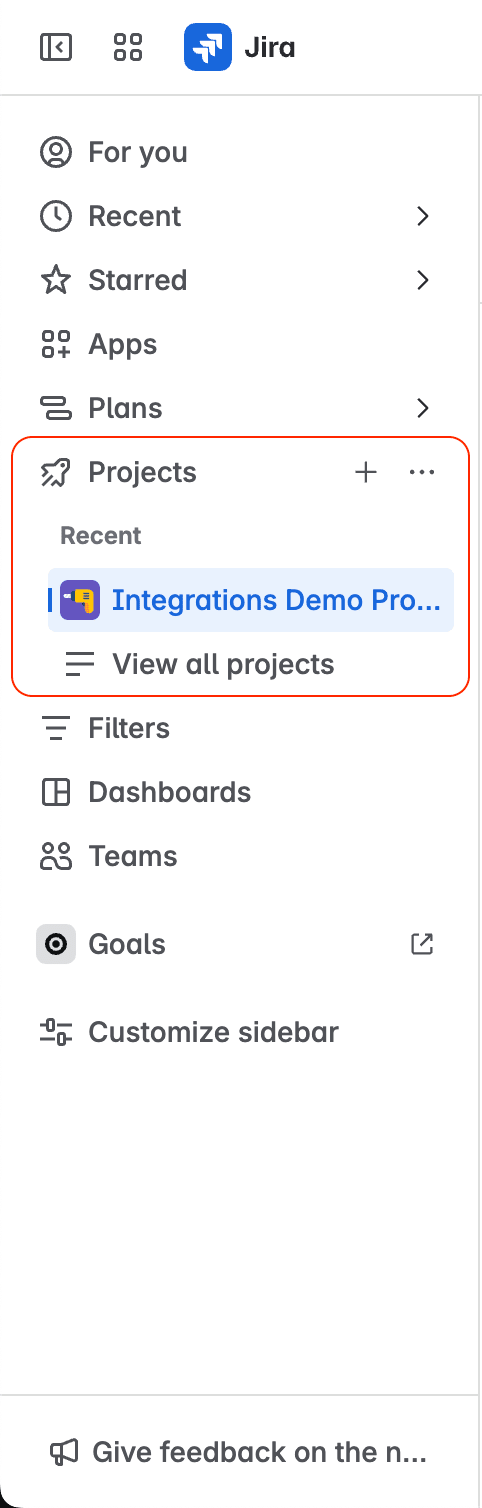
In your Jira Cloud instance, open the project where the vulnerability was reported.
-
Click on Fluid Attacks from the project menu.

-
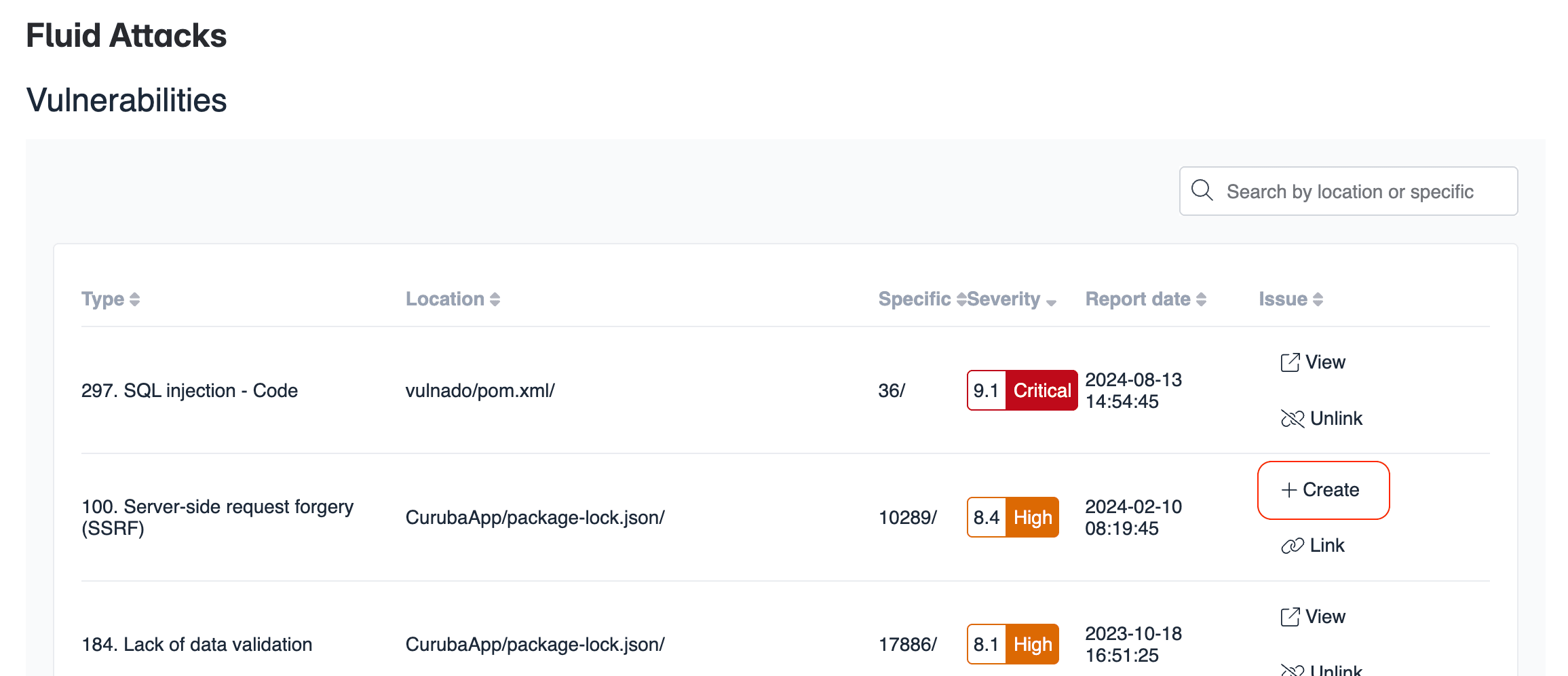
Click Create in the row of the vulnerability for which you want to create a Jira issue.
-
Inspect the prefilled fields.
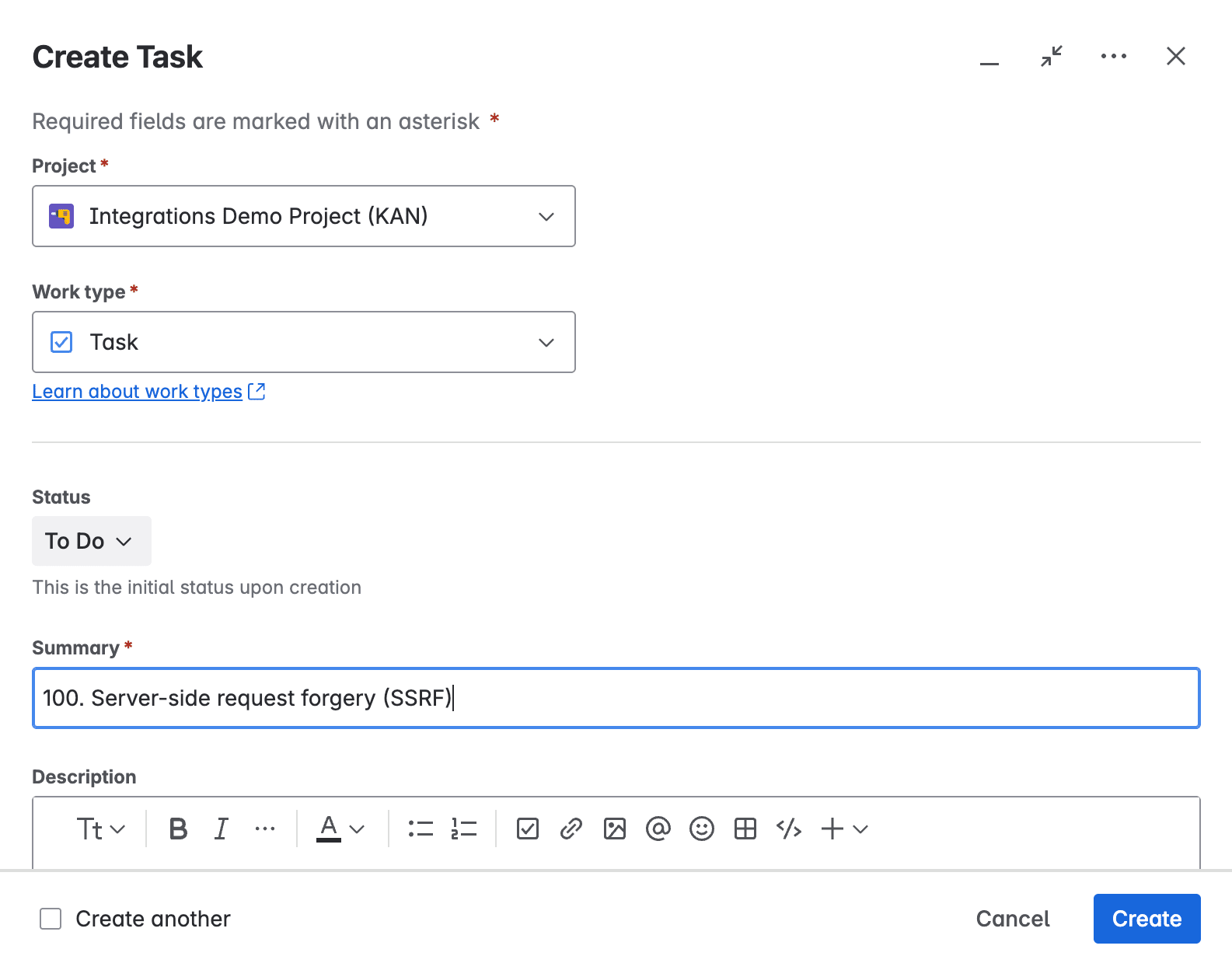
While editing the issue, notice that the Summary and Description fields already have information about the vulnerability. The prefilled information includes links to Fluid Attacks' documentation on the vulnerability and evidence of exploitability in your own software.
-
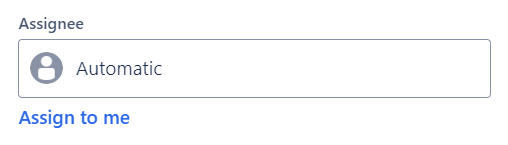
Further below, assign the fix work to a member of your team in the field Assignee.
-
When you are done, click on Create.
After this procedure, your options for that vulnerability are to view the issue or unlink it.
Search for vulnerabilities in your apps for free with Fluid Attacks' automated security testing! Start your 21-day free trial and discover the benefits of the Continuous Hacking Essential plan. If you prefer the Advanced plan, which includes the expertise of Fluid Attacks' hacking team, fill out this contact form.