Group configuration
Last updated: Oct 26, 2026
Manage group information
Group information fields
To see information about your company and the group, scroll down in the Scope section.
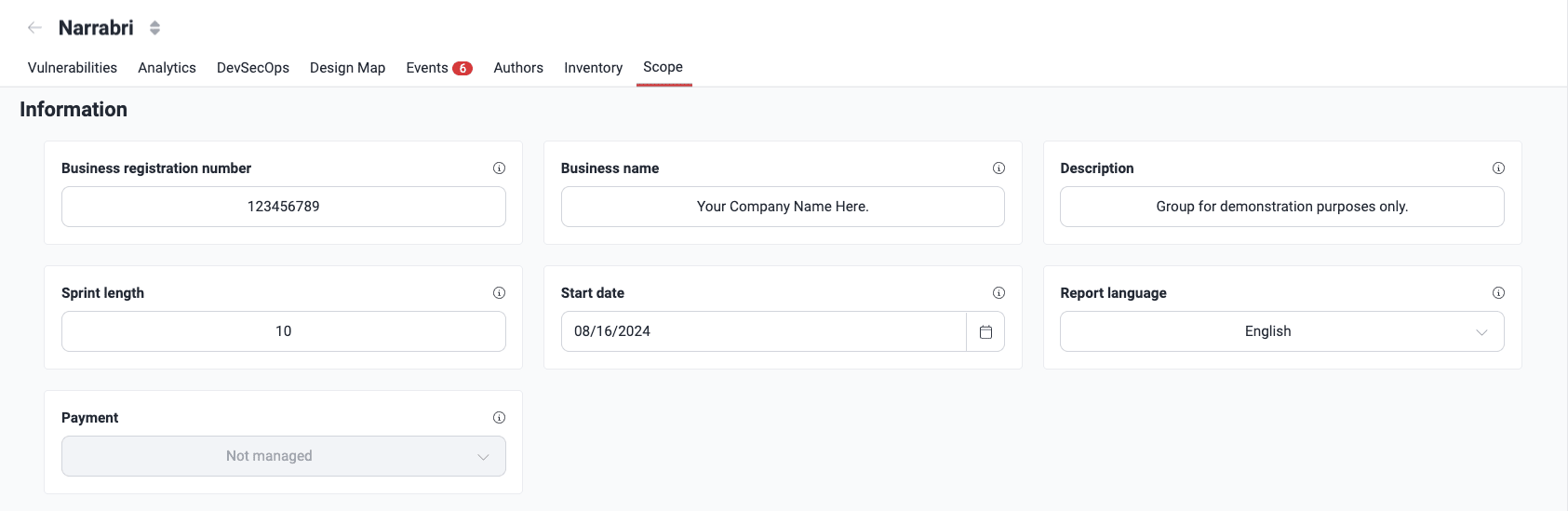
These are the descriptions of the fields:
- Business registration number: The unique number that identifies your company as an incorporated entity
- Business name: Legal name of your company
- Description: A short description of the systems of the group
- Sprint length: If your work methodology uses sprints, this field shows the number of weeks of each sprint for this group (the default value is one week)
- Start date: The start date of the project of your team
- Report language: The language of the reports for your organization (only English or Spanish)
- Payment: The current payment configuration of the group (all group members can see it, but only authorized Fluid Attacks members can change it):
- Managed: The group uses a payment method that is not a credit card, and Fluid Attacks validated this method
- Not managed: The payment method of the group is a credit card
- Under review: A payment is pending, Fluid Attacks validates a payment method, or a free trial ended and the tests continue only with a paid subscription (see the notes below to learn how this option affects group access)
- Free trial: The company has a free trial, for which a payment method is not necessary
(a) Filling out the business registration number and business name
is necessary for generating security testing
certificates.
(b) When a group's value in the Managed field is Under
review, group access is blocked for members with the exception of Fluid
Attacks staff.
(c) Changing the Managed field value from
Under review to a different value reestablishes group access to
members without having to issue any
invitations.
Edit group information
Role required: Group Manager
To edit the group information fields, change the value in one or more fields. The Continue button then becomes active. Click it to save the changes.
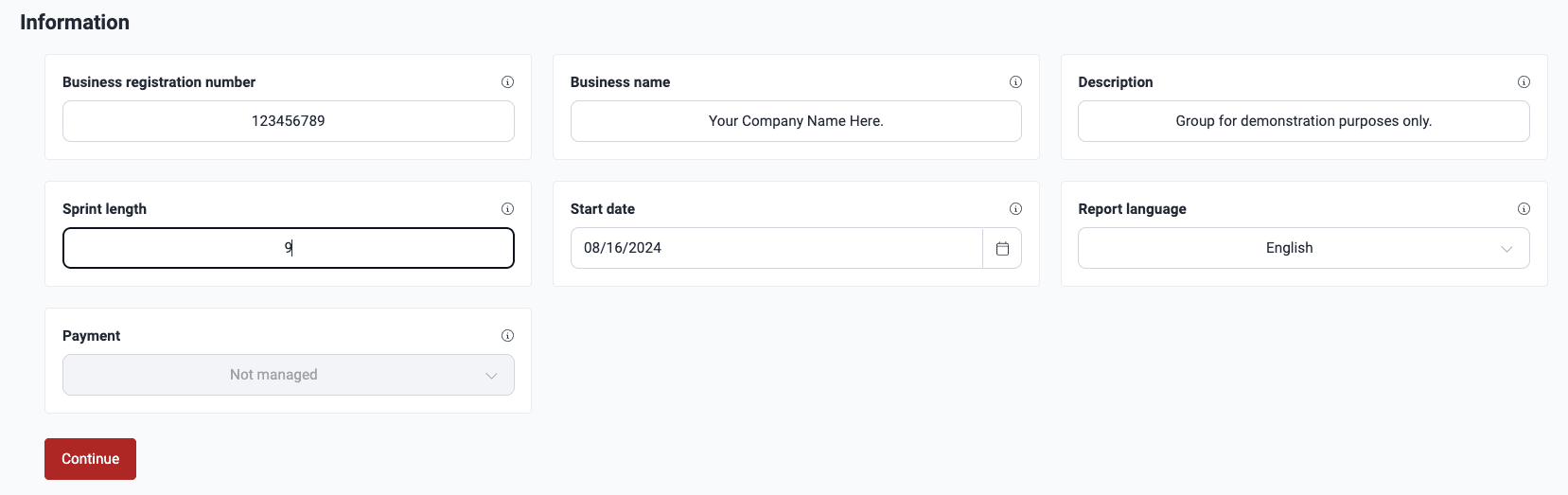
When you save the changes, you and the other group members get a notification with the current group information and the changes.
The Fluid Attacks staff roles that give permission to edit these fields are Customer Manager and Admin.
Manage a group's information for context
Role required: User, Vulnerability Manager or Group Manager
Give information about the context of the systems of the group. The members of your team in the project and the Fluid Attacks security analysts read this information. To find it, go to the Scope section of the group and scroll down to Group context.
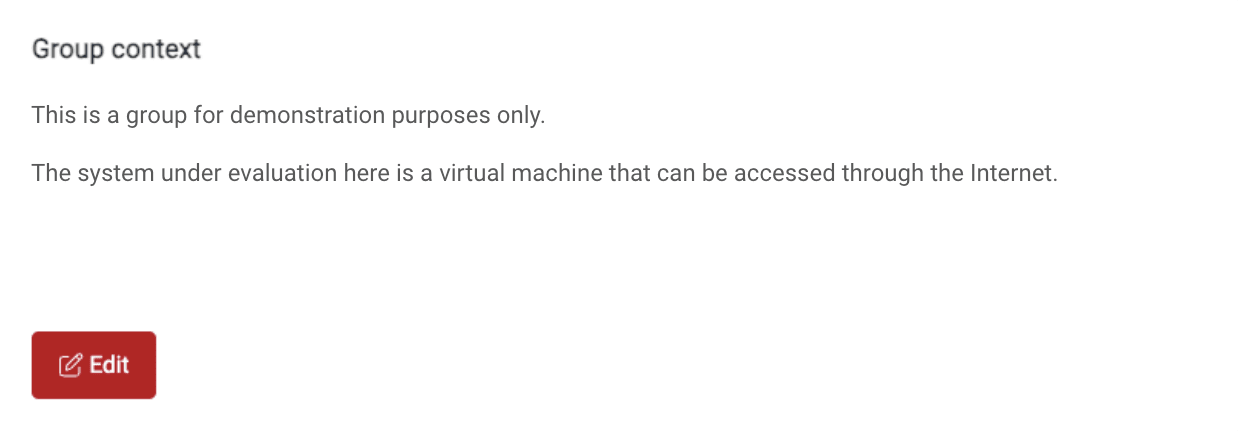
Click Edit to change the information. Here, you can write the purpose of the system, if it is accessible through the Internet, and other helpful details.
Manage internal notes information for a group
A Fluid Attacks Admin, Architect, Customer Manager, Pentester, Reattacker, Resourcer, or Reviewer role is required.
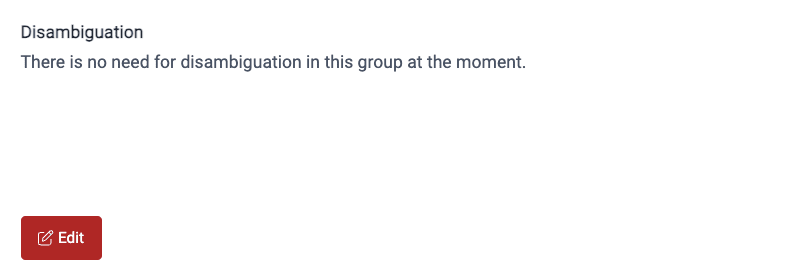
Sometimes, the Fluid Attacks security analysts write clarifications about what to test in a group. Only other security analysts can see these clarifications, in Internal Notes in the Scope section.
Manage files shared with Fluid Attacks
Role required: User, Vulnerability Manager or Group Manager
In the Scope section of your group, you can upload and download files that help with the manual security tests of your software development project. To do this, scroll down to Files.
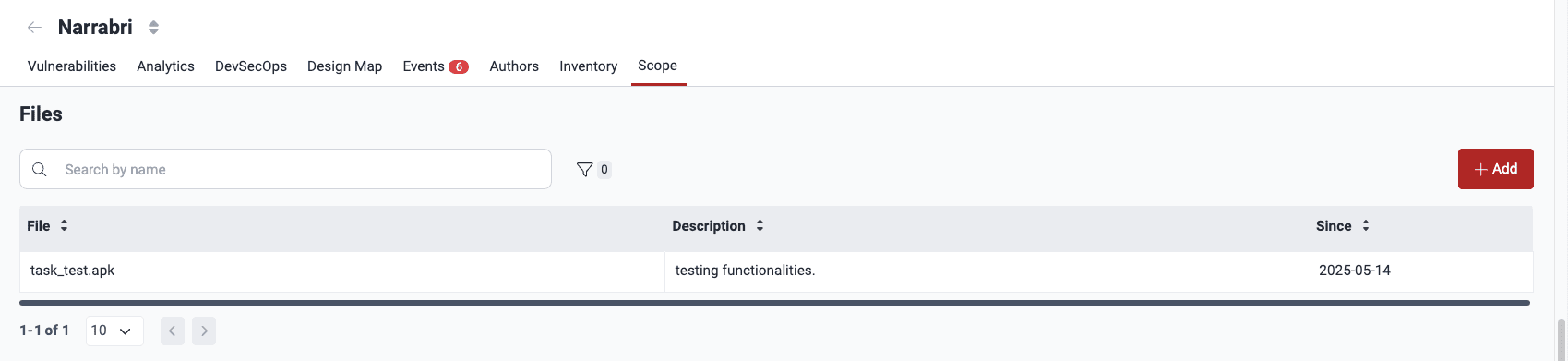
To upload a file, do these steps:
-
Click Add.
-
In the pop-up window, drop your file, or use the click to browse link to select the file. The maximum file size is 5 GB.
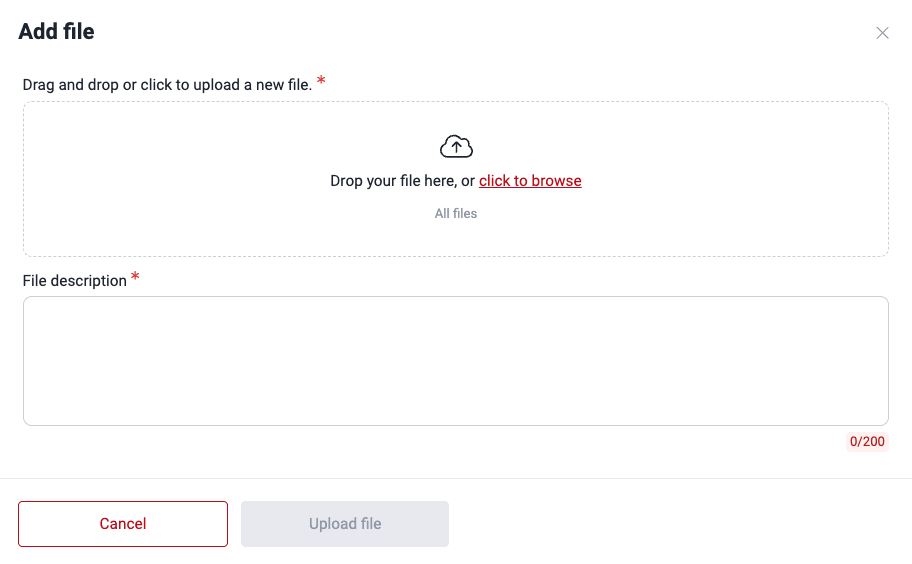
-
Write a description of how the file can help.
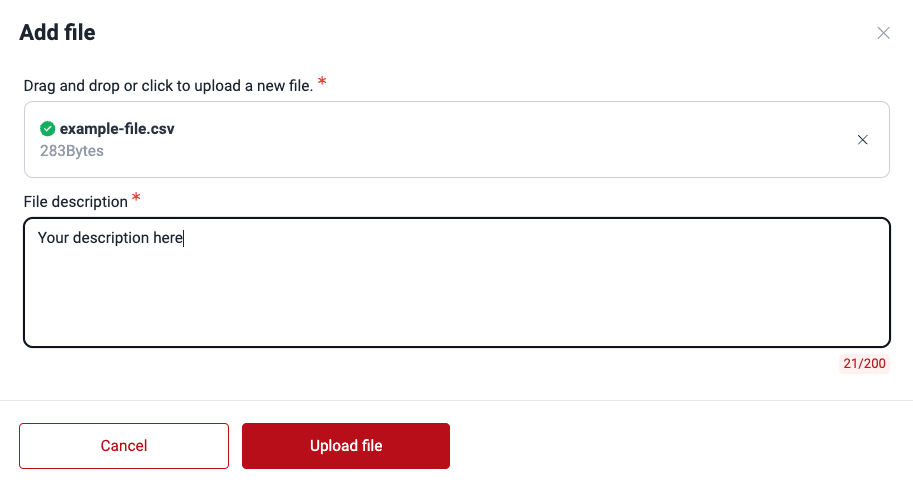
-
Click Upload file.
When the upload is successful, the file shows in the table.
To change the description of a file, click its name. Edit the description. Then, click Save changes.
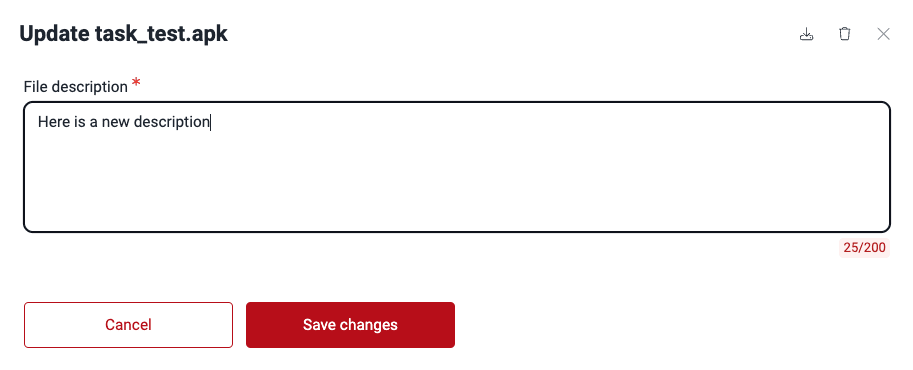
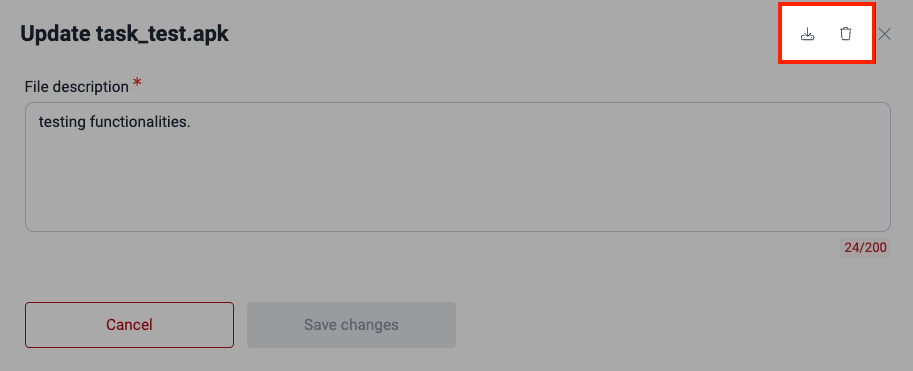
To download or remove a file, click its name. Then, select the applicable option in the pop-up window.
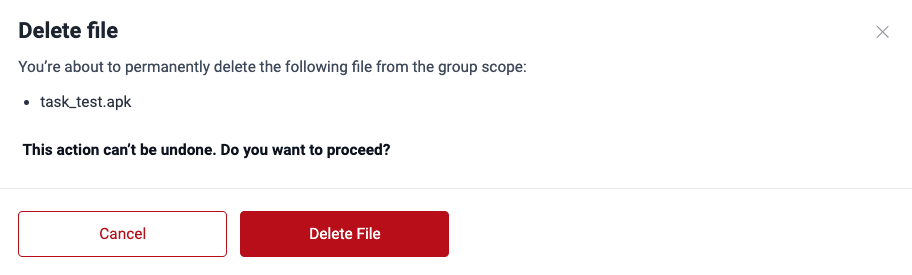
If you remove the file, the platform tells you to confirm your decision.
The deletion of application files linked to specific environments is restricted. This prevents these environments from running out of valid files and becoming unmanageable. In cases where you want to delete files, you must delete the entire environment.
Manage group subscription
A Fluid Attacks Customer Manager or Admin role, or a Group Manager role, is required.
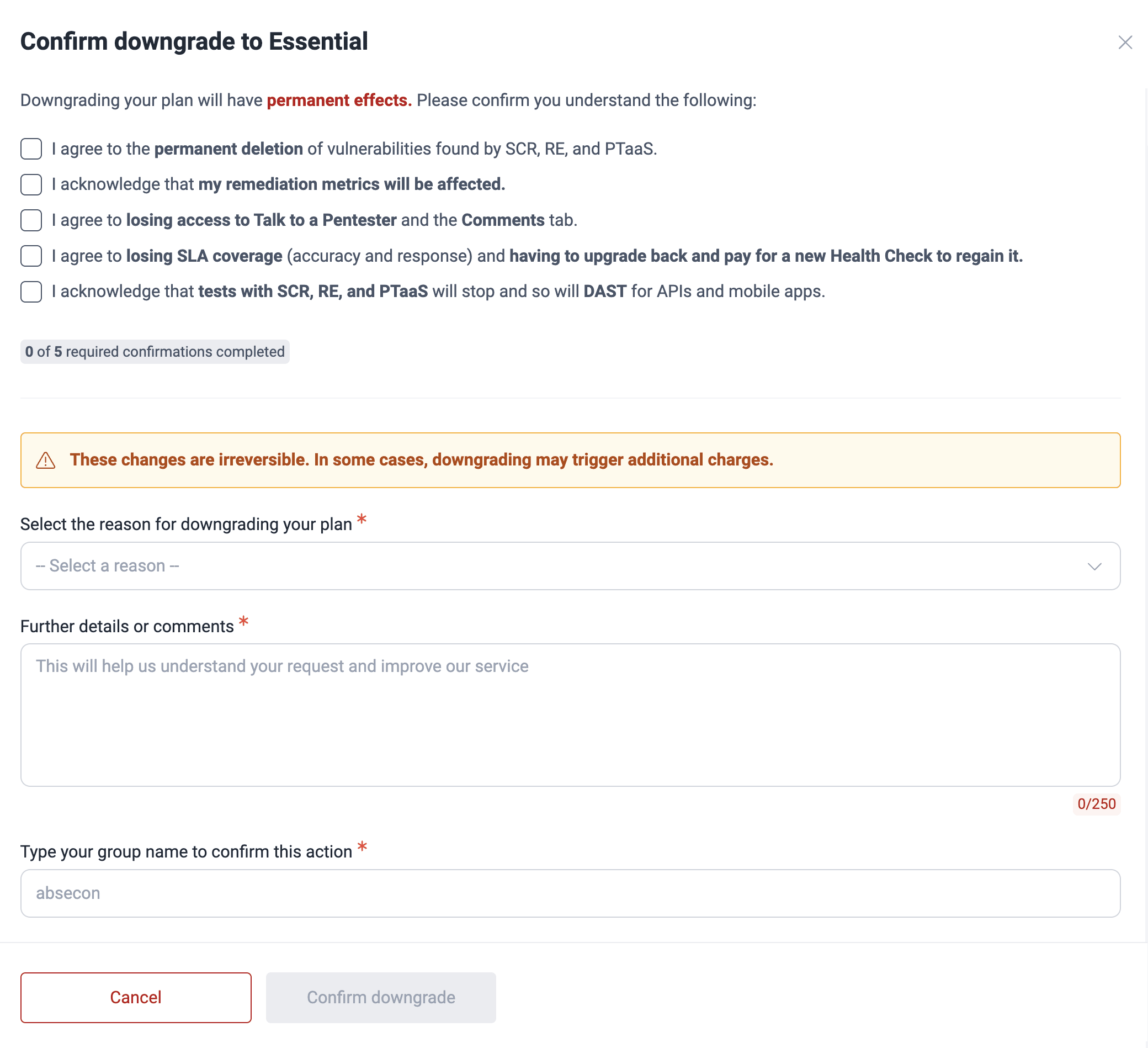
Please bear in mind the following details when downgrading from the Advanced
plan:
(a) DAST for APIs and mobile apps stops.
(b) Vulnerabilities detected through
PTaaS,
SCR and
RE are permanently
deleted.
(c) Regaining accuracy
SLA coverage requires a new
Health Check after reupgrading.
To manage the subscription of a group, go to Subscription management in the Scope section. In the Plan subscription panel, you can see the current plan of the group, switch to a different plan, or cancel the subscription. Some Fluid Attacks members with access to the group can see this information, but they cannot change it.
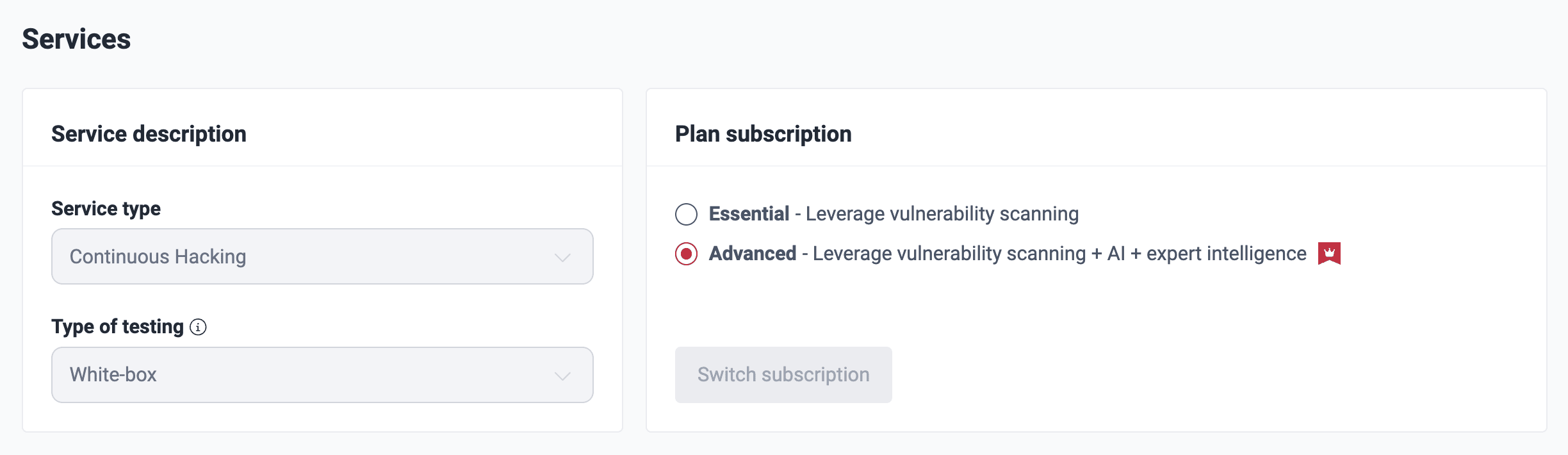
These are short descriptions of the fields:
- Service type: The Fluid Attacks solution of the group (at this time, clients can subscribe only to the all-in-one solution)
- Type of testing: The level of access of Fluid Attacks to the source code (at this time, all groups use White)
- White: Fluid Attacks has access to the source code (white-box testing)
- Essential: The Fluid Attacks automated tools do the security tests
- Advanced: All the features of the Essential plan, and manual security tests by the Fluid Attacks pentesters
If you have the necessary permission, you can change the plan subscription:
-
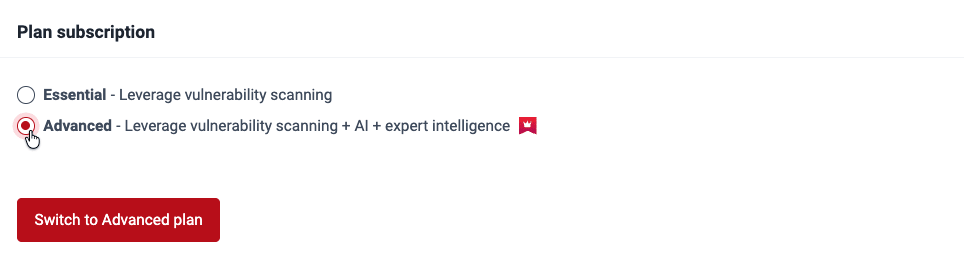
In Plan subscription, select the plan. Then, click Switch subscription, or click Cancel subscription to cancel it. A pop-up window opens.
-
Examine the changes in the pop-up window. Write your observations about the change and the name of the group.
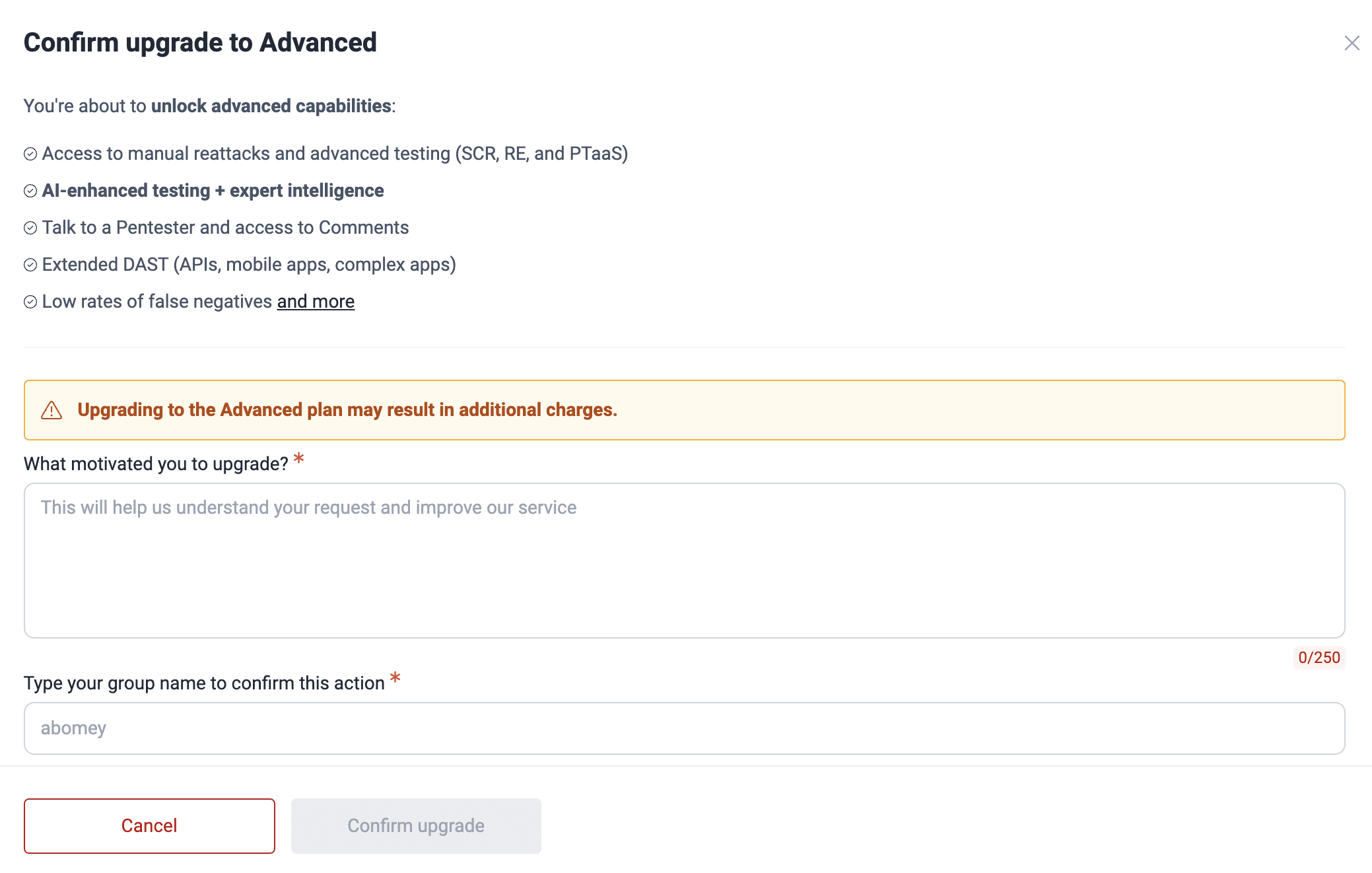
If you deactivate Essential or Advanced, show that you understand the implications. Then, give the reason for this downgrade.
-
Make sure that everything is correct. Then, click Confirm....
When the change is successful, you and the group members with the Services updates notification on get an email about the changes.