Automatic issue creation
Last updated: Oct 26, 2026
If you do not have the Jira integration, install it.
You can use the Automation feature of Jira to create a Jira issue for each new vulnerability on the Fluid Attacks platform. To use this feature, follow these steps:
-
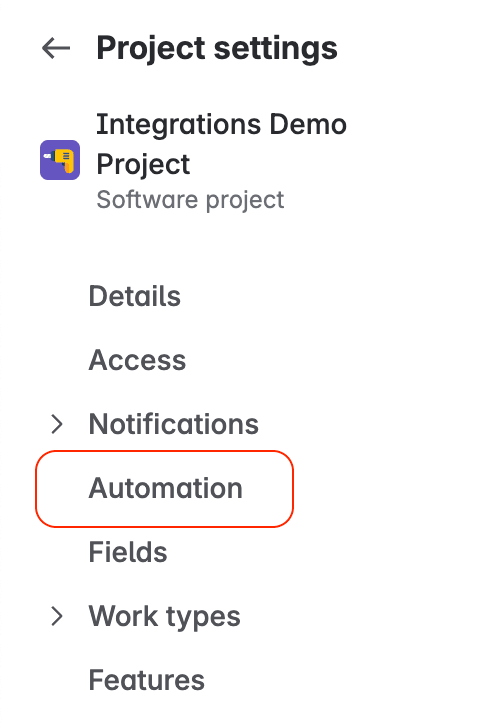
On Jira Cloud, go to Project settings, and then select Automation in the menu.
-
Click Create rule.

-
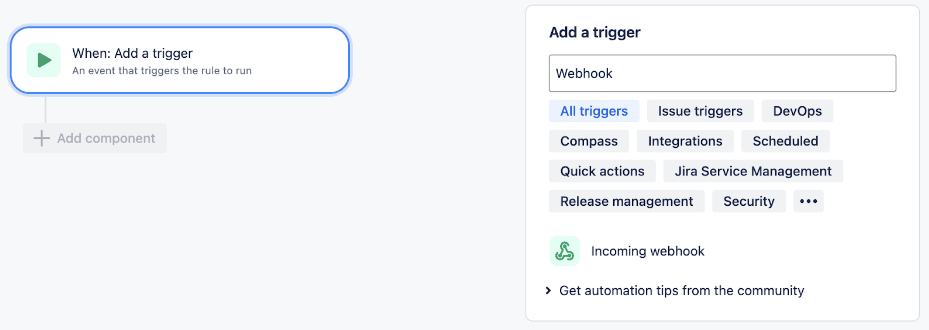
Add an Incoming webhook trigger.
-
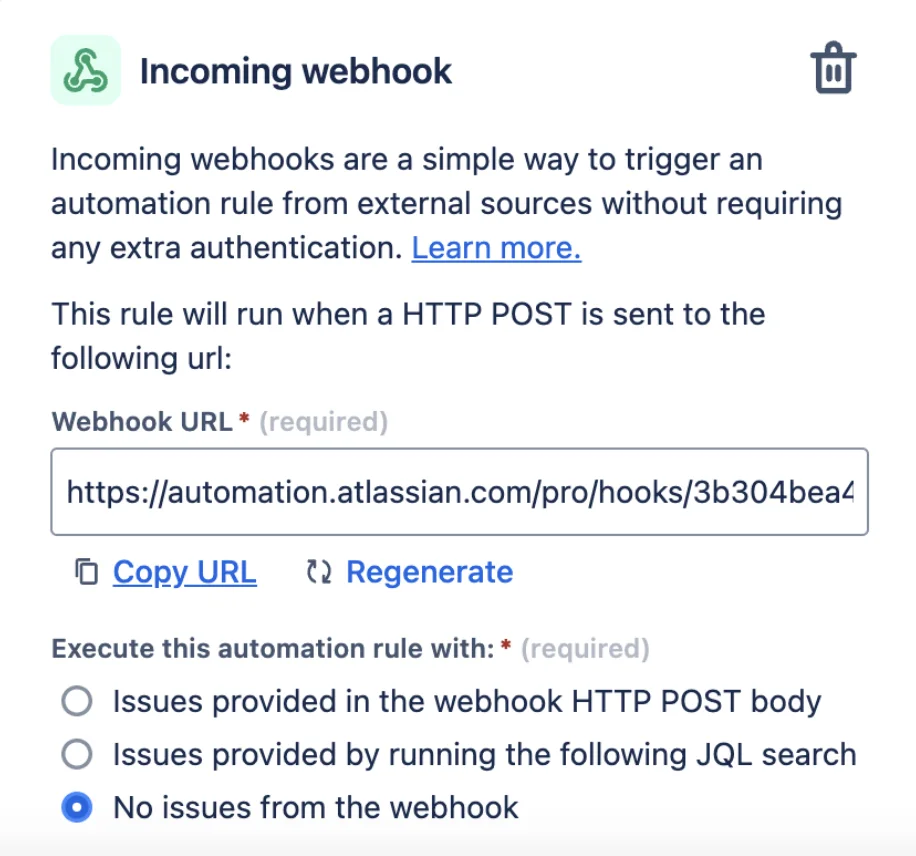
Select the No issues from the webhook option.
-
Copy the URL. Then go to the Integrations section of your organization on the Fluid Attacks platform.
-
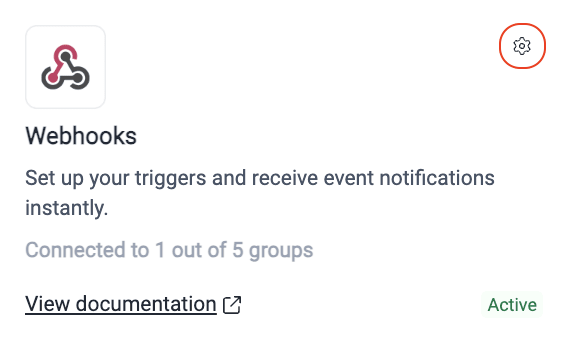
Find the Webhooks card. Then click the gear icon.
-
Click the Edit or Connect button next to the group where you want to automate issue creation.
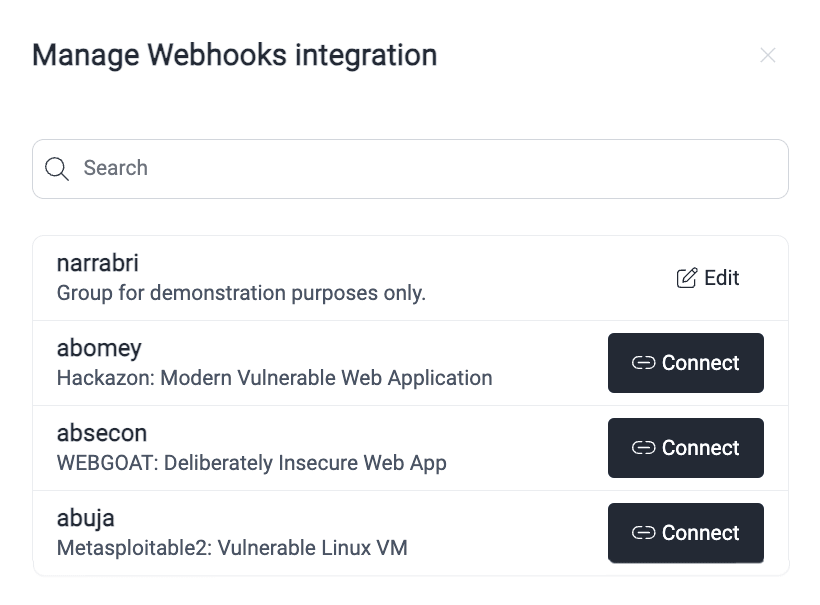
-
In the pop-up window, click Add webhook.
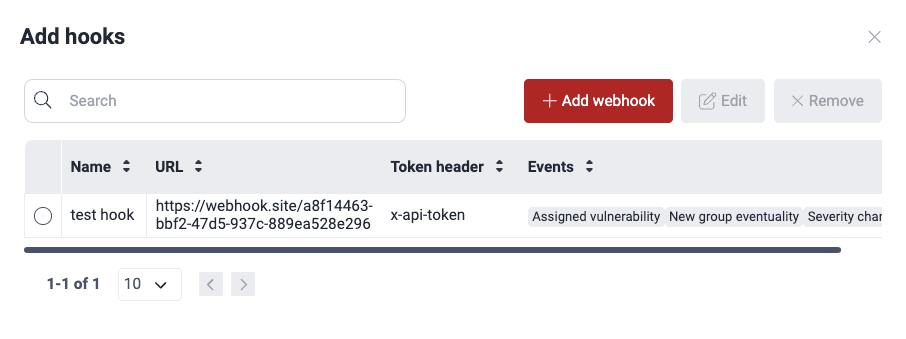
-
Use the URL that you copied. Then complete the Token header and Token fields. The Token header field is optional. Its default value is 'x-api-key'.
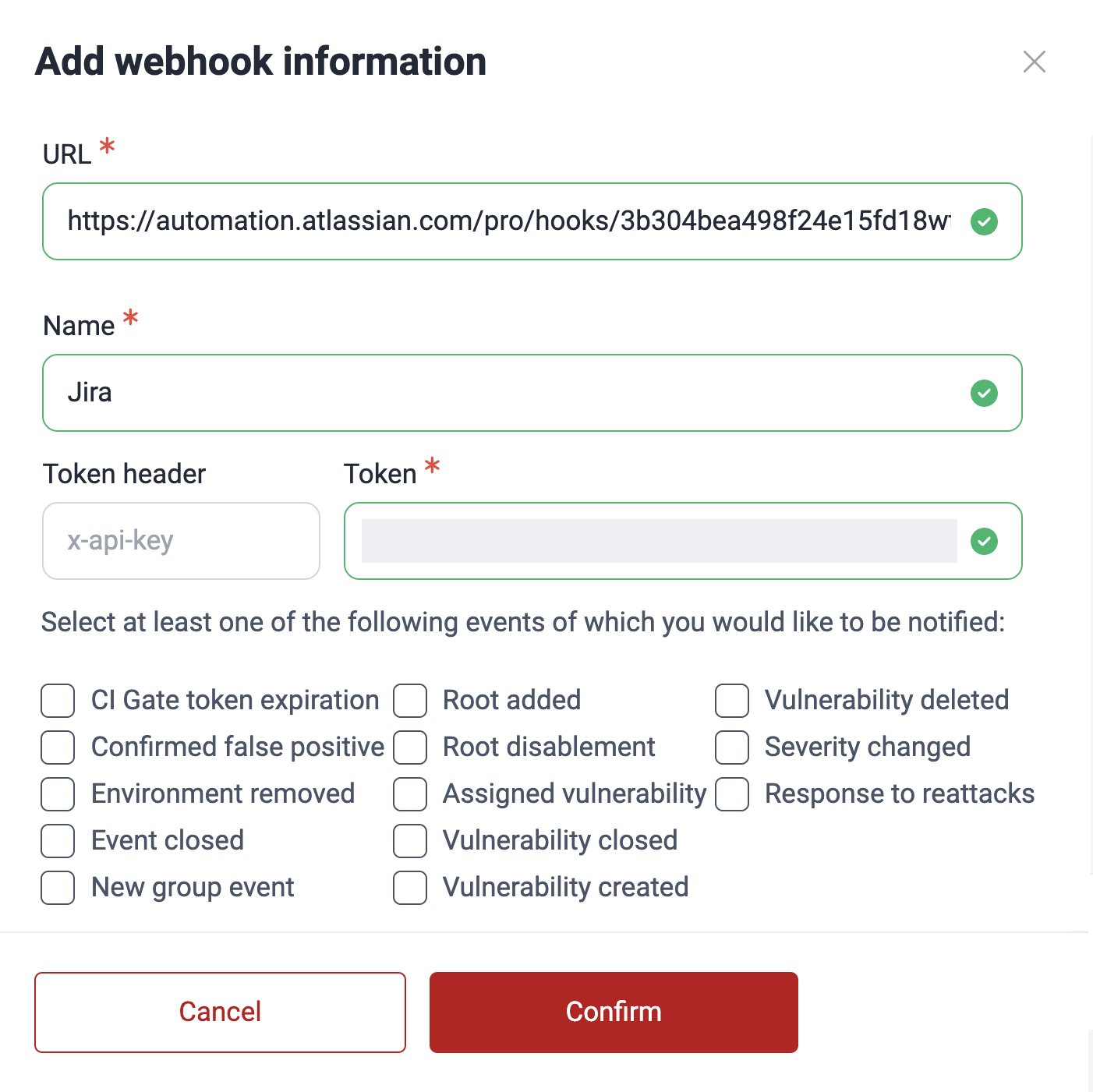
For the descriptions of the fields, read Add a webhook.
-
Activate the Vulnerability created event. Then click Confirm.
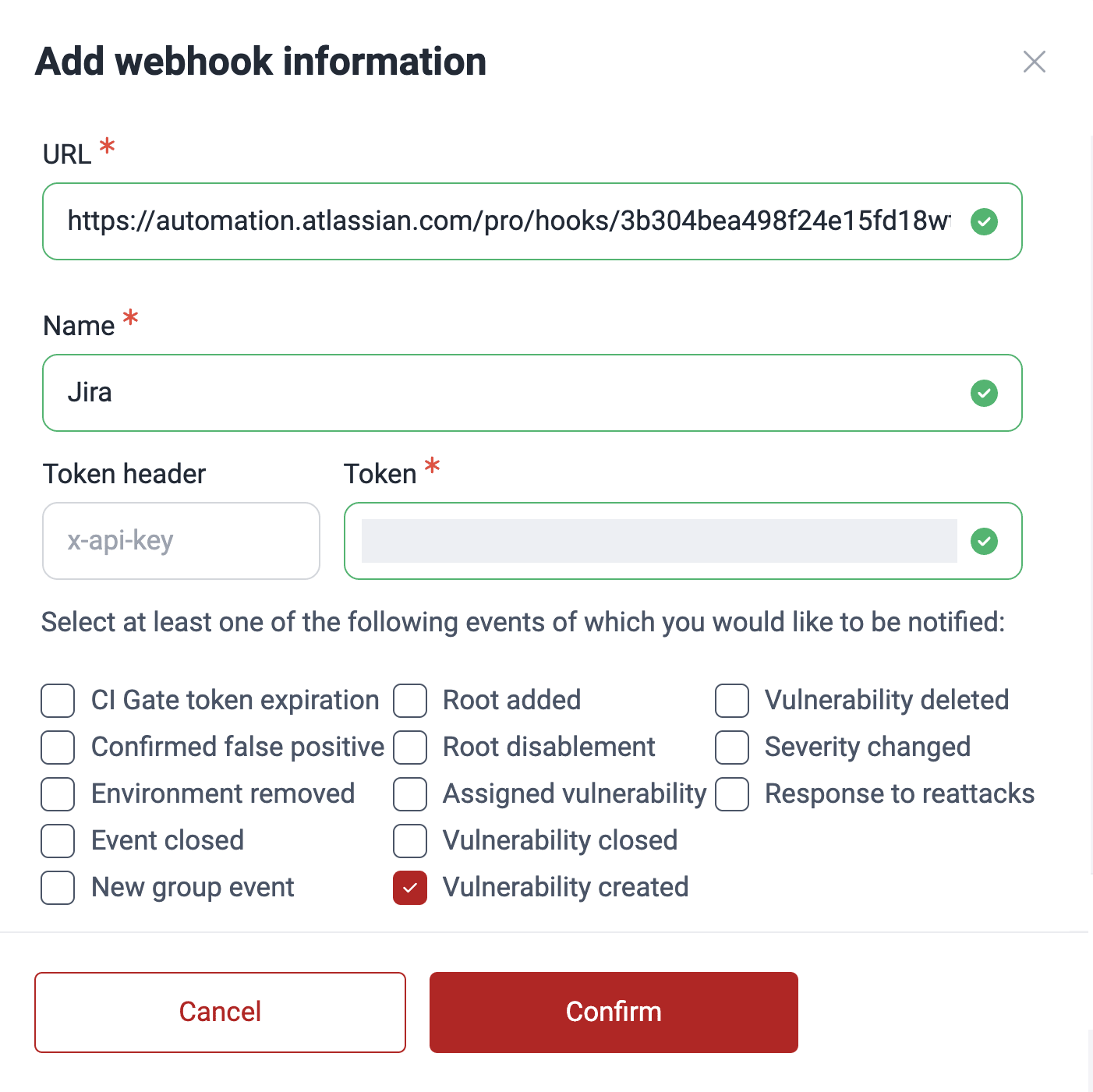
-
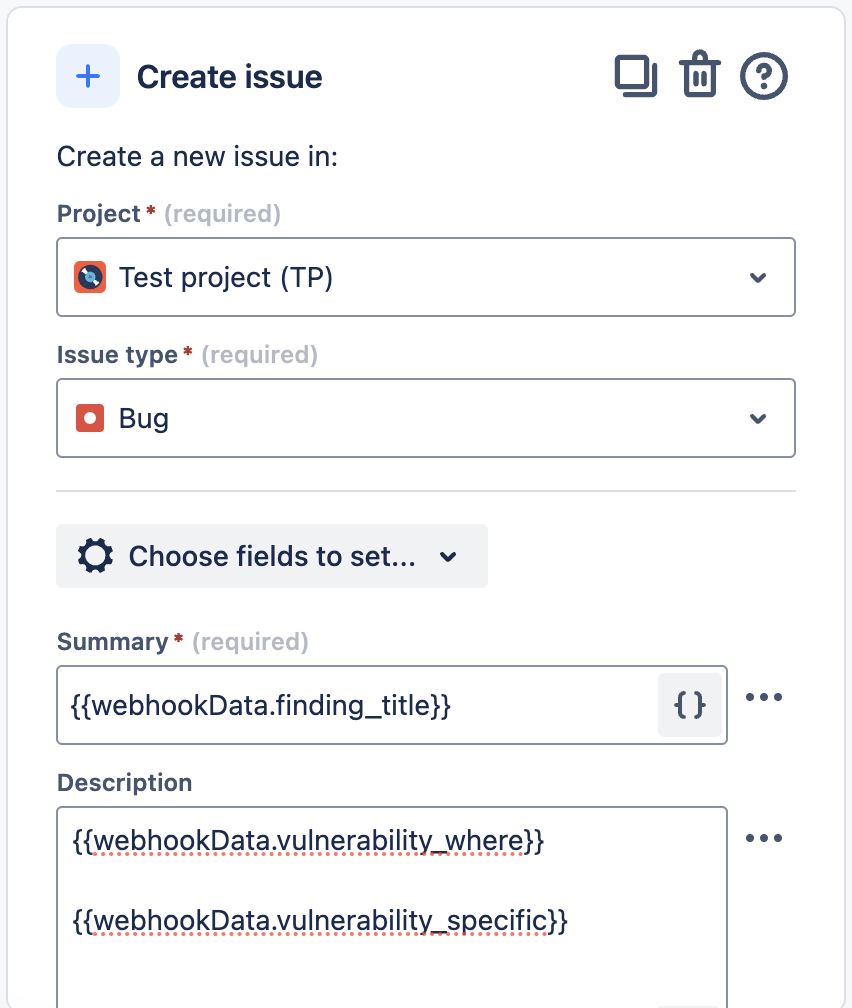
Go to Jira again. Add an action that creates a new issue. Then complete the fields as necessary.
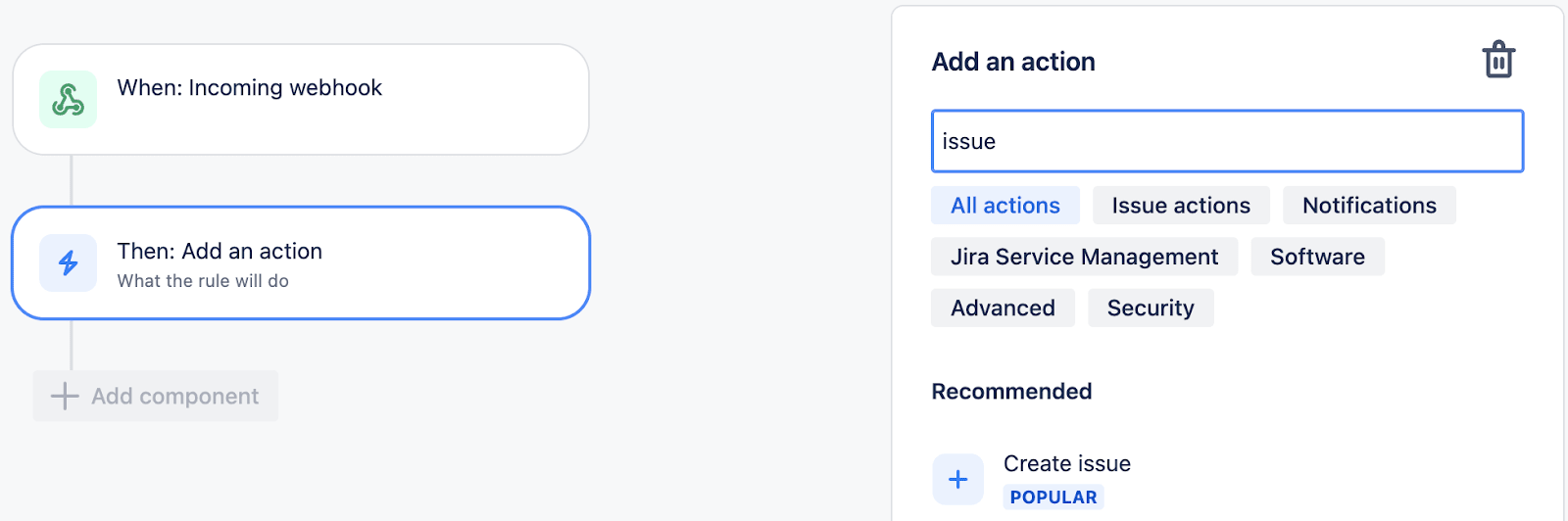
When you configure the issue, you can use these variables from the webhook:
finding_idfinding_titlegroup_nameseverity_score_v4vulnerability_idvulnerability_specificvulnerability_where
Search for vulnerabilities in your apps for free with Fluid Attacks' automated security testing! Start your 21-day free trial and discover the benefits of the Essential plan. If you prefer the Advanced plan, which includes the expertise of Fluid Attacks' pentesting team, complete this contact form.