Issue creation
Last updated: Oct 26, 2026
- Permission required: To create issues from reported vulnerabilities, you must have the "Administer Jira" permission. Or you must be a project admin with the "Administer projects" permission on this Jira project.
- You can also automate Jira issue creation.
With the Jira integration of Fluid Attacks, you can assign, prioritize and manage issues in the workflows of your team.
To create an issue on Jira about a reported vulnerability, do these steps:
-
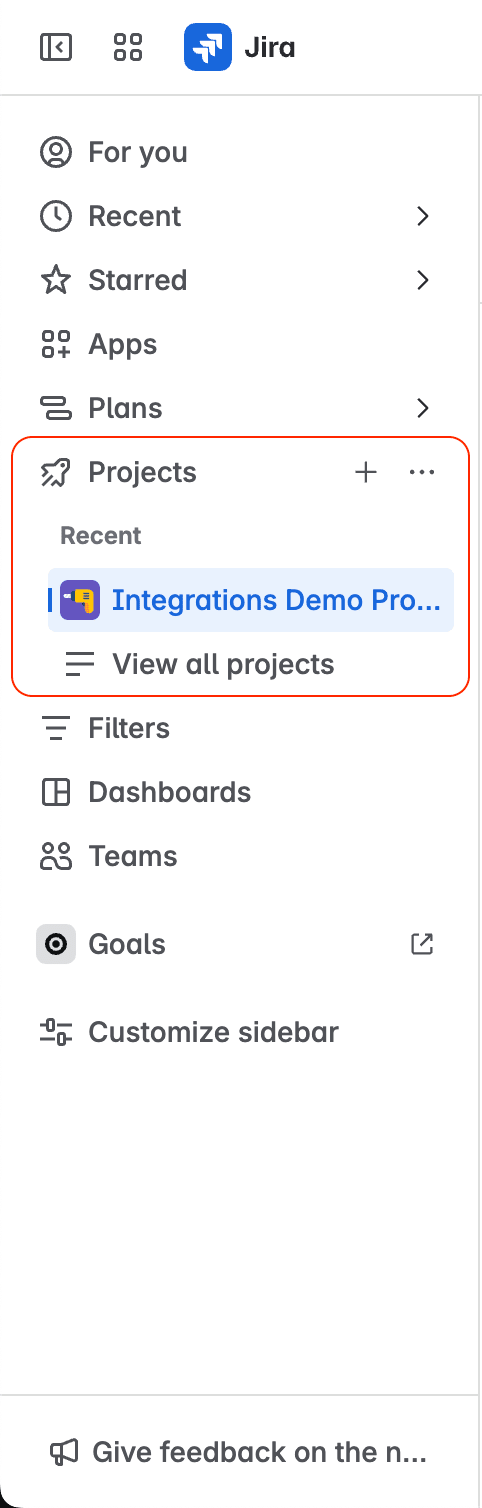
In your Jira Cloud instance, open the project where Fluid Attacks reported the vulnerability.
-
Click Fluid Attacks in the project menu.

-
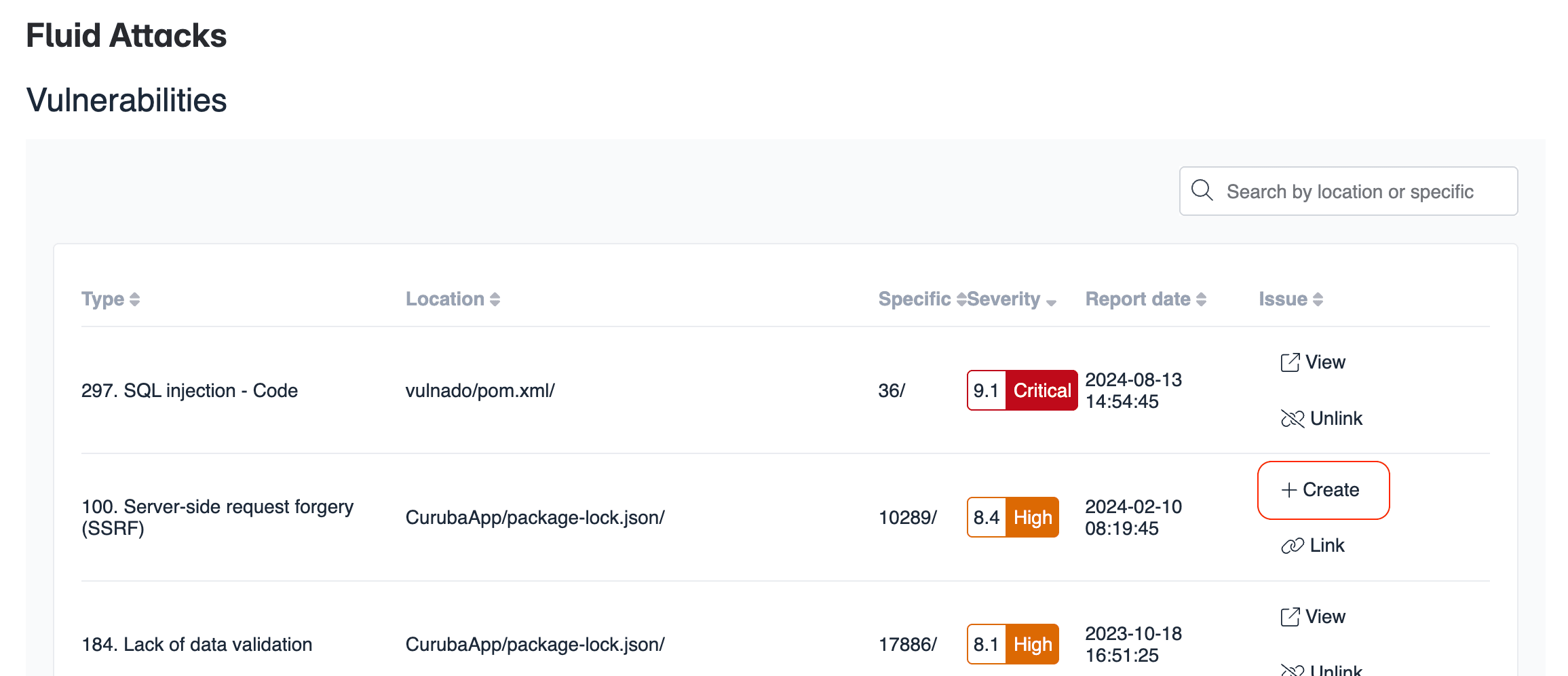
Click Create in the row of the vulnerability that you want to create a Jira issue for.
-
Examine the prefilled fields.
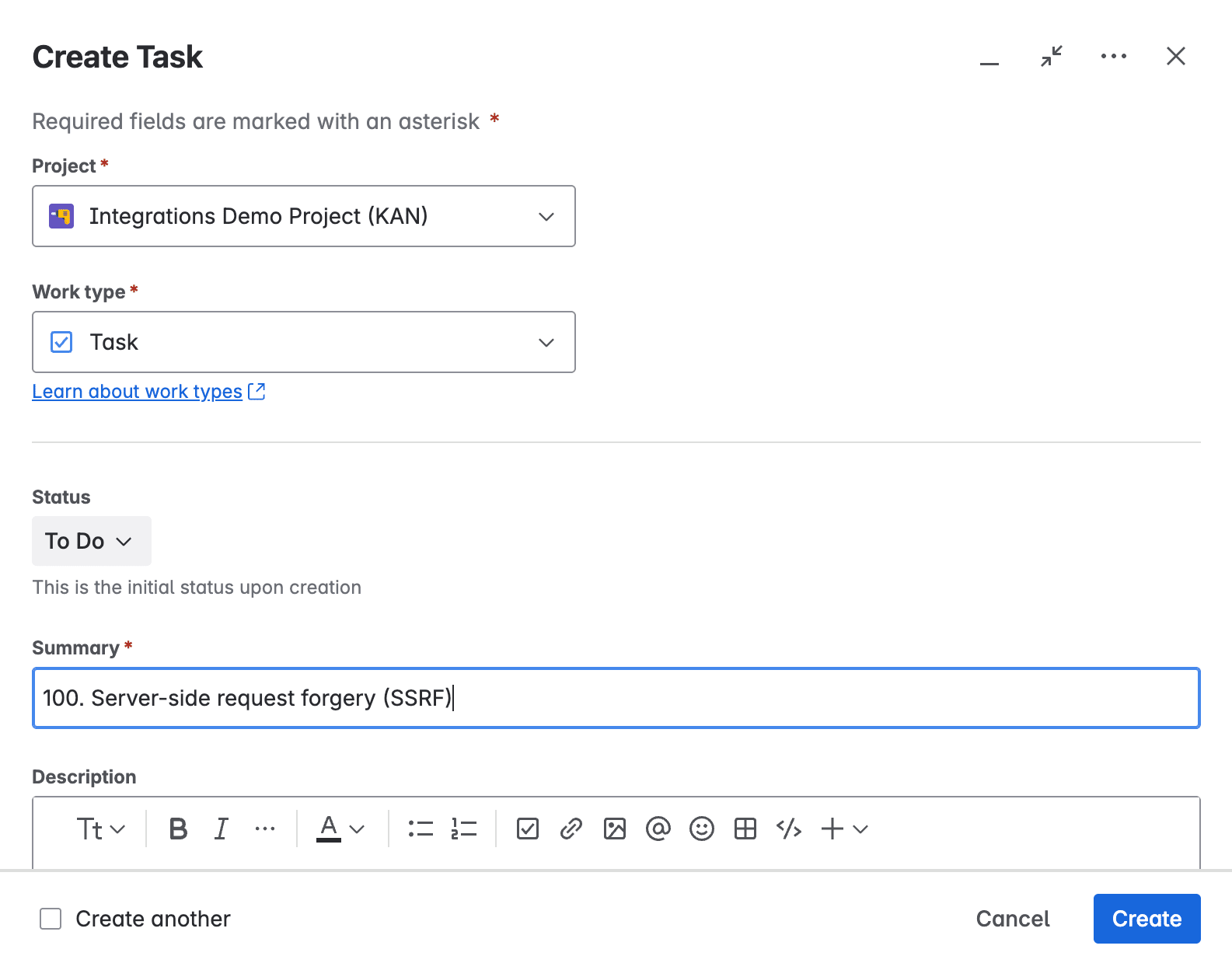
The Summary and Description fields contain information about the vulnerability. This information includes links to the documentation about the vulnerability and to the evidence of exploitability in your software.
-
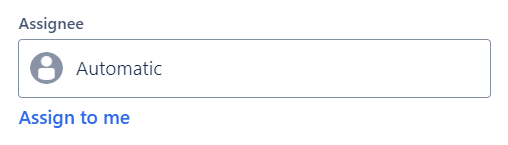
In the Assignee field, assign the fix work to a member of your team.
-
Click Create.
After this procedure, the row of the vulnerability has two actions: view the issue or unlink it.
Search for vulnerabilities in your apps for free with Fluid Attacks' automated security testing! Start your 21-day free trial and discover the benefits of the Essential plan. If you prefer the Advanced plan, which includes the expertise of Fluid Attacks' pentesting team, complete this contact form.