App help options
Last updated: Oct 26, 2026
If you do not have the Jira integration, install it.
Access the link in issues to request a Talk to a Pentester session
Permission required: To use the Talk to a
Pentester link in
Jira issues, you must
have permission to assign issues or to receive issue assignments.
Plan required: Advanced
As a user of the Jira integration of Fluid Attacks, you can use the Talk to a Pentester option directly from Jira.
This help option is available in each issue linked to a vulnerability that Fluid Attacks reports. To find it, do these steps:
-
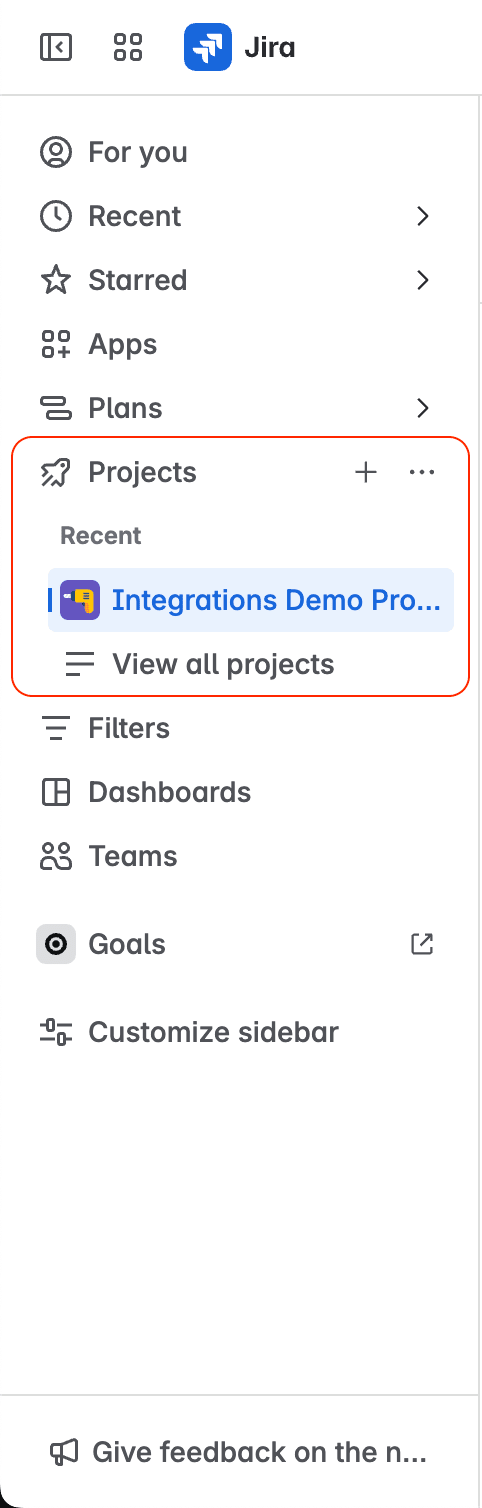
In your Jira Cloud instance, open the project with the vulnerability that Fluid Attacks reported.
-
Access Fluid Attacks from the project menu.

-
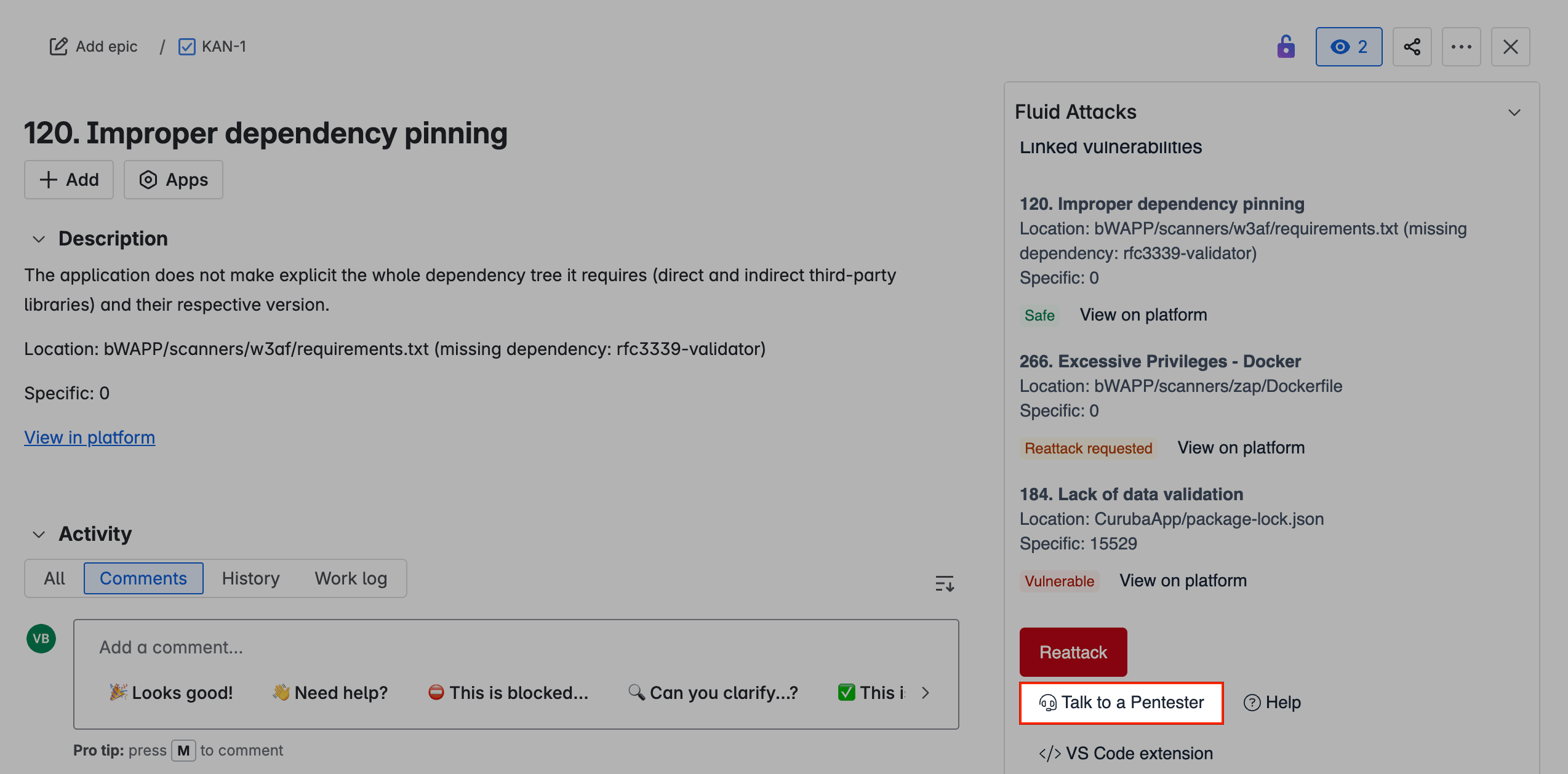
Find the issue linked to the vulnerability. Then click View to open it.
-
On the right, scroll down to the Talk to a Pentester option.
-
On the Calendly page, follow the instructions to schedule your session.
Access the link in issues to create a help ticket
Permission required: To use the link to the ticket system in Jira issues, you must have permission to assign Jira issues or to receive Jira issue assignments.
With the Jira integration of Fluid Attacks, Jira issues contain a link to the Fluid Attacks ticket system. There, you can send tickets to Fluid Attacks about bugs, requests or questions.
-
In your Jira Cloud instance, open the project that your bug, request or question is about.
-
Access Fluid Attacks from the project menu.
-
Find the issue related to the bug, request or question and open it.
-
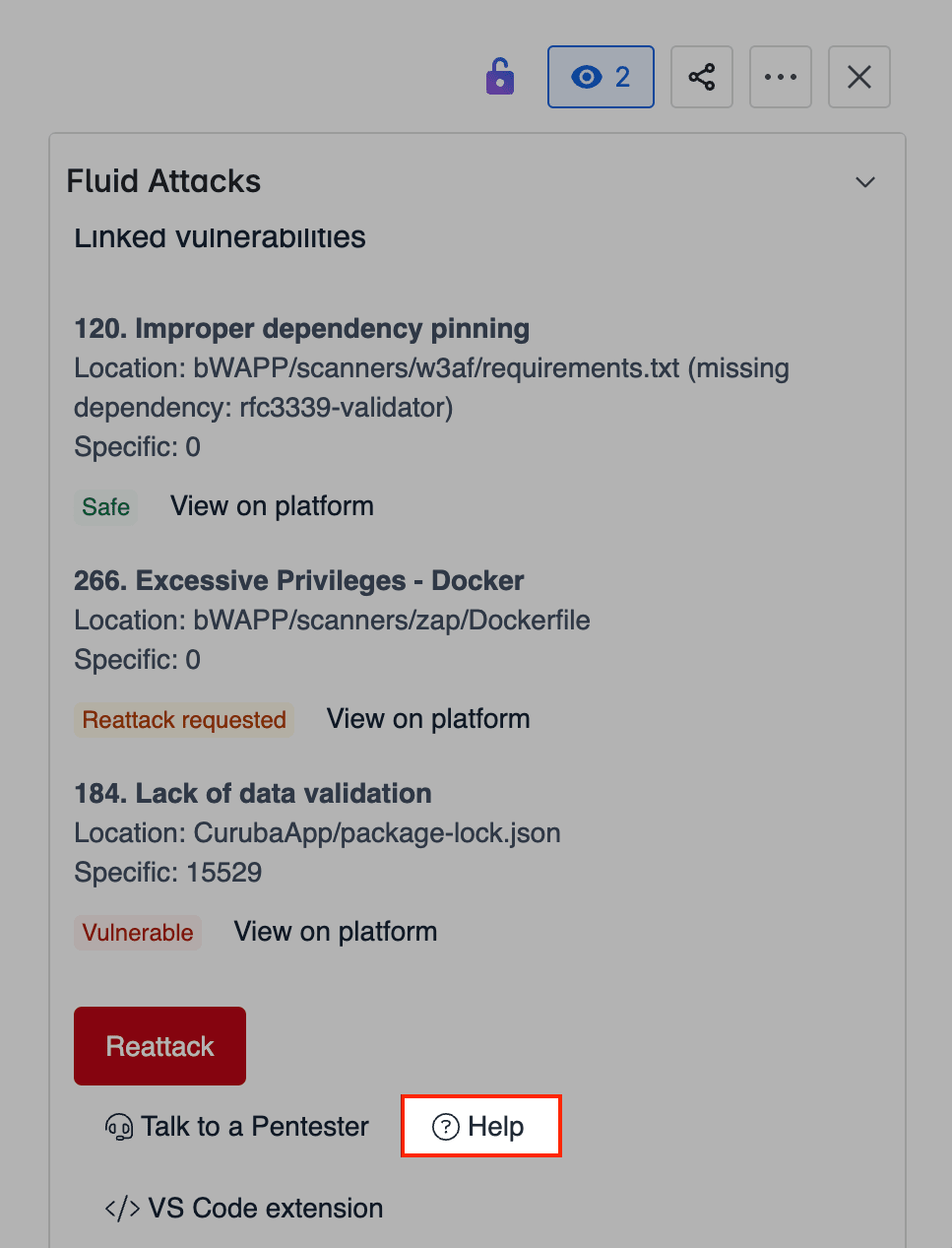
Scroll down to the Fluid Attacks options and select Help.
-
Give the information on the ticket platform. Then click Submit.
Search for vulnerabilities in your apps for free with Fluid Attacks' automated security testing! Start your 21-day free trial and discover the benefits of the Essential plan. If you prefer the Advanced plan, which includes the expertise of Fluid Attacks' pentesting team, complete this contact form.
Request reattacks
Learn about the integration feature to request reattacks by Fluid Attacks from a Jira issue to verify that the fix to a software vulnerability was successful.
Export issues to Excel
Learn why Microsoft Excel does not properly render line breaks when importing a CSV file exported from Jira, and how to work around this limitation.