Vulnerability details in Jira
Last updated: Oct 26, 2026
If you do not have the Jira integration, install it.
Access the link to vulnerability evidence from issues
Permission required: To access the link to vulnerability evidence in Jira issues, you must have permission to assign issues or to receive issue assignments.
You can use the Jira integration of Fluid Attacks to create issues about reported vulnerabilities. The prefilled description of each issue includes a link to the evidence of exploitability in your software. Do these steps to find this link, which opens the Fluid Attacks platform.
-
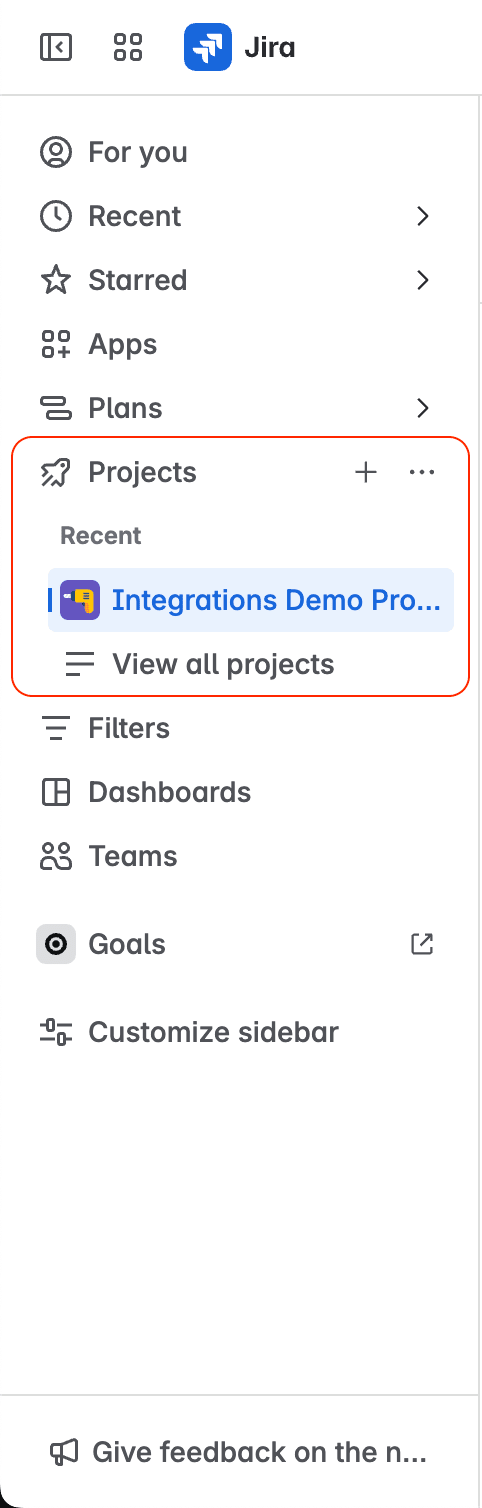
Open the Jira project where Fluid Attacks reported the vulnerability.
-
Access Fluid Attacks from the project menu.

-
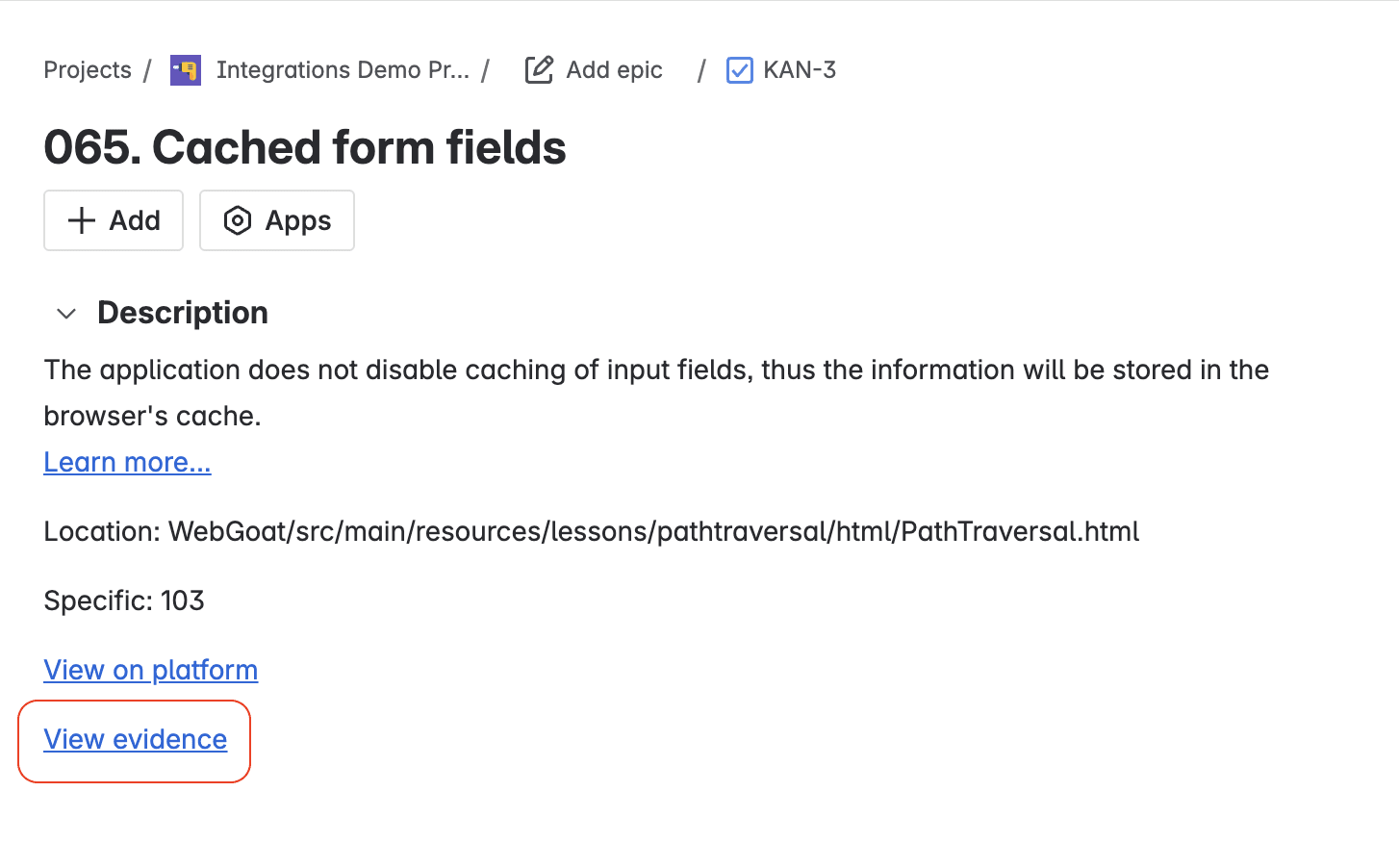
Click View to open the issue linked to the vulnerability.
-
In the issue description, click View evidence.
Access the link to vulnerability location and details from issues
Permission required: To use the link to the vulnerability location and details in Jira issues, you must have permission to assign issues or to receive issue assignments.
With the Jira integration of Fluid Attacks, you can create issues about reported vulnerabilities. The prefilled information of these issues includes a link to the vulnerability location and details. Do these steps to find this link, which opens the Fluid Attacks platform.
-
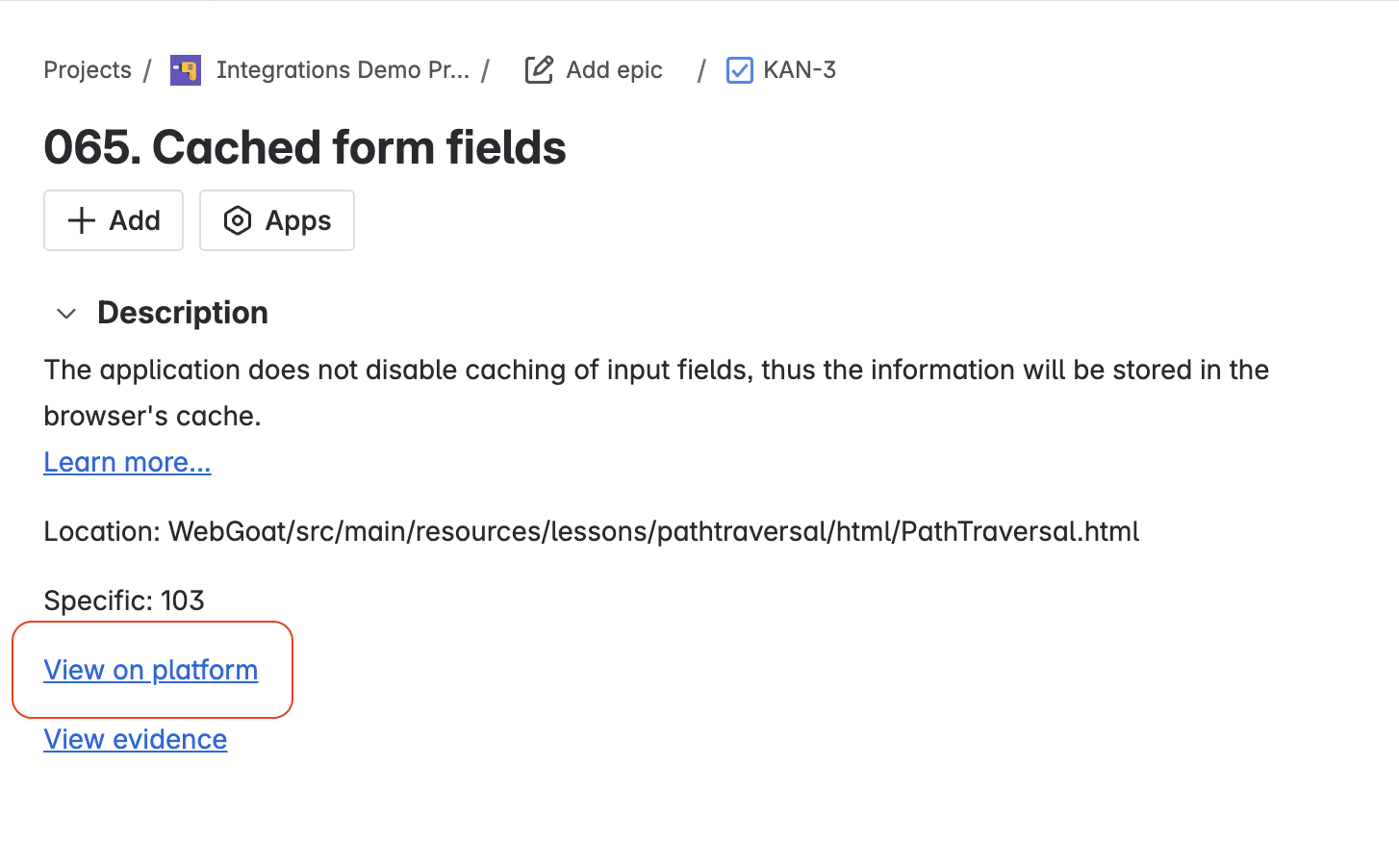
Open the issue linked to the vulnerability as shown in the first section of this article.
-
In the issue description, click View on platform.
Download the VS Code extension
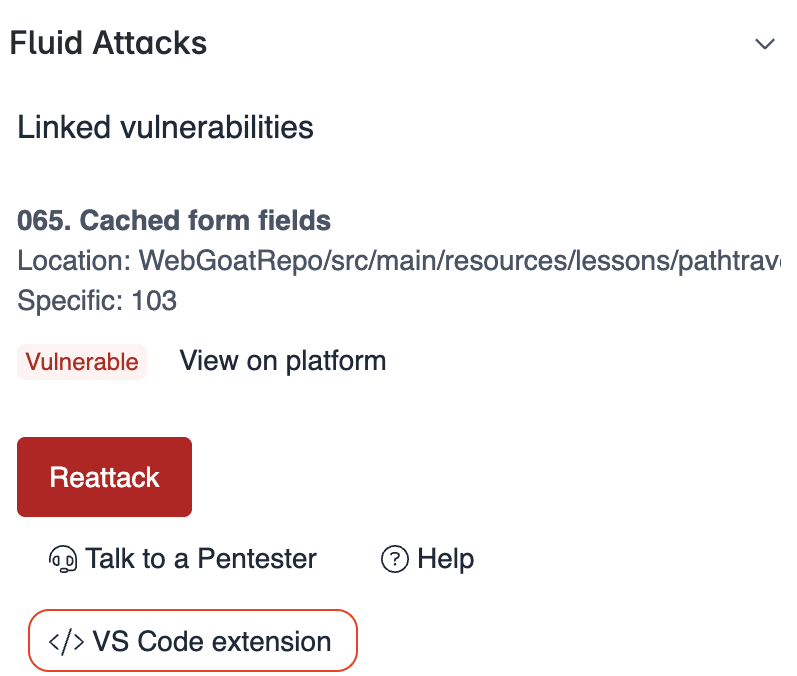
With the VS Code extension, you can find the accurate location of vulnerabilities in your IDE more quickly. In a Jira issue linked to a vulnerability, click the link to the Visual Studio Marketplace to download the extension.
Access the link to the Fluid Attacks documentation on the vulnerability
Permission required: To use the link to the Fluid Attacks documentation in Jira issues, you must have permission to assign issues or to receive issue assignments.
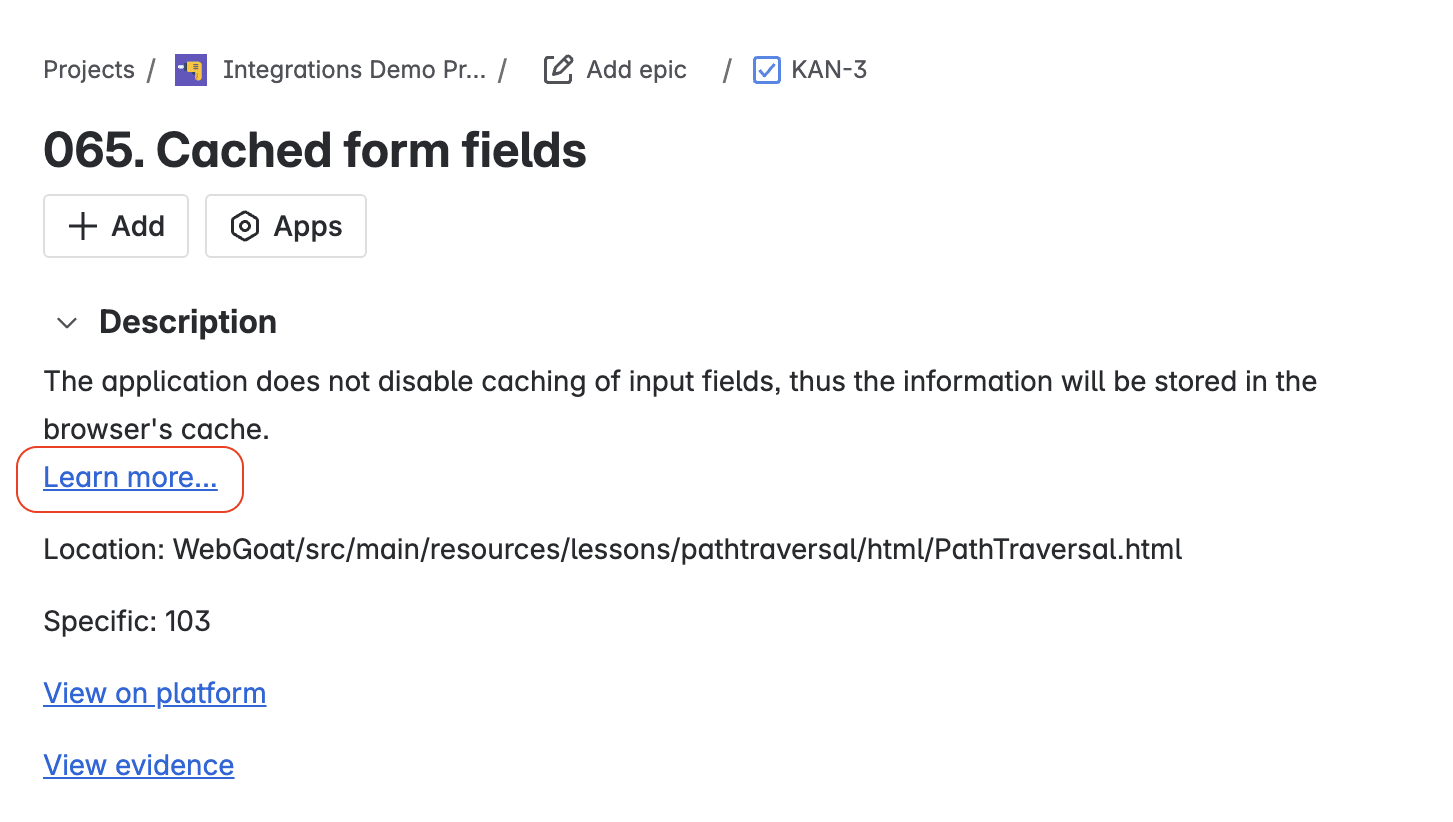
Do these steps to find the link to the public Fluid Attacks documentation about the vulnerability type of the issue.
-
Open the issue linked to the vulnerability as shown in the first section of this article.
-
In the issue description, click Learn more.
Search for vulnerabilities in your apps for free with Fluid Attacks' automated security testing! Start your 21-day free trial and discover the benefits of the Essential plan. If you prefer the Advanced plan, which includes the expertise of Fluid Attacks' pentesting team, complete this contact form.
Link vulnerabilities
Learn about the integration feature to link vulnerabilities reported by Fluid Attacks to Jira issues and unlink them.
Request reattacks
Learn about the integration feature to request reattacks by Fluid Attacks from a Jira issue to verify that the fix to a software vulnerability was successful.