Standard compliance
Last updated: Jun 30, 2026
The platform offers a comprehensive view of how well your organization and individual groups are meeting various international cybersecurity standards, as validated by Fluid Attacks. You can find this information in Compliance, which offers two sections:
- Overview: Provides a high-level summary of your overall compliance posture and allows benchmarking against other organizations.
- Unfulfilled: Lets you drill down into unfulfilled standards per group and generate detailed reports on any gaps that need to be addressed.
Across Compliance, a header provides the following information:
- % Compliance of [organization]: The percentage corresponding to the fulfillment of security requirements within standards
- ET to full compliance: A projection of the number of days it might take to address all noncompliance issues, achieving a 100% compliance level
- Standard least complied with: The name of the specific standard where your organization is struggling the most
- Lowest % compliance: The percentage of fulfilled requirements associated with the standard you comply with the least
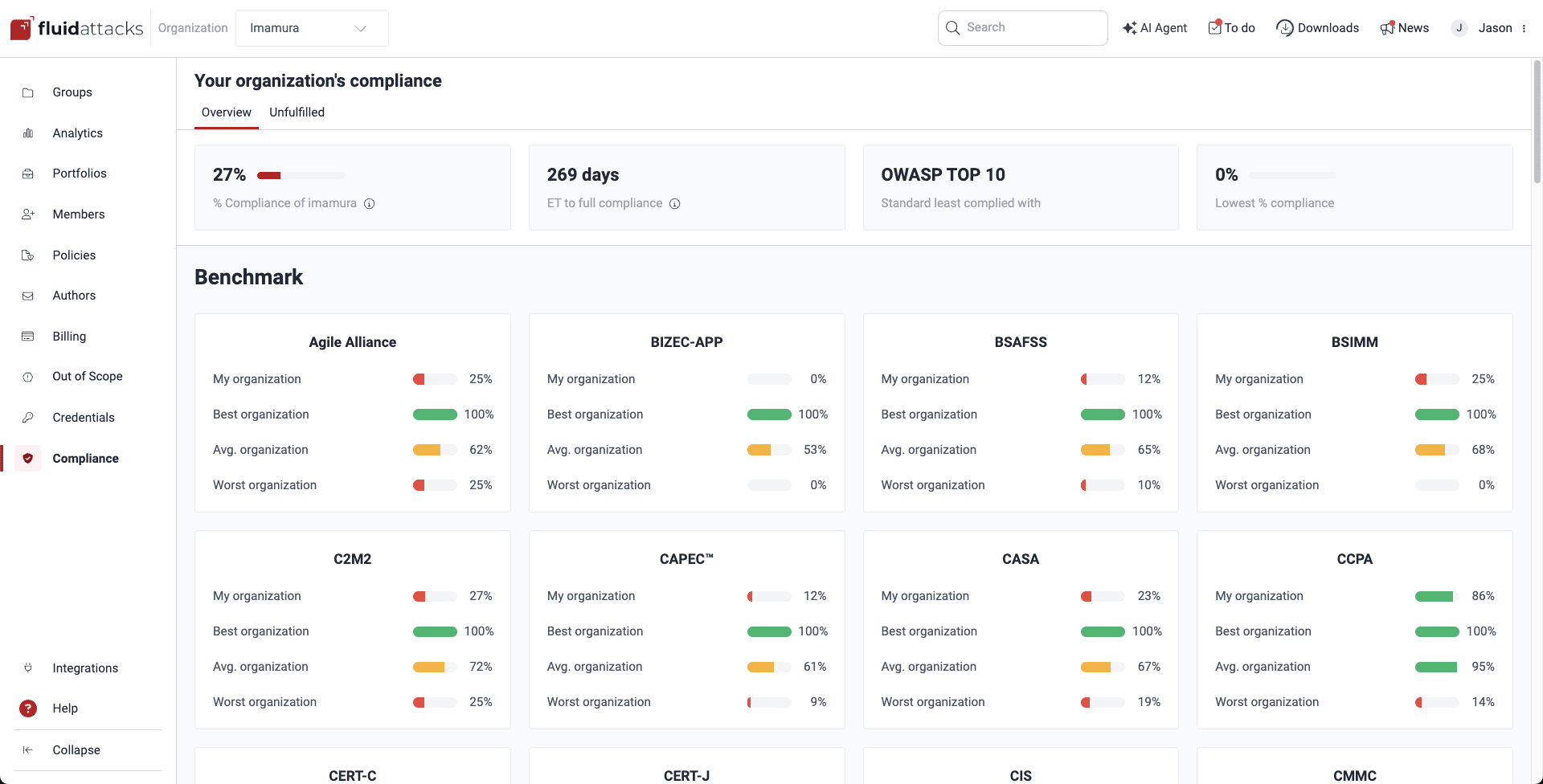
See an overview of your compliance
Role required: User, Vulnerability Manager or Group Manager
Fluid Attacks' platform allows you to gauge your performance relative to your peers. In the Overview section within Compliance, you see how your organization stacks up against the best, worst, and average performance levels in terms of compliance with each of the standards validated by Fluid Attacks.
Check unfulfilled standards in your groups
Role required: User, Vulnerability Manager or Group Manager
Please note that the unfulfilled standards are those mapped as related to your unfulfilled requirements. This causes the fact that, for example, you may be shown that you do not comply with OWASP Top 10 for LLM applications if you do not meet common requirements, such as discarding unsafe inputs, even when your development is not an LLM application.
The Unfulfilled section within Compliance allows you to zoom in on specific groups within your organization and assess their compliance with individual standards.
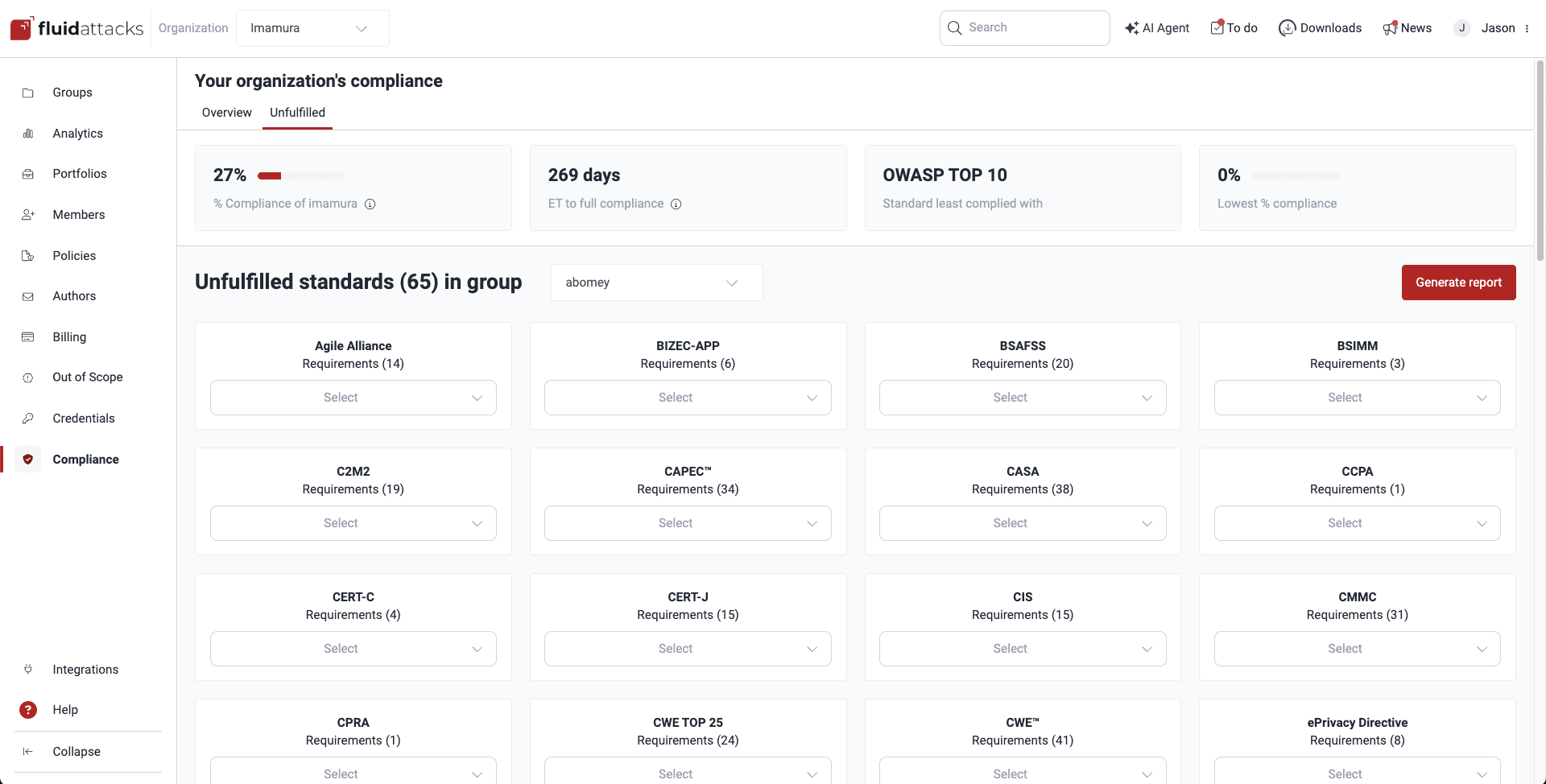
To examine compliance at a granular level within your groups, do the following:
-
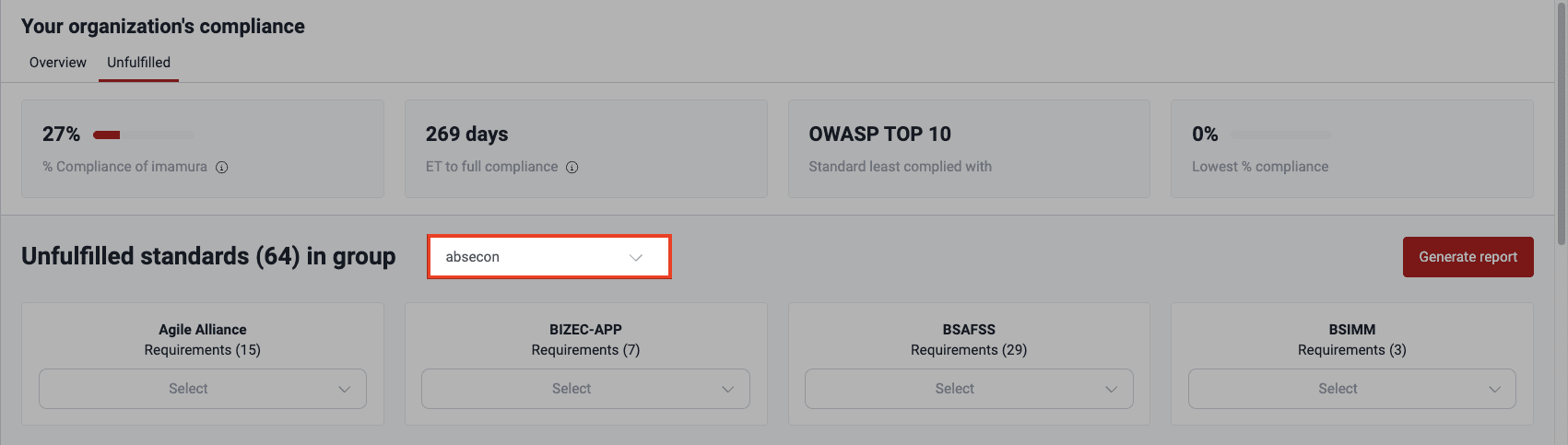
Use the dropdown menu next to the title Unfulfilled standards (#) in group to choose the group you want to analyze. Only the groups you have access to are listed.
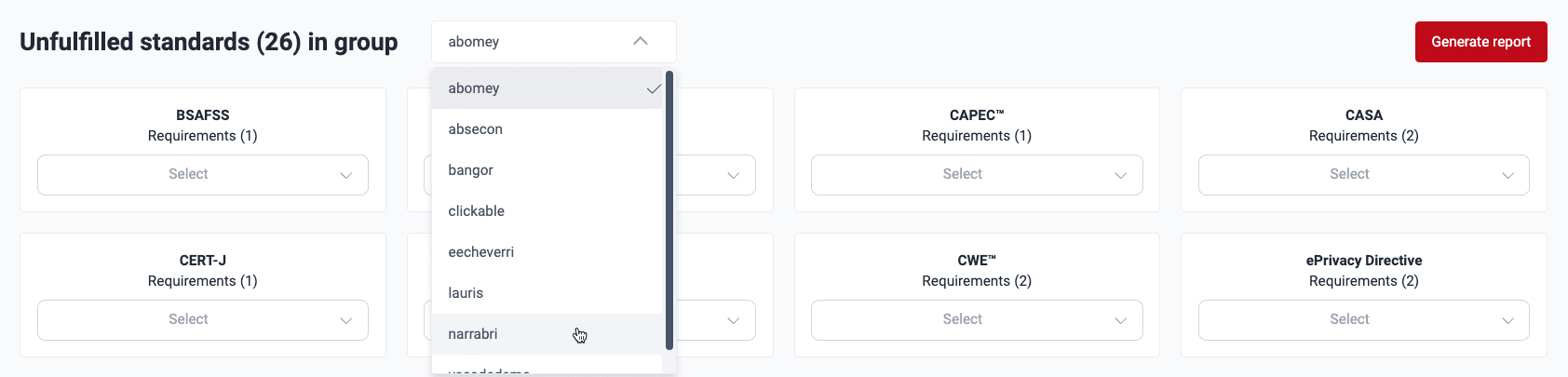
-
Once you have selected a group, you see a breakdown of the standards that the group is not currently meeting in full and the number of security requirements you have yet to implement.
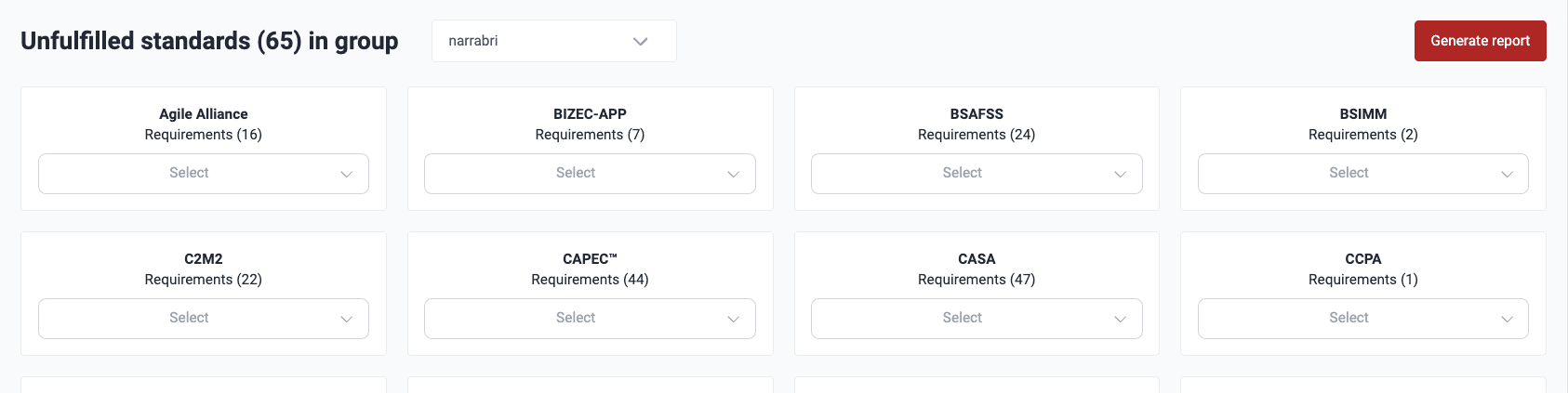
Click on the dropdown menu for the standard to see the names of unfulfilled requirements.
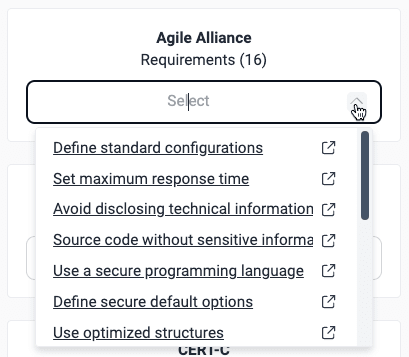
Click on a requirement of interest to see Fluid Attacks' documentation about it, which can give you an idea of what you need to implement. Fluid Attacks' classification uses these requirement categories: architecture, authentication, authorization, certificates, credentials, cryptography, data, devices, emails, files, legal, logs, networks, privacy, services, session, social, source, system, and virtualization.
Download reports of requirements needed to reach compliance
Role required: User, Vulnerability Manager or Group Manager
In the Unfulfilled section, the platform allows you to download comprehensive reports of areas of noncompliance for any selected group. These are the steps:
-
In the Unfulfilled section within Compliance, select the group for which you need a report.
-
Click on the Generate report button to the right.

-
In the pop-up window, select whether you want a PDF or CSV file. PDF is advised if you want the links to the security requirements in the report, whereas CSV is advised for further filtering the report (e.g., by requirements). Then choose which standards to include by using the toggle in the Action column.
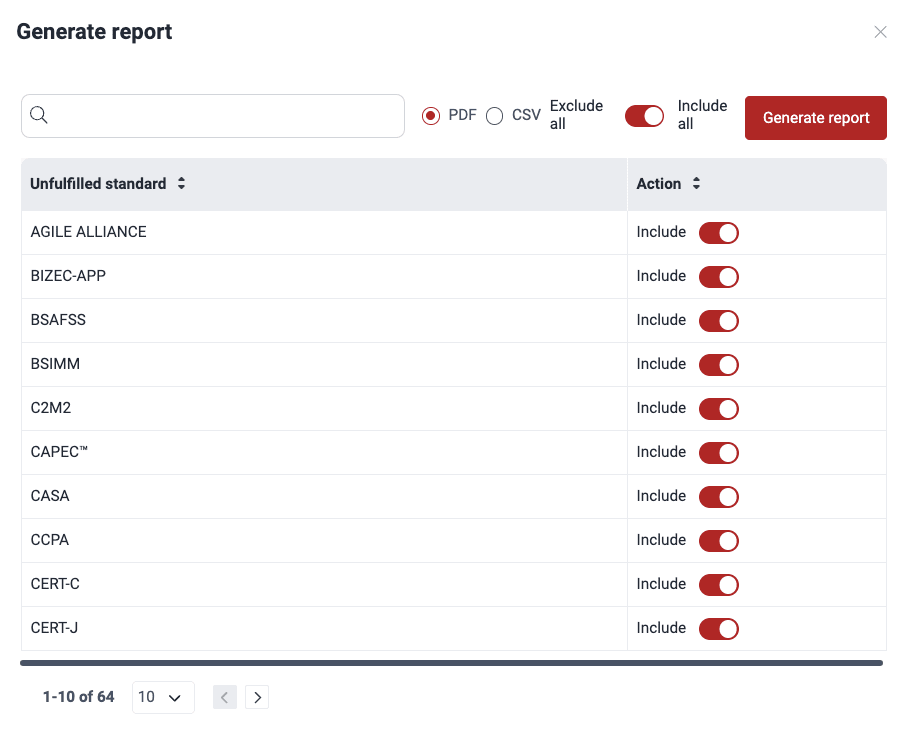
You can use the Exclude all/Include all toggle to select the desired items more quickly.
-
The platform informs you that the report is ready, and your browser downloads it. The file becomes available in the platform for seven days thanks to the Downloads feature.
The downloaded report provides a group-level overview, customized by you. The PDF version shows
- a brief description of the specific standard(s) that the group is not meeting;
- the name(s) of the associated requirement(s), which need to be addressed to achieve compliance, linking to the relevant documentation, and
- the name(s) of the type or types of vulnerabilities associated with the requirement(s), linking to the vulnerability URL(s) in the platform.
The CSV version shows
- the name(s) of the specific standard(s);
- the vulnerability URL(s);
- the name(s) of the type or types of vulnerabilities, and
- the three-number code(s) of the associated requirement(s).
Search for vulnerabilities in your apps for free with Fluid Attacks' automated security testing! Start your 21-day free trial and discover the benefits of the Essential plan. If you prefer the Advanced plan, which includes the expertise of Fluid Attacks' pentesting team, fill out this contact form.