Ask our pentesters to explain a vulnerability
Last updated: Mar 16, 2026
Plan required: Advanced
An Advanced plan subscription gives you access to help from Fluid Attacks’ security analysts:
- You can comment requesting explanations on the Comments section of the weakness in question .
- You can have explanatory video meetings with an expert using the option Talk to a Pentester .
Comment on a type of vulnerability
To leave a comment in the Comments section, follow these steps:
-
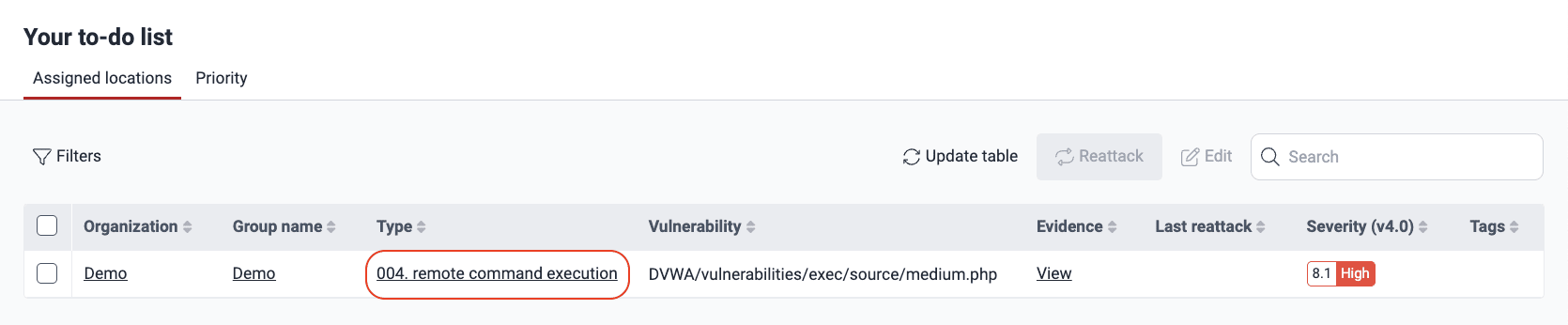
Open the To do section to see the list of vulnerabilities assigned to you.

-
Click the name of the type of vulnerability you need help with to enter its Locations section.
-
Open the Comments tab.

-
Write your comment in the text box and click on Comment when you are done.

One of Fluid Attacks’ experts will answer you shortly in the comment thread.
Have a video meeting with a pentester
To schedule a video meeting with a pentester, do the following:
-
Go to your group.
-
Click the Help button in the collapsible menu on the left and select Talk to a Pentester.
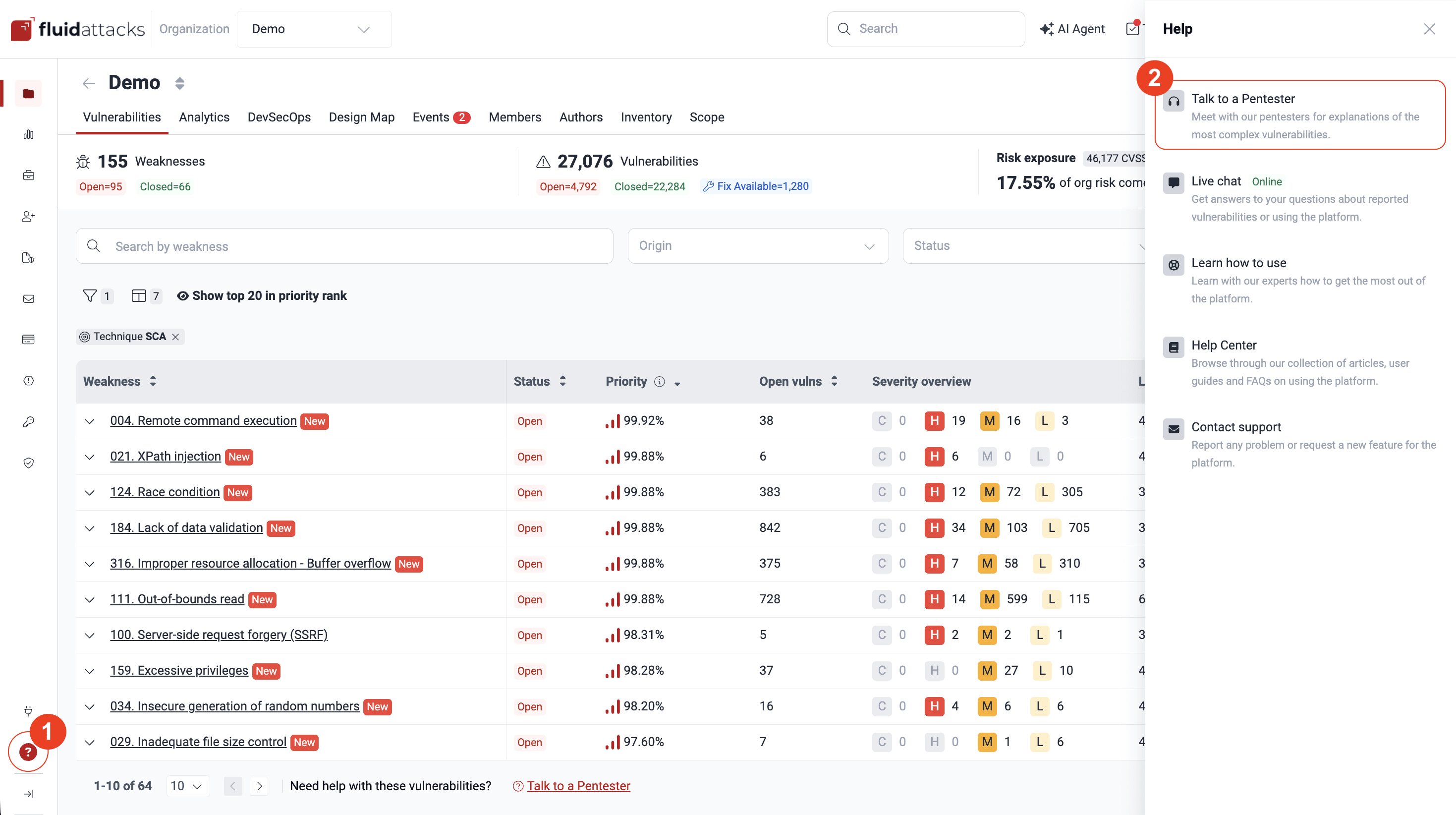
You can also click the Talk to a Pentester link located at the bottom of several sections, such as in the Vulnerabilities section.
-
Verify that you have already looked for information about the vulnerability in Fluid Attacks’ documentation.
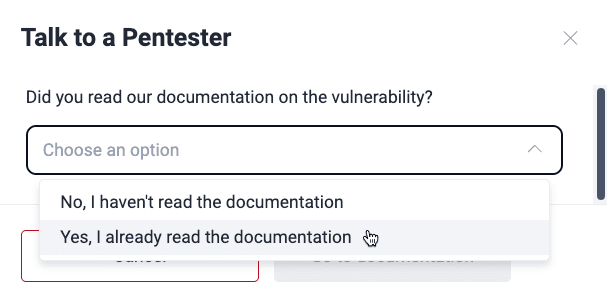
-
Follow the prompts and click on Schedule Event when you are done.
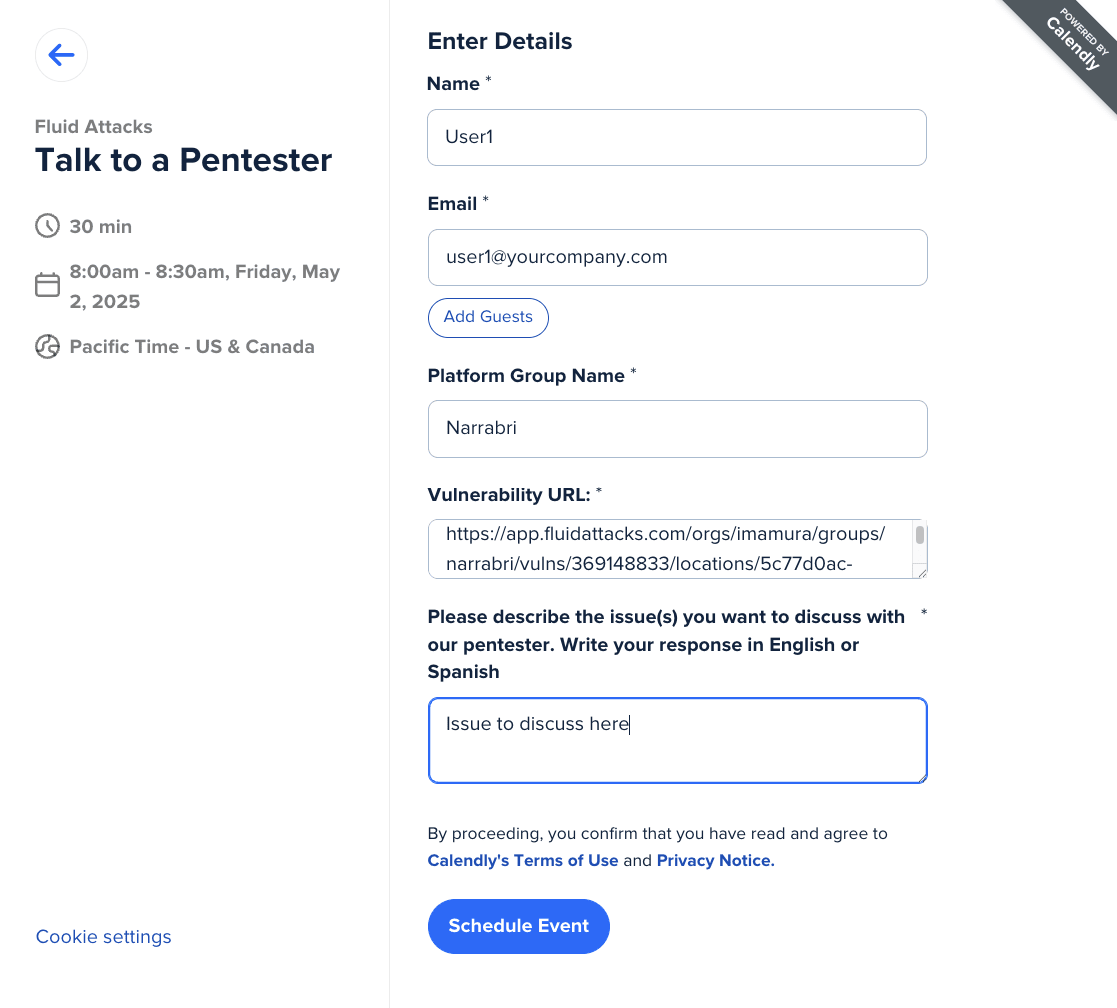
You will then receive a confirmation with the information about the meeting.
After understanding the vulnerabilities, and then remediating them, you can request verifications to find out if your fixes worked.